Moving User Content Files and Folders
User content can be easily moved between fixtures or between your local drive and fixtures. Which method you use
depends on:
• How much content you want to move
• What existing server content you want to preserve
• Whether the client machine is currently connected to the Ethernet fixture link
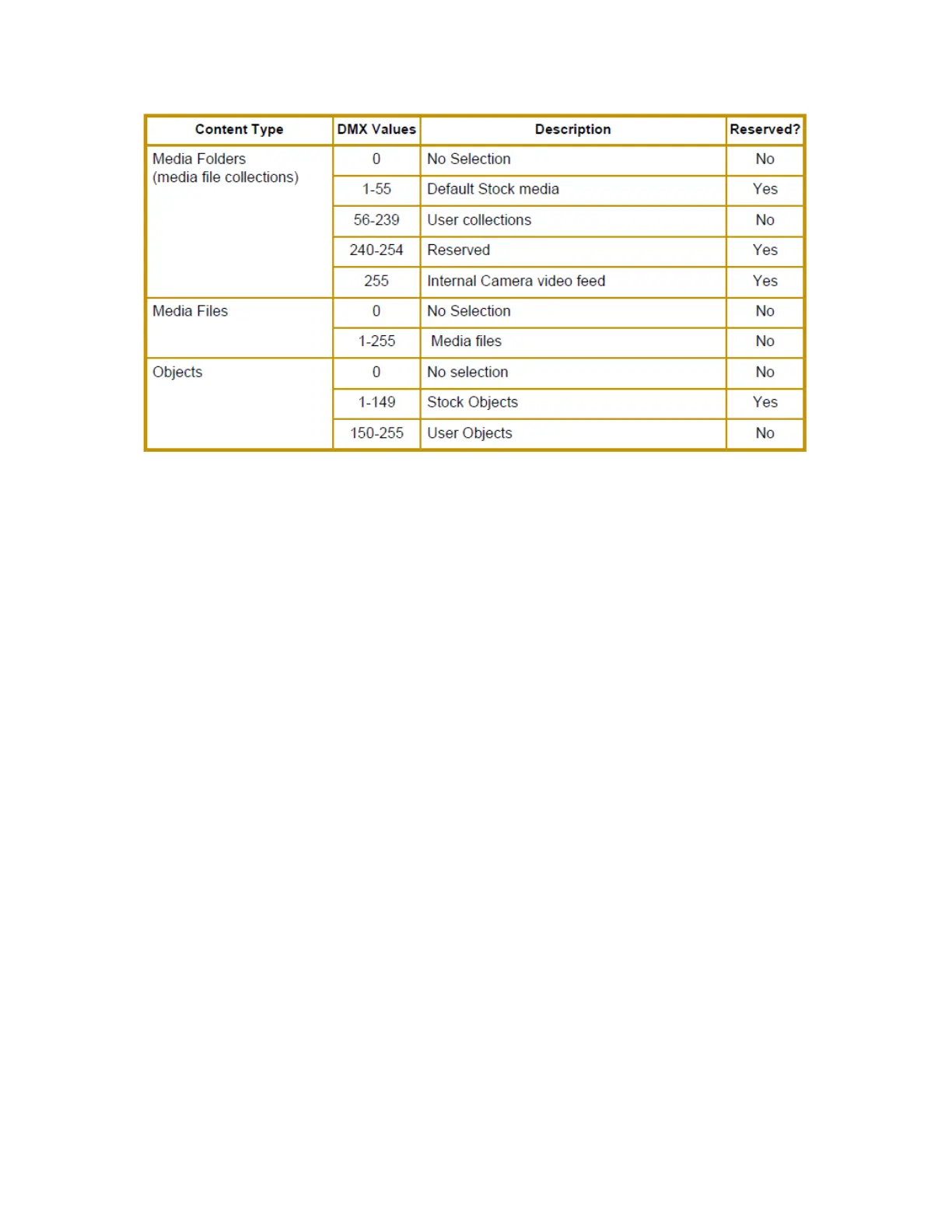
• If you want to maintain currently assigned content identification DMX values
There are several methods for moving User content files and media folders between media servers to your local drive:
• Drag and Drop
• Copy and Paste commands
• Cloning transfers the User Content files and their DMX value assignments from one media server to one or more
server(s) on the fixture network.
• Creating a Content Archive
• Deploying a Content Archive
Use the following table to determine the best method for your situation.



 To Next Page