2–44 Hardware description
Hitachi Unified Storage Hardware Service Guide
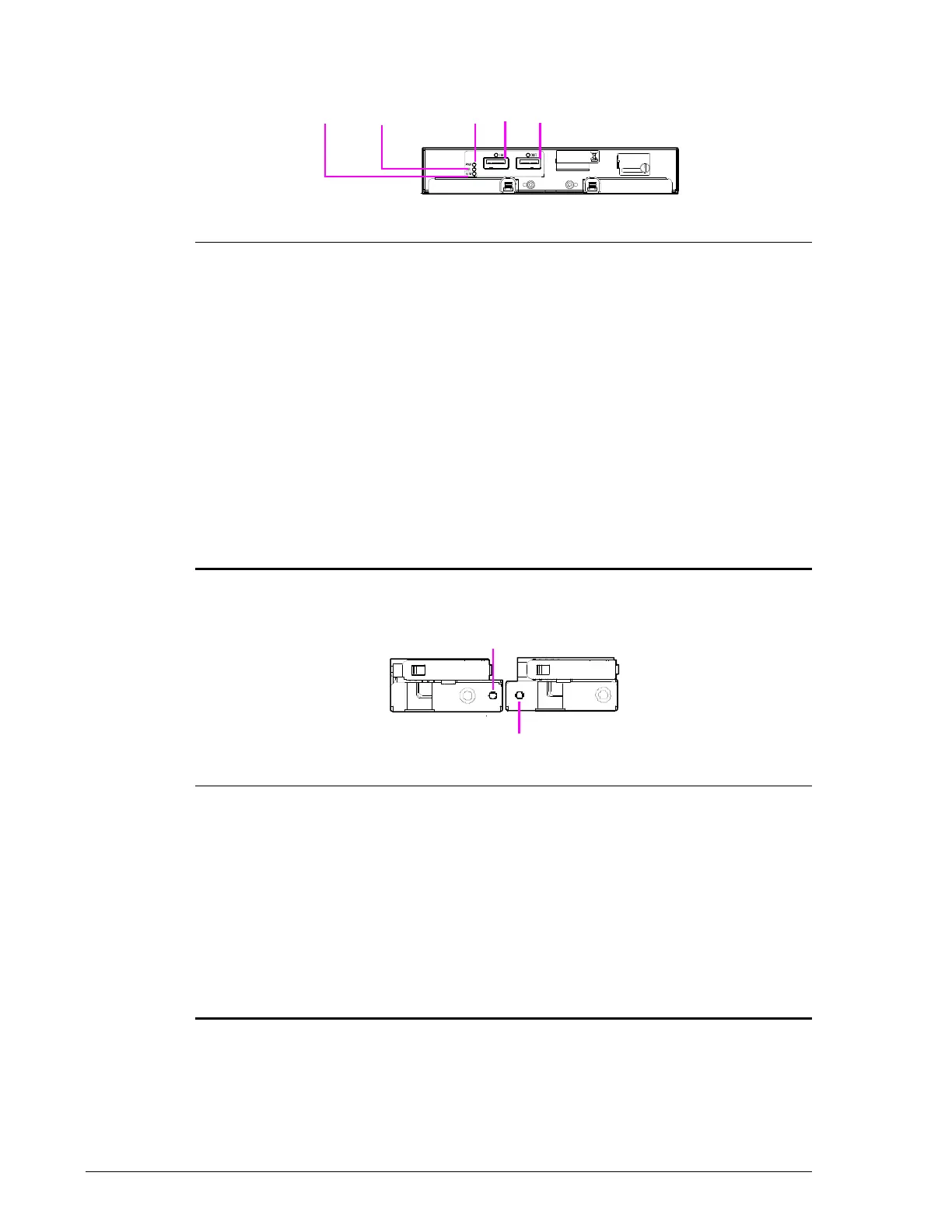
I/O Module (ENC), DBF Drive Box
Cable Holder (ENC), DBX
Legend LED Color Description

LOCATE Orange ON when adding chassis with power turned on =
chassis is being added. This is not an error.
ON = CUDG or RAM error detected by ENC
firmware, or ENC error. Visit the HDS Support
Portal at portal.hds.com.
• Fast blinking 2 times: CUDG error in ENC.
• Fast blinking 3 times: firmware error in flash
memory.
?
ALARM Red ON = error with I/O Module (ENC) or I/O Card
(ENC), rendering the module or card unusable.
Visit the HDS Support Portal at portal.hds.com.
?
PWR Green ON = AC power is being provided to the I/O Card
(ENC).
?
PATH (IN) Green ON = IN port is linked.
?
PATH (OUT) Green ON = OUT port is linked.
Legend LED Color Description

ALM Red ON = I/O Card (ENC) error. Visit the HDS Support
Portal at portal.hds.com.
Blue ON = SAS IN side has made a link.
?
LOCATE Orange ON = CUDG, RAM, or I/O configuration error.
Visit the HDS Support Portal at portal.hds.com.
• High-speed blinking 2 times: CUDG error in
ENC card.
• High-speed blinking 3 times: firmware error
in flash memory.
Blue ON = SAS OUT side has made a link.



 To Next Page