15–26 Upgrading a Hitachi Unified Storage 130 system
Hitachi Unified Storage Hardware Service Guide
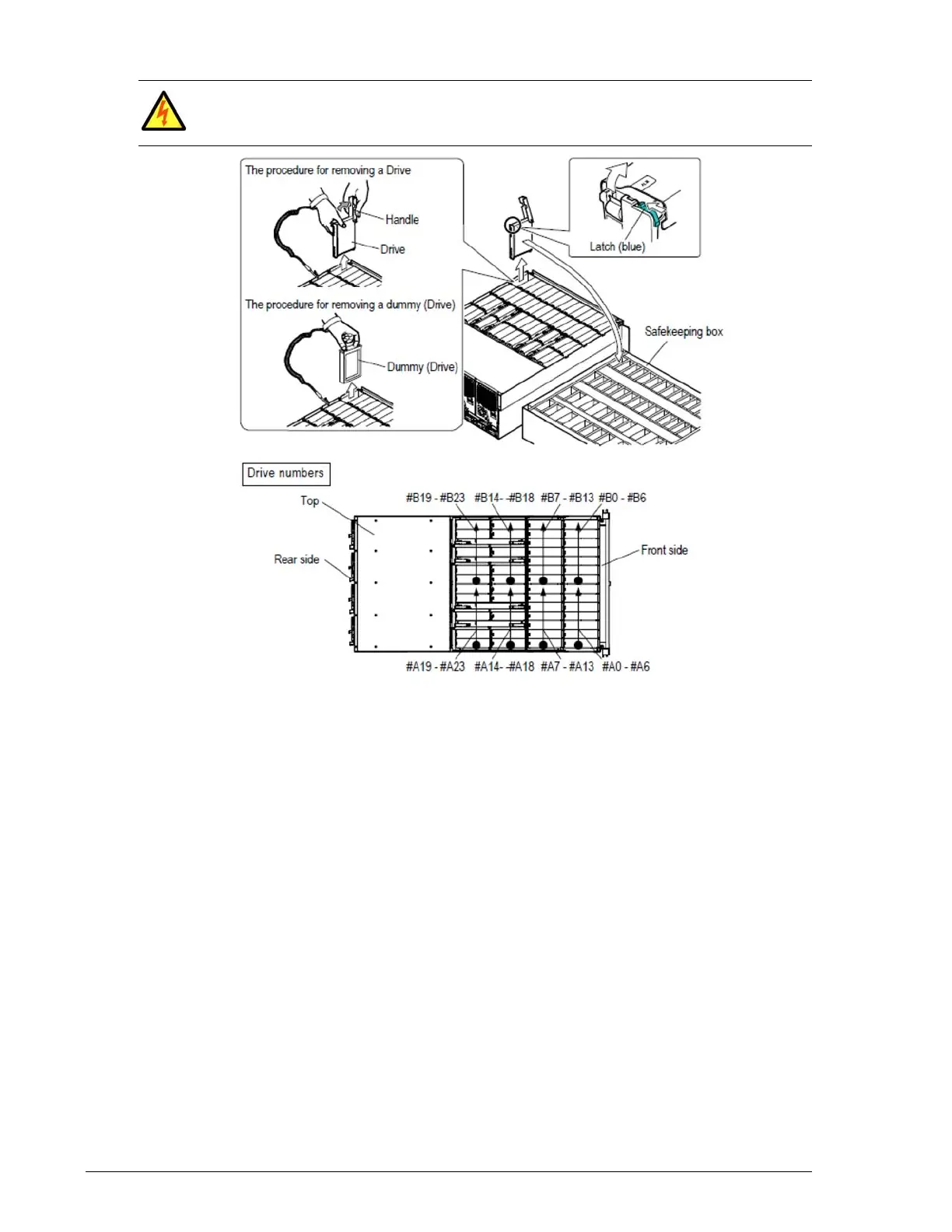
Figure 15-10: Removing a drive from a DBX Drive Box
Installing drives in the Hitachi Unified Storage 150
After removing the drives from the Hitachi Unified Storage 130, install them
into either a DBL Drive Box (if they were removed from a CBSL) or a DBS
Drive Box (if they were removed from a CBSS). Be sure to install the drives
into the appropriate drive slots based on the record you made under
Collecting drive serial numbers on page 15-16.
Installing drives in the DBL
To install drives in the DBL:
1. Hold the rail side of the drive.
2. Open the handle completely, fit the drive into the guide rail, and slide it
in the direction shown by the arrow.
3. Push until the hook of the handle can be inserted into the square hole
on the storage system frame.
If you drop a screw or other part into the DB, remove it immediately. If you
leave it unattended, the part will short out the DBX and can cause a fire or a
failure.



 To Next Page