3–10 Procedures before and after replacing components
Hitachi Unified Storage Hardware Service Guide
•
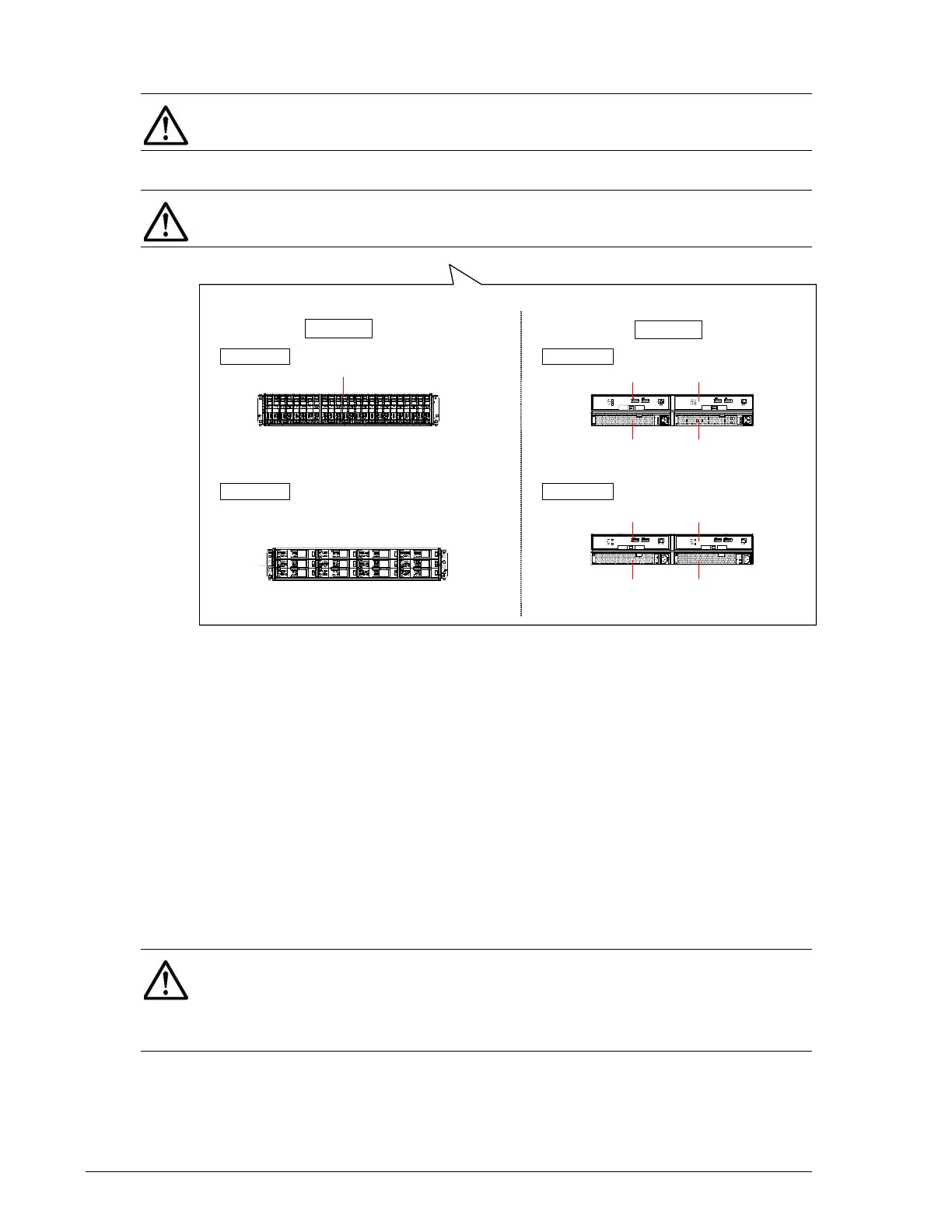
Figure 3-2: Location of replaceable parts on the Drive Box
Removing and replacing the front bezel
To gain access to a Hitachi Unified Storage system, remove the front bezel.
After replacing the component, replace the front bezel.
Removing the front bezel on a CBXSS/CBXSL/CBSS/
CBSL/DBS/DBL
To remove the front bezel from the CBXSS/CBXSL/CBSS/CBSL/DBS/DBL:
1. Use the supplied key to unlock the bezel.
2. Holding the lower right part of the bezel, gently pull the key toward you
and disengage the right side of the bezel from the ball catch.
3. Disengage the front bezel from the left tabs and then remove the bezel.
NOTE 2: The cache backup battery for the CBXSS/CBXSL/CBSS/CBSL
Controller Boxes is installed in the controller.
NOTE 3: The CBL controller contains three Fan Modules.
Front view
Rear view
DBS
DBL
11
Power Unit #0 Power Unit #1
I/O Module (ENC) #0
I/O Module (ENC) #1
DBS
DBL
Power Unit #0 Power Unit #1
I/O Module (ENC) #0
NOTE: If the lock cannot be released, turn the key while pressing firmly
on the plate part at the lower left side of the keyhole. If you press an area
other than the plate, you can damage the front bezel. When disengaging
the front bezel, do not open the bezel more than 45 degrees; otherwise,
you can damage the bezel.



 To Next Page