Hardware description 2–45
Hitachi Unified Storage Hardware Service Guide
Power Unit
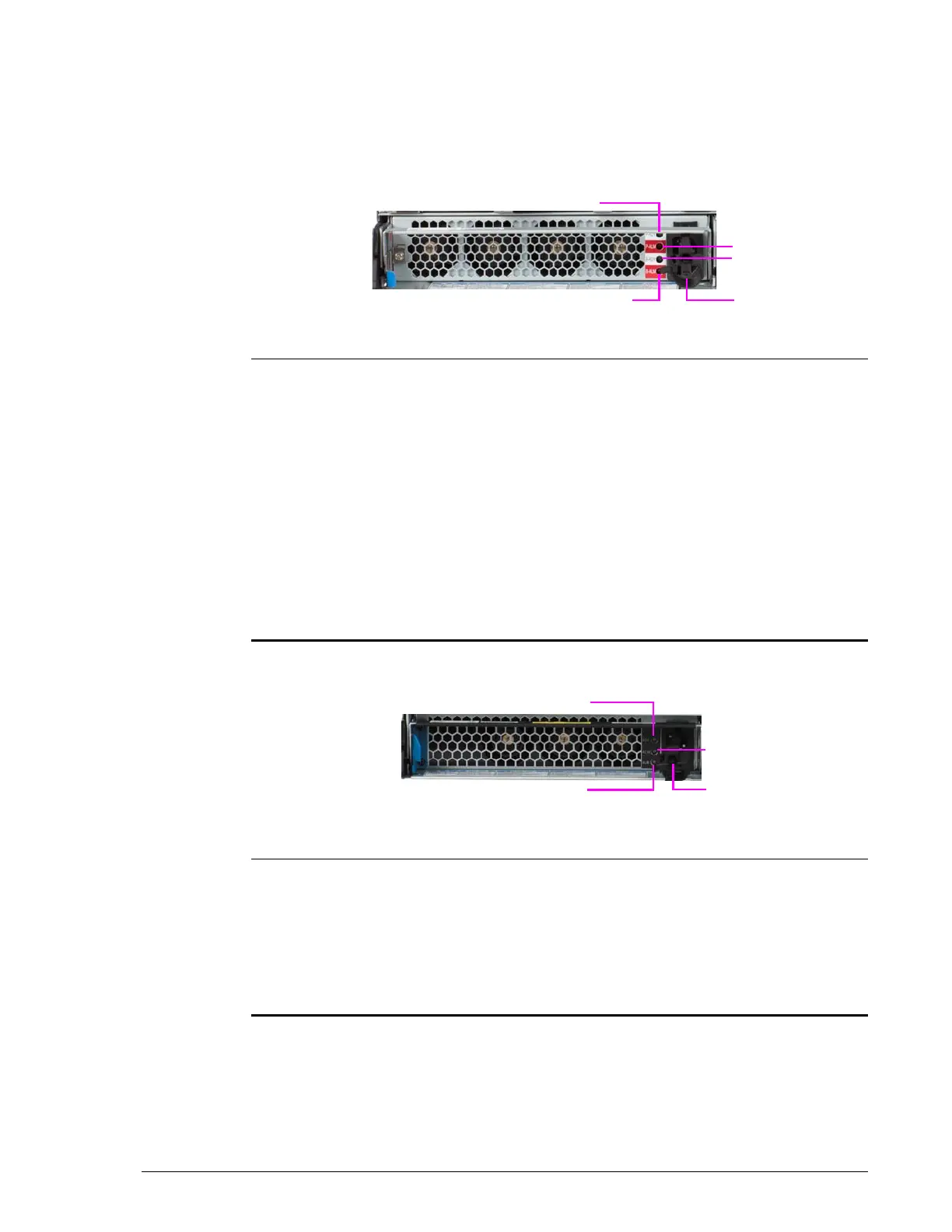
The Power Unit provides the power sockets for connection to an AC power
source. The Power Unit also provides LEDs to indicate its status.
Power Unit for CBXSS, CBXSL, CBSS, and CBSL Controller Boxes
•
•
Power Unit for DBS and DBL Drive Boxes
•
Legend Component Color Description

P-RDY Green ON = Power Unit is operating normally.
?
P-ALM Red ON = Power Unit is experiencing trouble. Visit
the HDS Support Portal at portal.hds.com.
?
B-RDY Green ON = battery status is normal.
Blinking = battery status is charged at start-
up.
OFF = battery status is abnormal or battery
is not installed. If the battery is installed, visit
the HDS Support Portal at portal.hds.com.
?
Power Socket Connects to AC power source.
?
B-ALM Red ON = cache backup battery has failures. Visit
the HDS Support Portal at portal.hds.com.
Legend Component Color Description

RDY Green ON = Power Unit is operating normally.
?
AC IN Green ON = AC input is normal.
?
Power Socket Connects to AC power source.
?
ALM Red ON = Power Unit is experiencing trouble. Visit
the HDS Support Portal at portal.hds.com.



 To Next Page