4–10 Replacing drives
Hitachi Unified Storage Hardware Service Guide
Removing and replacing drives on CBXSL/CBSL Controller Boxes
and DBL Drive Box
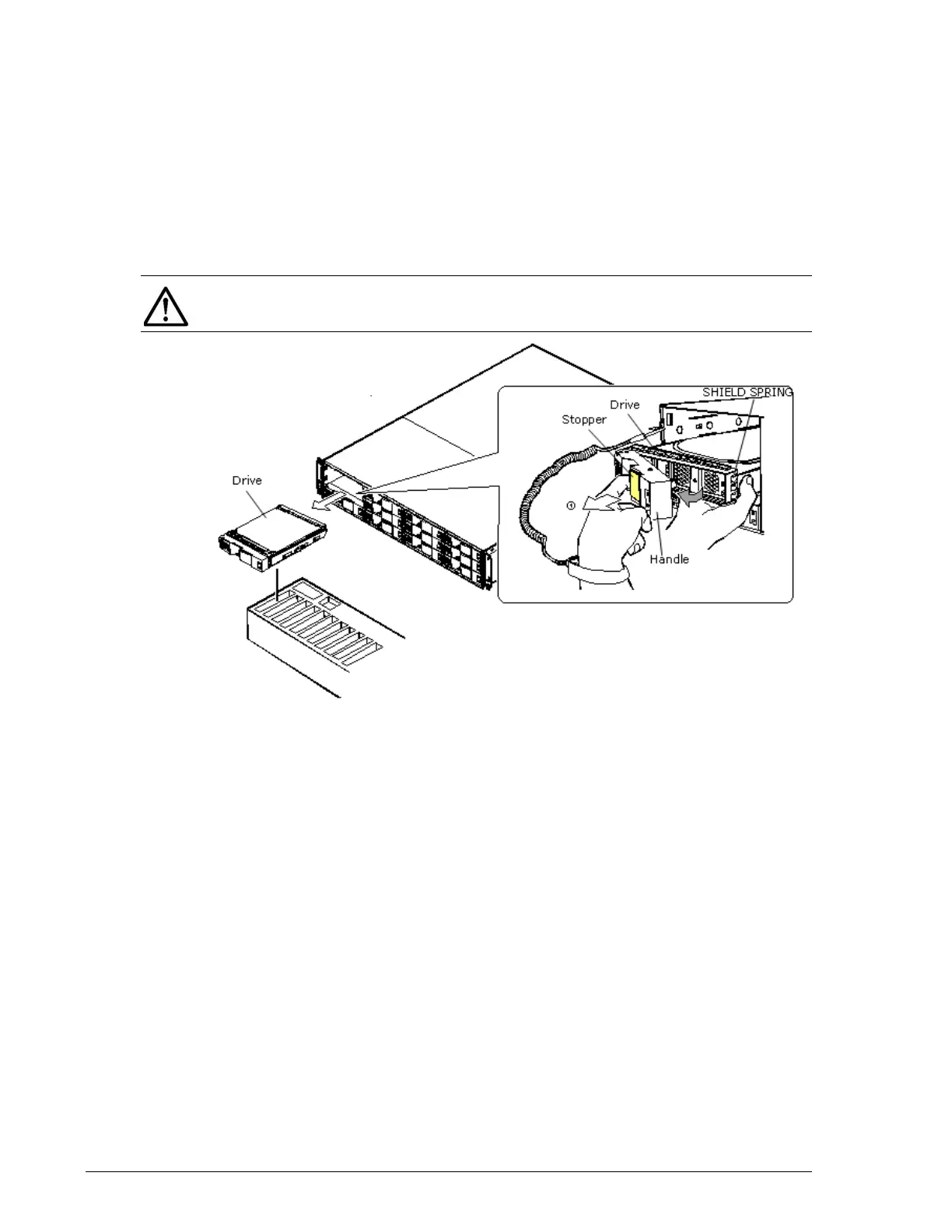
To remove a drive from a CBXSL or CBSL Controller Box or DBL Drive Box:
1. With the storage system powered on and running, pull the stopper on
the drive handle toward you to release the lock (
c).
2. Open the handle toward you, and then pull out and remove the drive to
be replaced. Handle the drive carefully to avoid exposing it to shock or
rough movement.
Figure 4-7: Removing a drive from a CBXSL/CBSL/DBL
Instructions for replacing a drive on a CBXSL or CBSL Controller Box or DBL
Drive Box vary, depending on the storage system. Check the storage system
and drive before replacing the drive.
1. With the storage system powered on and running, insert the drive into
the guide rail and slide it in the direction of the arrow (
c). Handle the
drive carefully to avoid exposing it to shock or rough movement.
2. Push the drive until it reaches the position where a hook of the handle
can enter into the rectangular hole (
?) at the lower part of a frame on the
front side of the drive.
3. Raise the stopper, which has been titled toward you, and then press the
stopper (
?) to lock the drive. If the handle is raised so the hook of the
handle cannot enter into each hole, the drive meets to the drive frame
and cannot be installed.
NOTE: Hold the drive by the rail side because the shield spring is subject
to breakage.



 To Next Page