Upgrading a Hitachi Unified Storage 130 system 15–21
Hitachi Unified Storage Hardware Service Guide
Removing SAS (ENC) cables
After removing power cables, use the following procedure to remove the
SAS (ENC) cables.
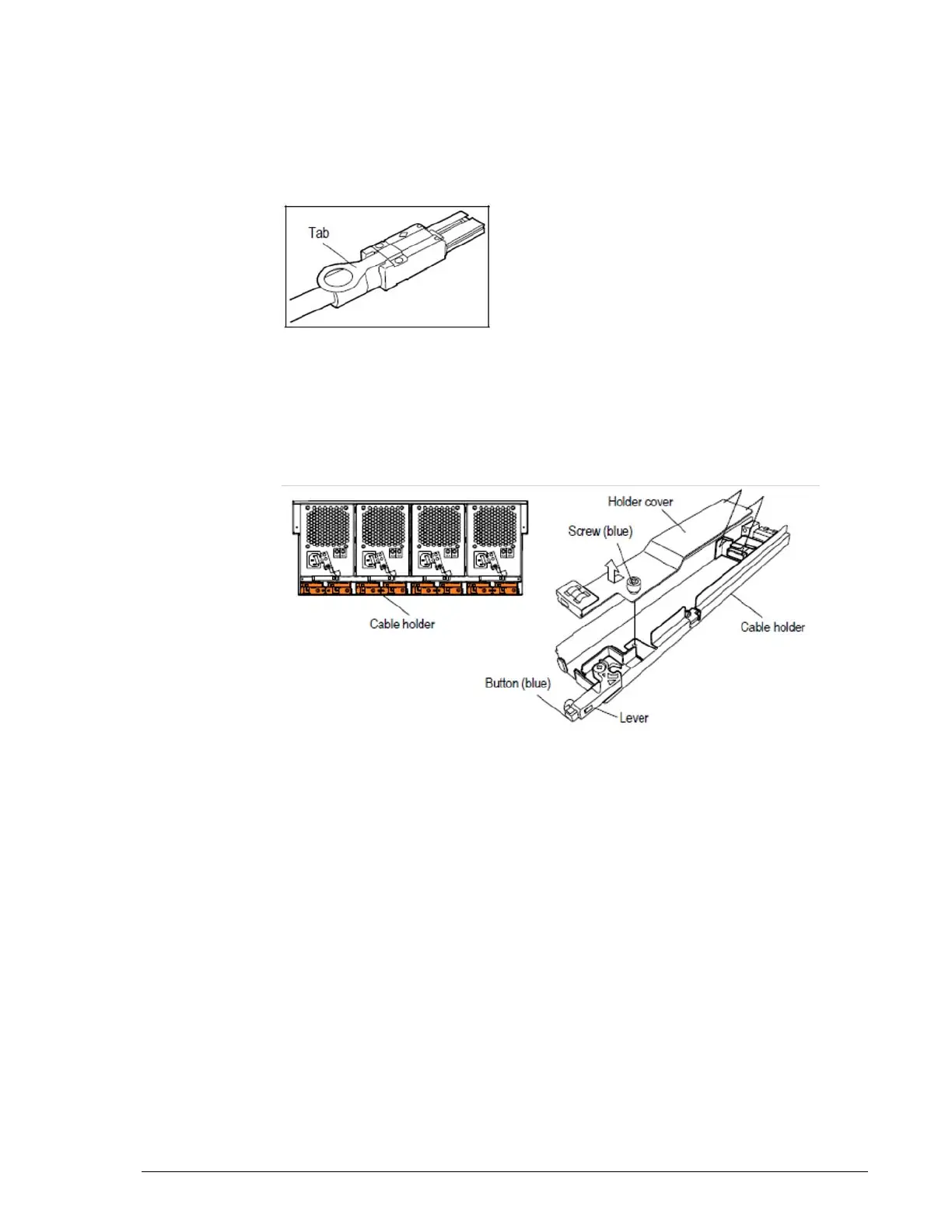
1. For all Drive Boxes other than the DBX, remove the SAS (ENC) cable by
gently pulling the tab of the SAS(ENC) cables connecting the chassis.
Figure 15-4: SAS (ENC) cable
2. For the DBX Drive Box:
a. Open the cable routing bar and remove the cable holder to which the
SAS (ENC) cable is connected.
b. Loosen the blue screws securing the holder cover of the cable holder,
and then remove the holder cover.
Figure 15-5: Removing the holder cover
c. Gently pull the tab of the SAS(ENC) cable to remove the cable.
d. Pull the screws of the stopper in the direction of arrow
?
in Figure 15-
6 on page 15-22 and remove the cable routing from the rails.



 To Next Page