Procedures before and after replacing components 3–13
Hitachi Unified Storage Hardware Service Guide
When removing the key after locking the front bezel, align its groove with
the positioning mark on the lock. Otherwise, you can damage the lock.
Collecting trace information
Hitachi Storage Navigator Modular 2 supports a trace feature that is used
before replacing the following components:
• Controllers
•Drives
• I/O Modules (ENC)
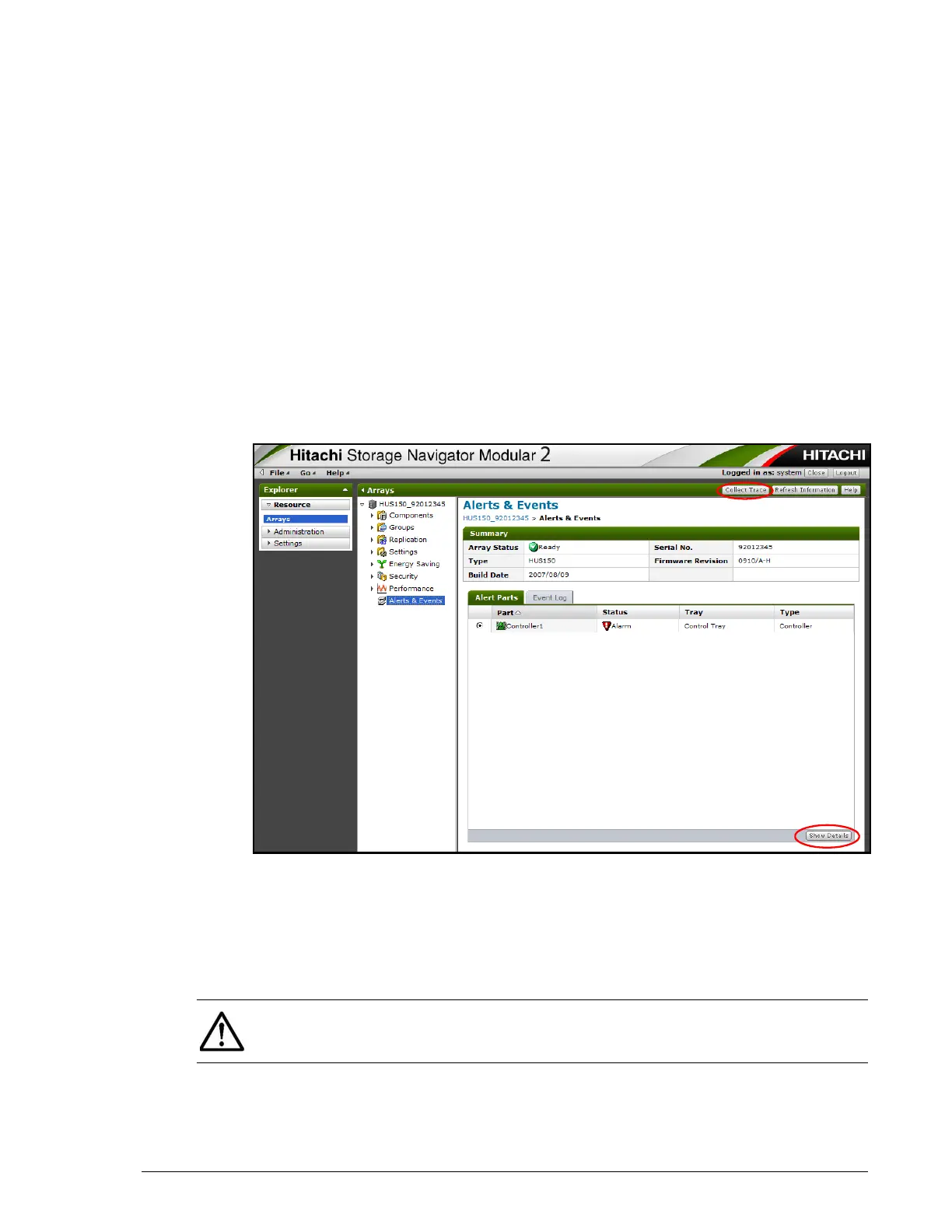
To use this feature to collect trace information:
1. Perform steps 1 through 6 under Using Storage Navigator Modular 2 to
identify failures on page 1-3.
2. From the Alerts & Events window, click the Collect Trace button in the
top-right area of the Alerts & Events window, and then download the
trace information.
3. After the download completes, store the trace information on a CD-R,
and then send the CD-R and failed part according to the instructions on
the System Returns Packet that came with the replacement component.
4. To view details about the failure, click Show Details in the bottom-right
corner of the Alert Parts tab. Provide this information to the Global
Support Center.
NOTE: For additional assistance, contact the Global Support Center. For a
list of in-country toll-free phone numbers, go to https://portal.hds.com/
index.php/contact-us/in-country-toll-free-numbers.



 To Next Page