8–2 Adding and replacing controllers
Hitachi Unified Storage Hardware Service Guide
Precautions when adding or replacing a controller
Observe the following guidelines when adding or replacing a controller.
• Avoid touching heat sinks or integrated circuits to avoid getting burned.
Handle all components with care.
• A controller can be replaced while the storage system is turned on. If
you will be replacing both controllers in a storage system, visit the HDS
Support Portal at portal.hds.com.
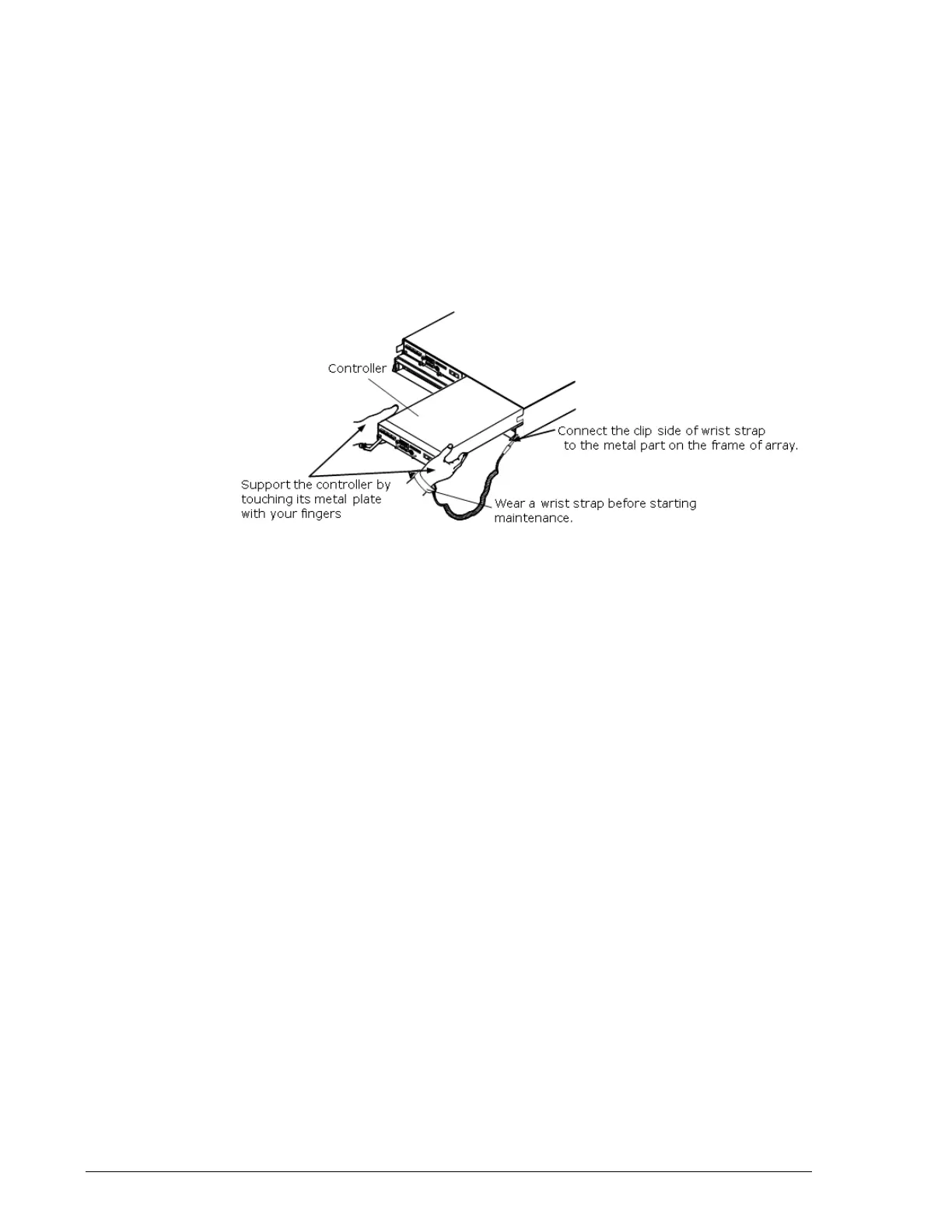
• To avoid electrostatic damage to the controller, wear a grounded wrist
strap any time you handle a controller. To discharge static electricity,
touch the metal plate on the controller.
• Avoid touching heat sinks and integrated circuits. Otherwise, you could
burn yourself.
• Do not install or replace a controller if the orange WARNING LED on
the front of the Controller Box blinks rapidly. This indicates that flash is
being updated or internal processing is occurring after a storage system
with a single controller has been turned on. Install or replace the
controller after the orange WARNING LED on the front of the
Controller Box goes OFF and the green READY LED goes ON (this can
take up to 85 minutes).
• If replacing a faulty controller, block the faulty controller to place it out
of service before replacing it.
• Complete the controller replacement within 10 minutes. Otherwise, an
abnormal rise in temperature can power off the storage system.
• If you replace a controller while the storage system is formatting a
volume, the time it takes to restore the new controller might be
delayed until the volume-formatting operation completes.
•If the ALM LED on the controller is ON while the ALM LED of the Fan
Module is ON, resolve the problem with the controller before resolving
the problem with the Fan Module.
• For storage systems that have the Power Saving/Power Saving Plus
option, removing and inserting a controller during drive spin-up might
prevent the controller from recovering fully. If this occurs, wait for all
the drives to spin up, and then remove the controller from the storage
system, wait at least 30 seconds, and reinsert it.
• Store the collected simple trace information on CD-R (see Collecting
trace information on page 3-13).



 To Next Page