2–26 Hardware description
Hitachi Unified Storage Hardware Service Guide
Hardware descriptions
LED definitions
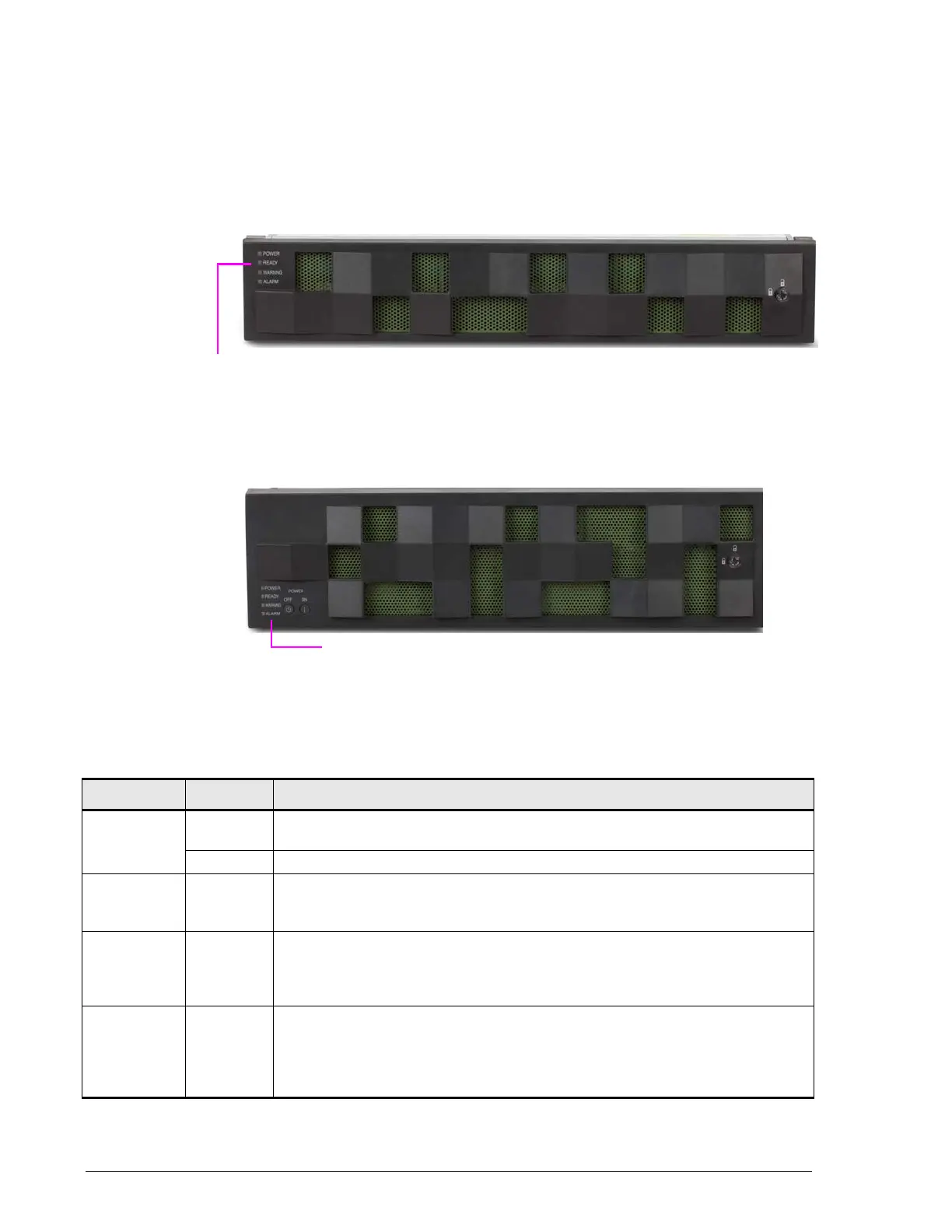
Front panel LEDs
CBXSS, CBXSL, CBSS, and CBSL Controller Boxes
CBL/CBLD Controller Box
Table 2-2: Front panel LEDs
(CBXSS, CBXSL, CBSS, CBSL, CBL, and CBLD Controller Boxes)
LED Color Description
POWER Green ON = power-on in progress after main switch has been pushed. Stays ON
after system is operational.
Orange ON = Controller Box power cables are connected and power is supplied.
READY Green ON = normal operation. Storage system is operational.
Fast blink = firmware downloading (do not turn off system).
Slow blink = download processing of the ENC firmware completed offline.
WARNING Orange OFF = normal operation
ON or slow blink = failure, but storage system can remain operating.
Fast blink = flash is updating. For single-controller storage systems, the
system is on, receiving power, and performing internal processing.
ALARM Red OFF = normal operation
ON = failure that prevents the storage system from operating. Visit the
HDS Support Portal at portal.hds.com.
Slow blink = serious failure. Visit the HDS Support Portal at
portal.hds.com.



 To Next Page