15–34 Upgrading a Hitachi Unified Storage 130 system
Hitachi Unified Storage Hardware Service Guide
11.When a message states that the firmware installation has completed,
click OK to close the message.
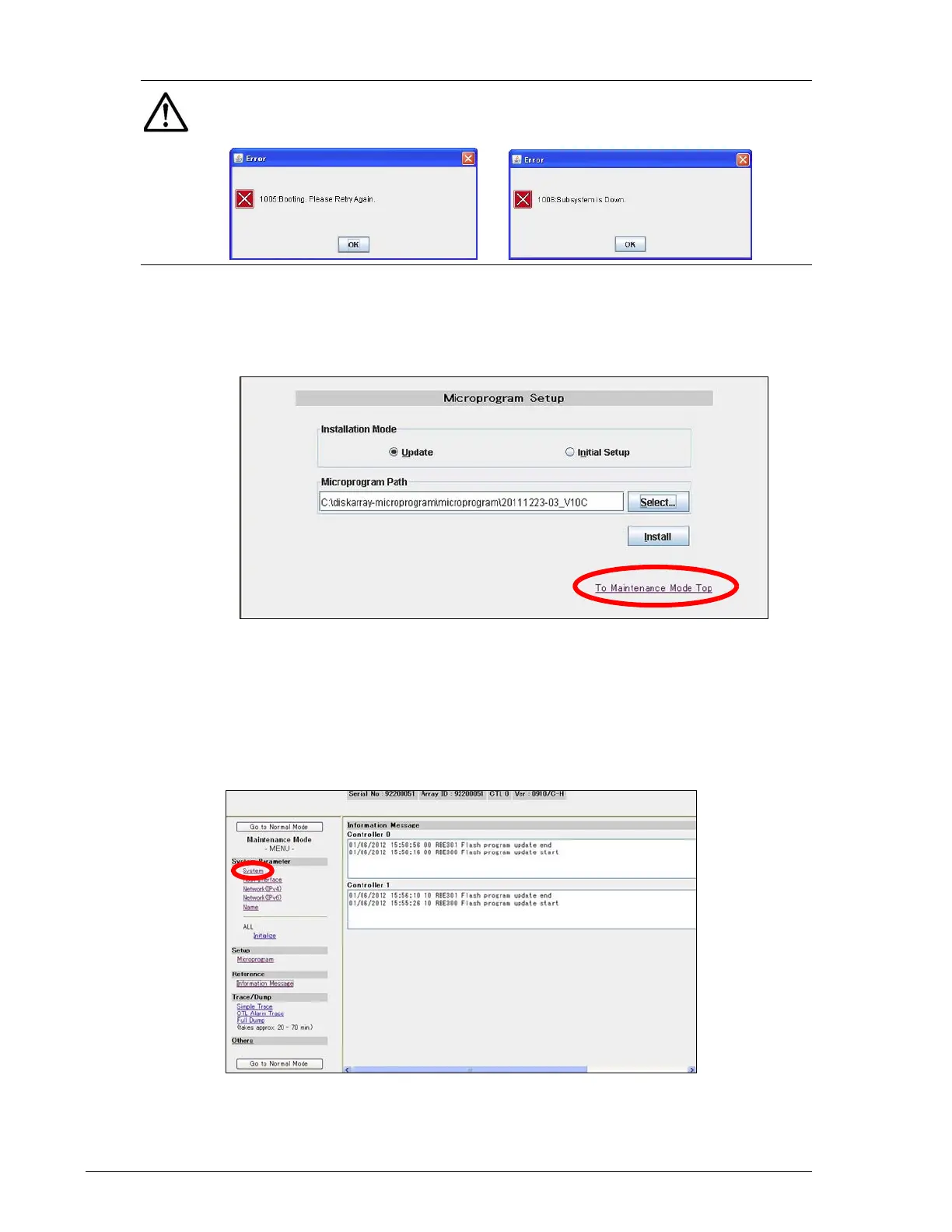
12.At the Microprogram Setup page, click To Maintenance Mode Top and
proceed to Changing the number of Drive I/O Modules, below.
Changing the number of Drive I/O Modules
Continue with the previous procedure to change the number of Drive I/O
Modules.
1. At the Maintenance Mode page, in the left pane, under System
Parameter, click System.
2. At the next screen click Change.
NOTE: If either of the following messages appears, click OK to close the
message, and then repeat this procedure to confirm the storage system is
in Maintenance Mode.



 To Next Page