Upgrading a Hitachi Unified Storage 130 system 15–33
Hitachi Unified Storage Hardware Service Guide
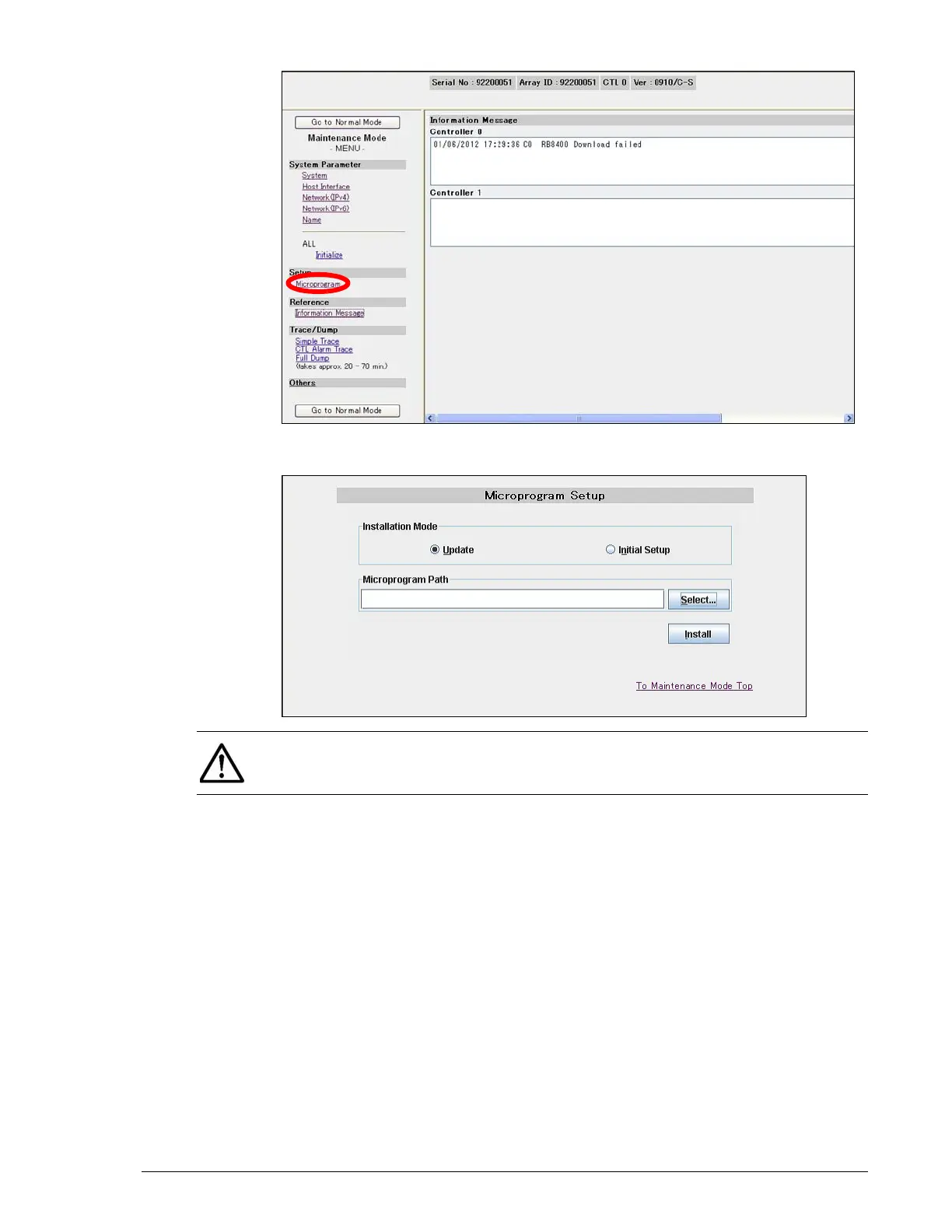
7. At the Microprogram Setup page, under Installation Mode, click
Update.
8. Unzip the firmware zip file to the directory
C:\diskarraymicroprogram\microprogram.
9. Click the Select button, go to the directory where the uncompressed
firmware files are located, click the firmware file, and click Open.
10.Click Install and follow the on-screen instructions for completing the
firmware installation.
NOTE: If the Microprogram Setup page does not appear, JRE 1.6.0 may
not be installed. To install JRE, see Installing Java Runtime Environment on
page 15-12.



 To Next Page