4–8 Replacing drives
Hitachi Unified Storage Hardware Service Guide
Replacing a drive in a RAID 0 configuration
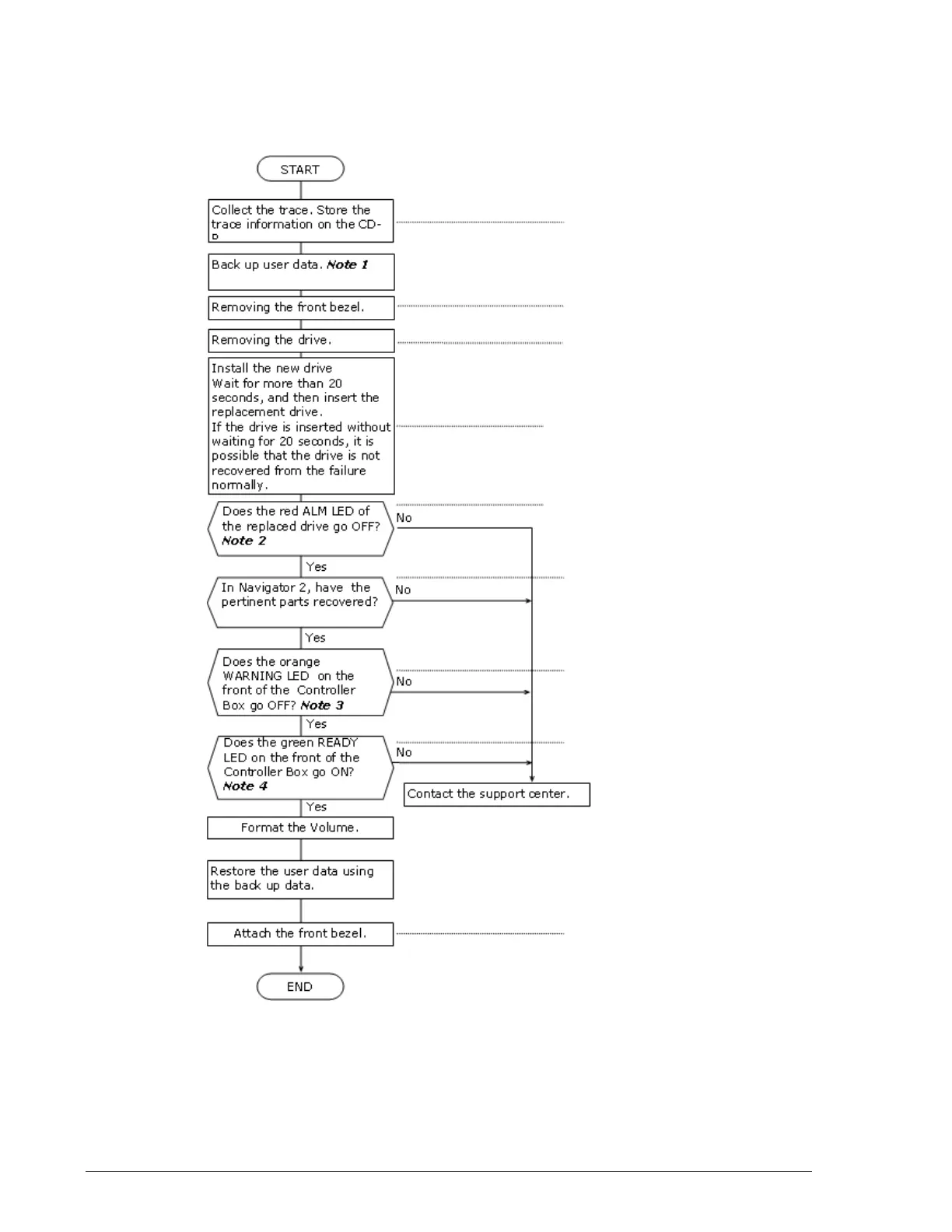
Perform the procedure in Figure 4-5 when replacing a drive in a storage
system that has a RAID 0 configuration.
Figure 4-6: Drive replacement flowchart
See Collecting trace
information on page 3-13
See Removing and
replacing the front bezel
on page 3-10
See Locating drives on
page 4-3
See Chapter 2
See Removing and
replacing the front bezel
on page 3-10
See Chapter 2
See Removing and replacing
drives on CBXSL/CBSL
Controller Boxes and DBL
Drive Box on page 4-10 and
Removing and replacing
drives on CBXSS/CBSS
Controller Boxes and DBS
Drive Box on page 4-11
See Checking recovery
after replacing
components on page 3-14



 To Next Page