15–30 Upgrading a Hitachi Unified Storage 130 system
Hitachi Unified Storage Hardware Service Guide
Power on the Hitachi Unified Storage
To power on the Hitachi Unified Storage:
1. Turn on all PDB breakers.
2. For the DBW Drive Box, turn on the power switch.
3. Power on the CBL Controller Box:
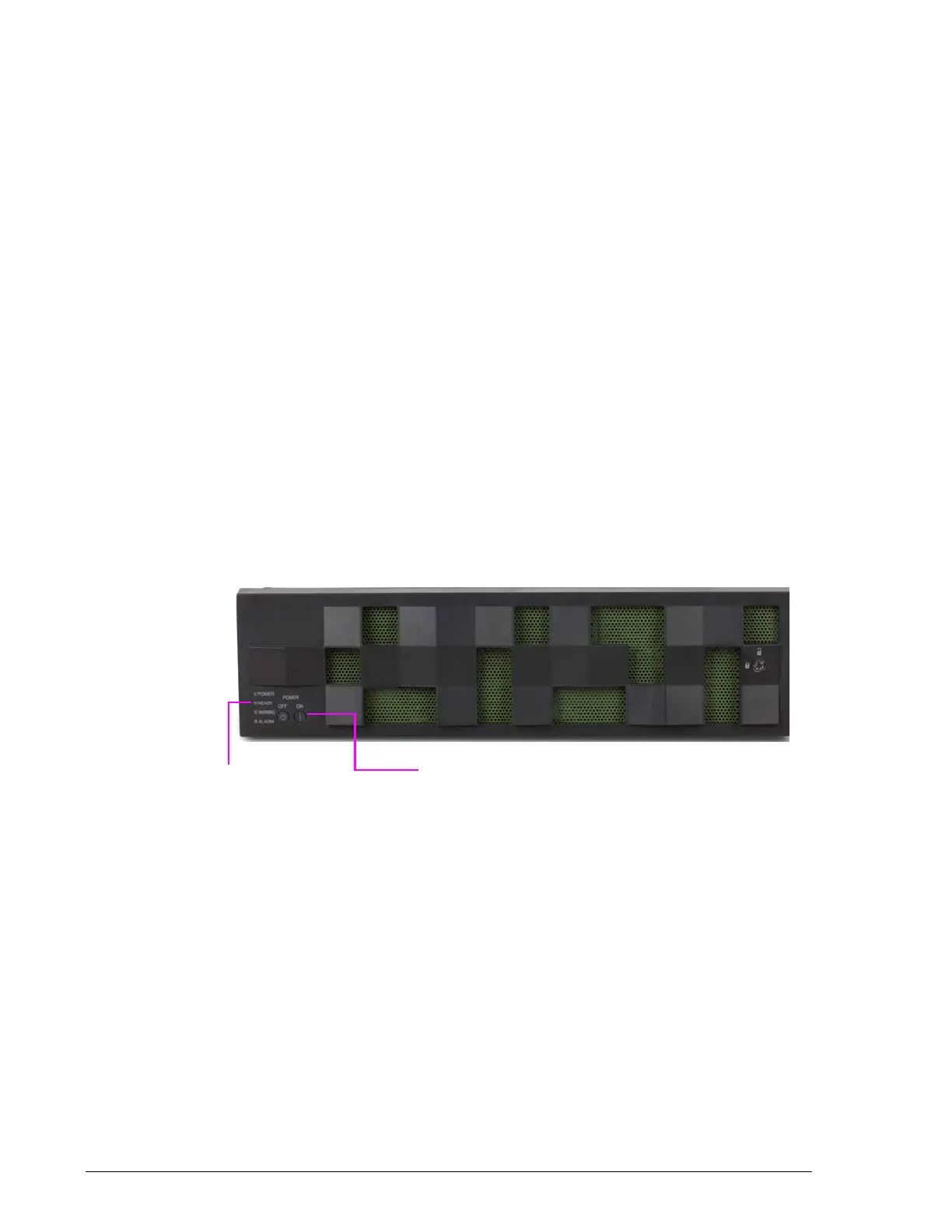
a. Press the main switch on the front bezel. See Figure 15-17. Turning
on the main switch with connected the UPS interlock cable starts the
storage system.
b. Verify that the green READY LED on the front bezel is ON (usually
five-to-10 minutes after attaching power cables). See Figure 15-17.
c. Verify that the green POWER LED on the front of the Controller Box
goes ON. This indicates that the power is turned on. In the unlikely
event that the POWER LED is OFF:
- Turn off the main switch.
- Turn on the circuit breaker of the PDB.
- Turn on the main switch.
- Confirm that the red ALARM LED goes ON and the orange
WARNING LED blinks on the upgraded storage system. (If you
check the WEB window connecting the maintenance PC to each
LAN port on Controller #0 and Controller #1, the orange
WARNING LED may go OFF.)
Figure 15-17: READY LED and main switch on CBL Controller Box
4. Drive Boxes power on when you attach power cables to the Drive Box
power socket.
For DBS/DBL Drive Boxes, verify that the:
a. Green READY LED on the front bezel goes ON (usually four minutes
after attaching power cables). See Figure 15-18.
b. LED above the rear panel Drive Box Drive Box ports goes ON when
the port links up.



 To Next Page