Procedures before and after replacing components 3–11
Hitachi Unified Storage Hardware Service Guide
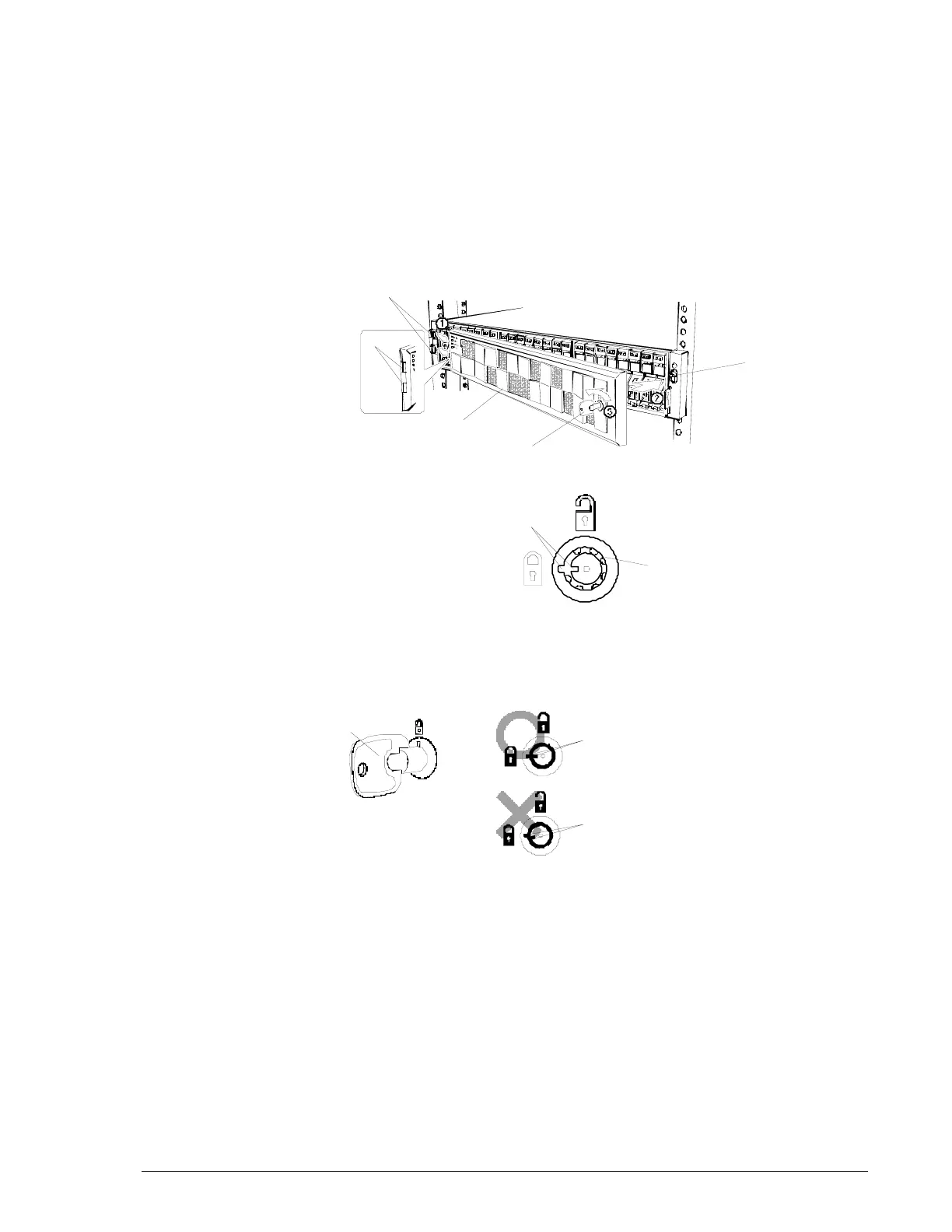
To replace the front bezel:
1. Use the supplied key to unlock the front bezel. Hold the key and the
bottom of the bezel with both hands, so the front of the bezel is facing
you.
2. Insert the tabs on the left-front side of the storage system into the tab
holes on the front bezel.
3. Push the right side of the bezel to engage it with the ball catch on the
front of the storage system to secure the bezel.
4. Use the supplied key to lock the front bezel.
Figure 3-3: Front bezel on 2U Controller Box
Before turning the key, be sure it is inserted completely into the lock.
Otherwise, you can damage the key.
When removing the key after locking the front bezel, align its groove with
the positioning mark on the lock. Otherwise, you can damage the lock.
Key
Tab hole
o unlock
Keyhole
The state in which the slit of the keyhole
is aligned with the mark.
(The key can be inserted or pulled out in
this state.)
Key
Unlocking
Turn while pushing the key
Align
the key groove with the
positioning mark on the l
ock. (The
key can now be inserted or
removed.)
he key cannot be removed when
its groove is not aligned with the
positioning mark on the lock.



 To Next Page