2–56 Hardware description
Hitachi Unified Storage Hardware Service Guide
Fibre Channel Host I/O Module
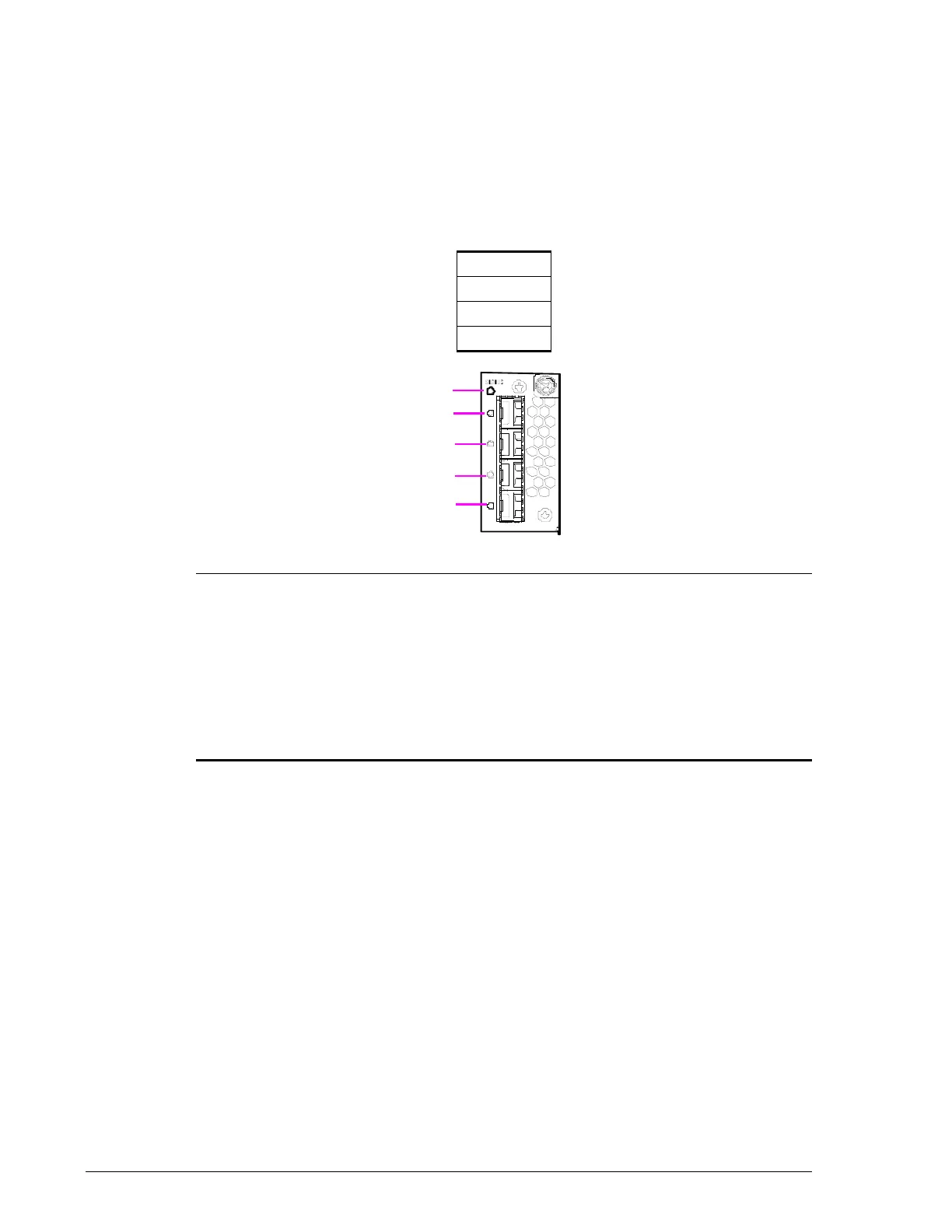
Four Fibre Channel ports are offered as an optional Host I/O Module. The
ports support speeds up to 8 Gigabits, and can automatically fall back to 4
and 2 Gigabits.
The Fibre Channel ports are oriented vertically and reside to the right of the
Drive I/O Module. The ports are designated in the following way:
Figure 2-37: Fibre Channel Host I/O Module
•
D
C
B
A
Legend LED Color Description

STATUS Green ON = Host I/O Module is in the power-on status.
Red ON = Host I/O Module is operating abnormally.
Visit the HDS Support Portal at portal.hds.com.
?
HALM Red ON = abnormal operating status. Visit the HDS
Support Portal at portal.hds.com.
Blue ON = normal operation at 8 Gbps.
Green ON = normal operation at 2 or 4 Gbps.



 To Next Page