Adding and replacing controllers 8–5
Hitachi Unified Storage Hardware Service Guide
9. Close the levers, and then tighten the right and left blue screws to
secure Controller #1.
10.Connect the interface cables, LAN cables, or the SAS (ENC) cables to the
controller.
- When bending a SAS (ENC) cable for connection, bend the cable
with a long curve (not less than 30 mm) to avoid stress to the
cable and connector.
- When connecting Fibre Channel interface cables, insert the cables
until they are securely attached to the host connectors. If the
cables are inserted halfway into the host connectors, the controller
will detect the Fibre Channel failures, and I/O processing can
deteriorate.
11.Connect the power cables to the Power Units.
12.Press the main switch on Controller #0 for at least one second.
13.Confirm that the green READY LED on the front of the Controller Box
goes ON.
14.Connect a personal computer running Hitachi Storage Navigator Modular
2 to the LAN maintenance port on Controller #0 using a crossover
Ethernet LAN cable.
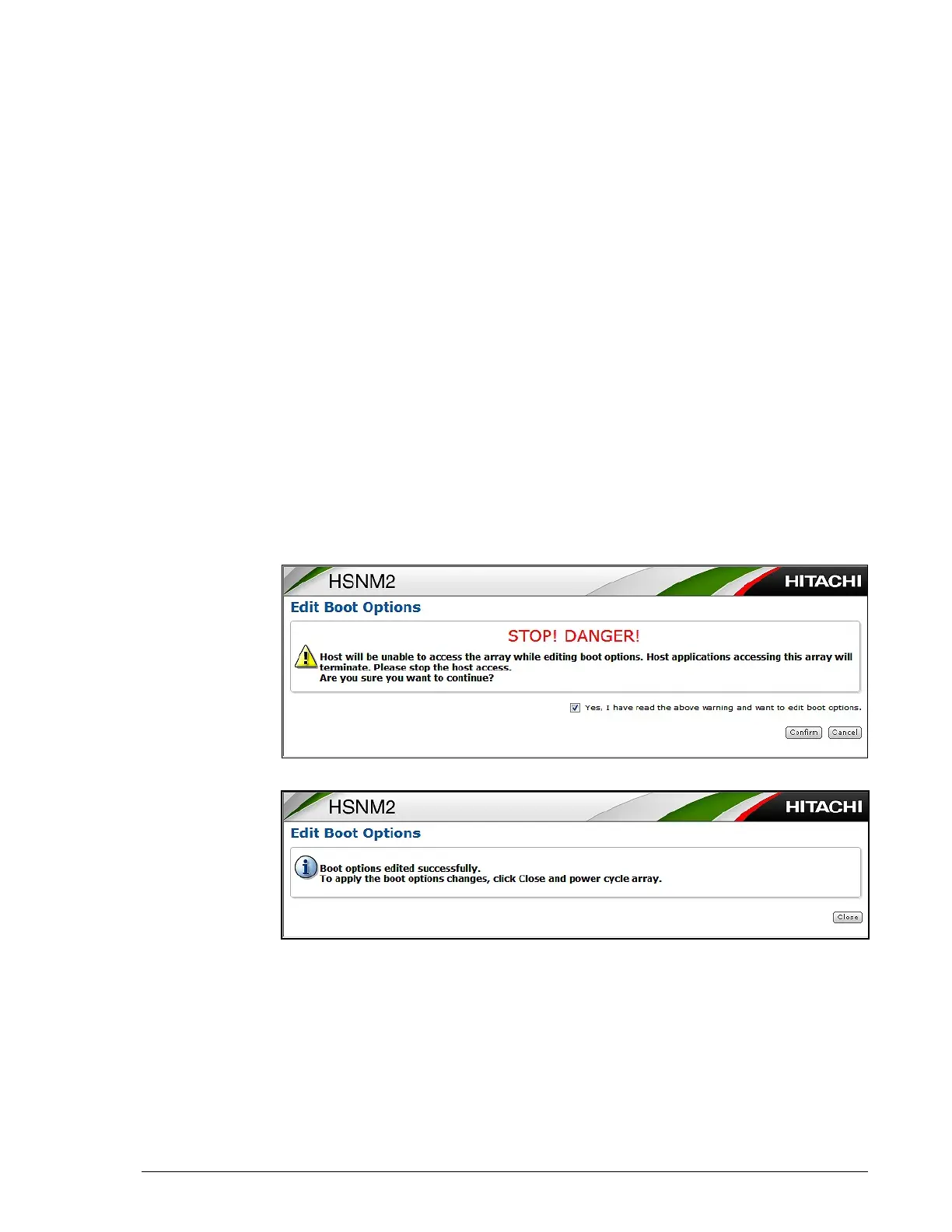
15.Set the System Startup Attribute of Boot Options to Dual Active
Mode. When the following page appears, check the check box and click
Confirm.
16.At the next page, click Close.
6
17.Turn off the main switch.
18.Press the main switch on Controller #0 for at least three seconds. The
controller’s green C-PWR LED blinks for three seconds, and then goes
ON.
19.Confirm that the POWER LED on the front bezel changes from green to
orange. If you cannot turn off the power, visit the HDS Support Portal at
portal.hds.com.



 To Next Page