Adding and replacing controllers 8–9
Hitachi Unified Storage Hardware Service Guide
6. Confirm that the green READY LED on the front of the Controller Box is
ON. This LED might blink quickly for 30-to-50 minutes before it goes ON.
7. In Hitachi Storage Navigator Modular 2, check the recovery after
replacing components (see Checking recovery after replacing
components on page 3-14).
8. Check the system date and time (see Confirming and setting the date
and time on page 8-14).
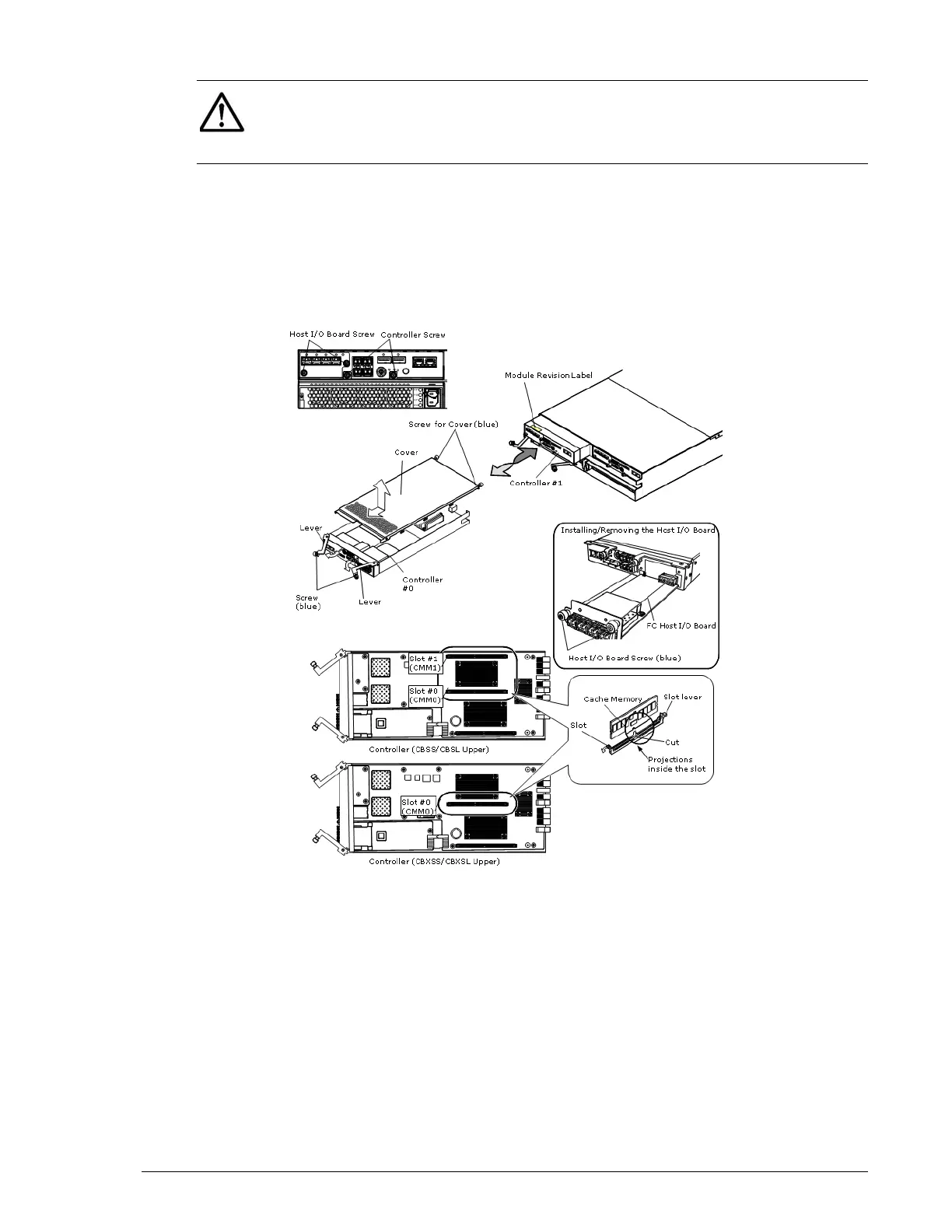
Figure 8-3: Replacing a controller on a CBXSS/CBXSL/CBSS/CBSL
NOTE: When connecting Fibre Channel interface cables, insert the cables
until they are securely connected to the host connectors. If the Fibre
Channel interface cables are inserted half way into the host connectors, the
controller detects Fibre Channel failures and I/O processing can deteriorate



 To Next Page