Upgrading a Hitachi Unified Storage 130 system 15–11
Hitachi Unified Storage Hardware Service Guide
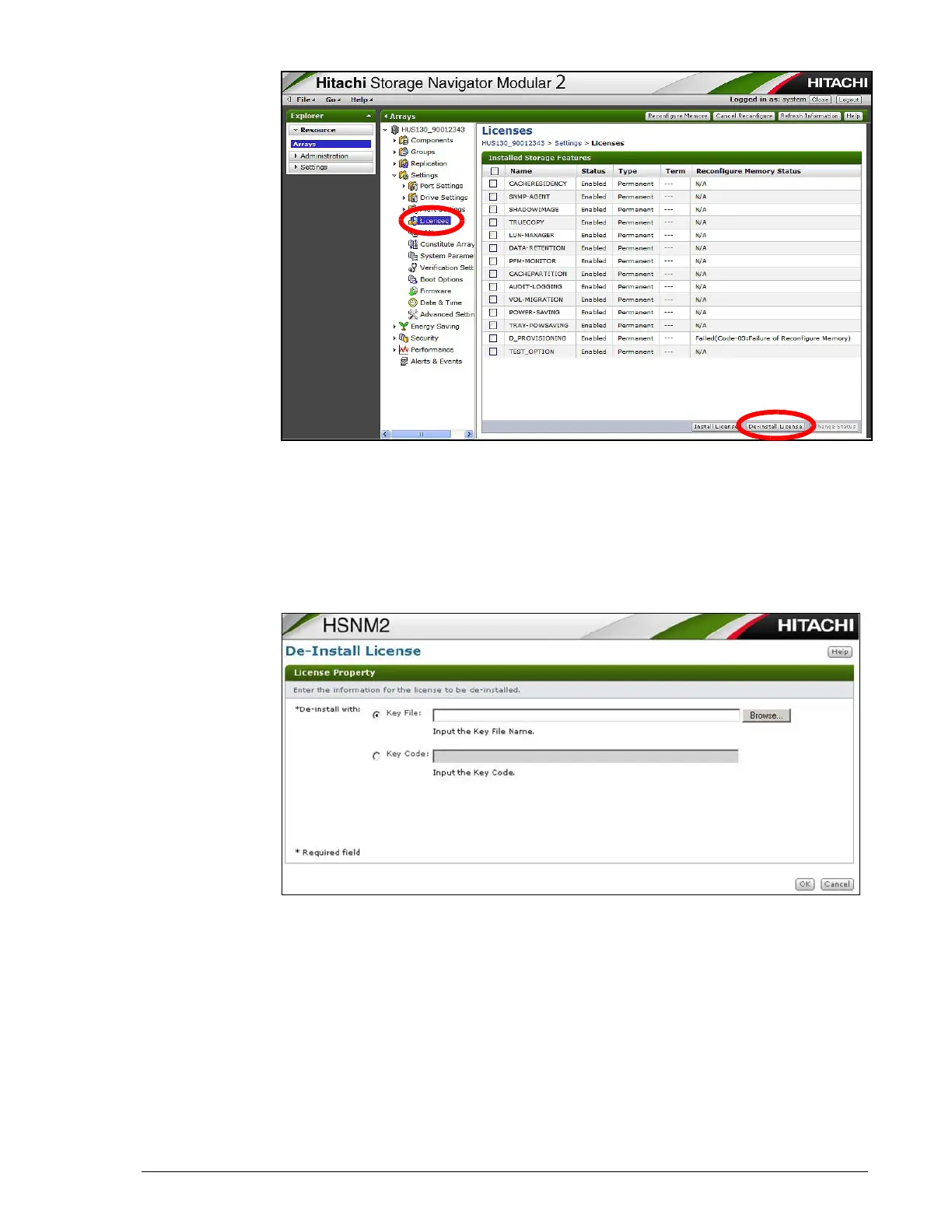
6. At the lower left side of the page, click De-Install License.
7. At the De-Install License page, perform one of the following steps:
- To lock the option using a key file, click the Key File button. Then
use the Browse button to locate and select the key file for the
option you want to lock.
- To lock the option using the key code, click the Key Code button,
then enter the key code for the option you want to lock.
8. Click OK.
9. When the De-Install License page confirms that the de-installation of the
license is completed successfully, click Close.
10.To return to normal mode, log out of Hitachi Storage Navigator Modular
2 and then log back in.



 To Next Page