Upgrading a Hitachi Unified Storage 130 system 15–17
Hitachi Unified Storage Hardware Service Guide
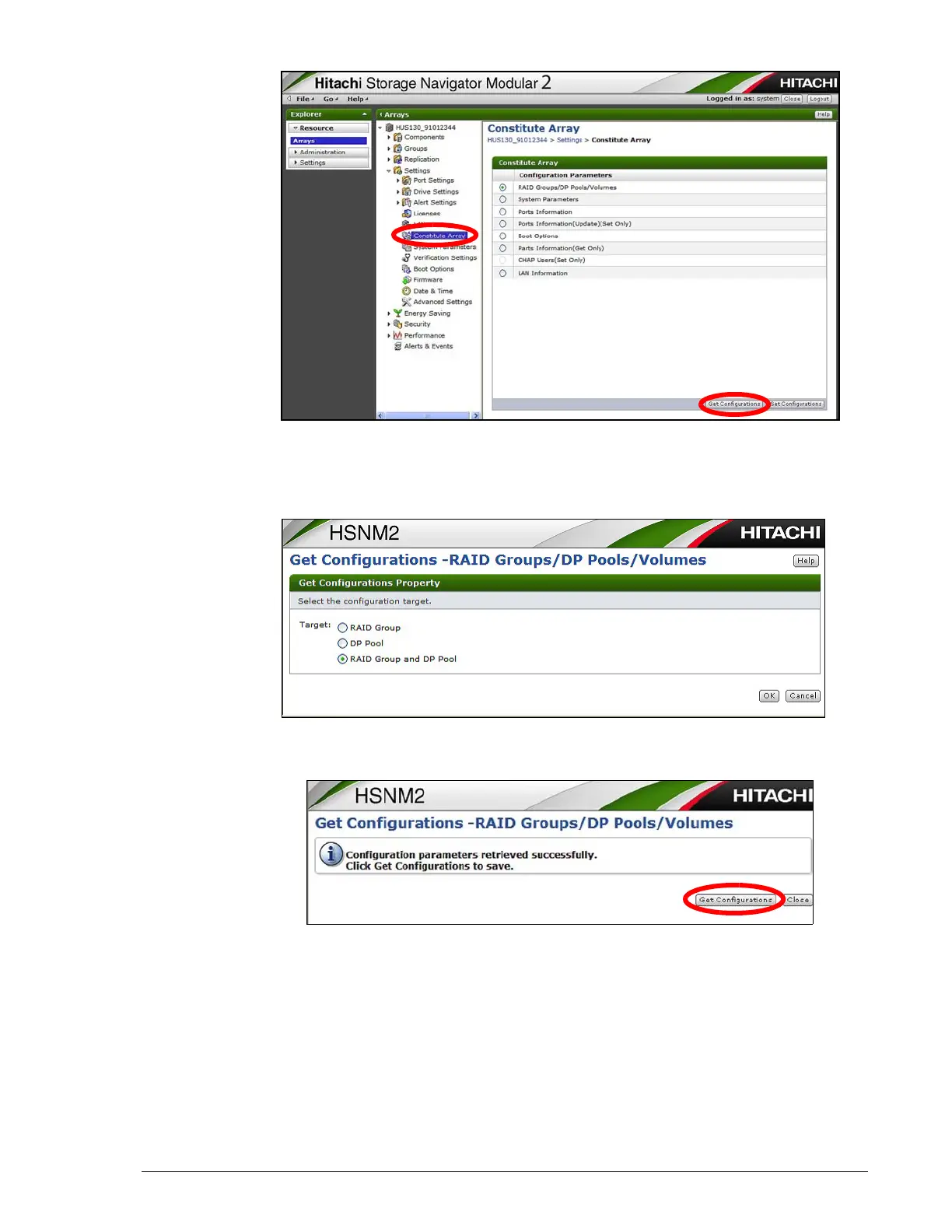
3. On the Constitute Array page, click the Raid Groups/DP Pools/
Volumes button and click Get Configurations.
4. At the Get Configurations page, click the RAID Group and DP Pool
button, and then click OK.
5. At the next screen, click Get Configurations. The specify a location to
save the file.
6. Open the configuration information file received from the previous step
and confirm the following information is displayed under Drive
Configuration Information:
- Location = location where a drive is installed
- Unit = unit ID number
- HDU = drive number
- Serial Number = serial number of drive



 To Next Page