Upgrading a Hitachi Unified Storage 130 system 15–23
Hitachi Unified Storage Hardware Service Guide
Observe the following guidelines when removing drives:
• Use labels with drive numbers to identify drives removed from the
Hitachi Unified Storage 130.
• Handle drives carefully. They contain sensitive components that can be
easily damaged if the drive is not handled carefully.
• Wear a wrist strap at all times and discharge static electricity from your
body before handling drives.
• After removing a drive, place it in the drive box for safekeeping until
you install it in the Hitachi Unified Storage Drive Box.
• Keep all unused parts for the CBL.
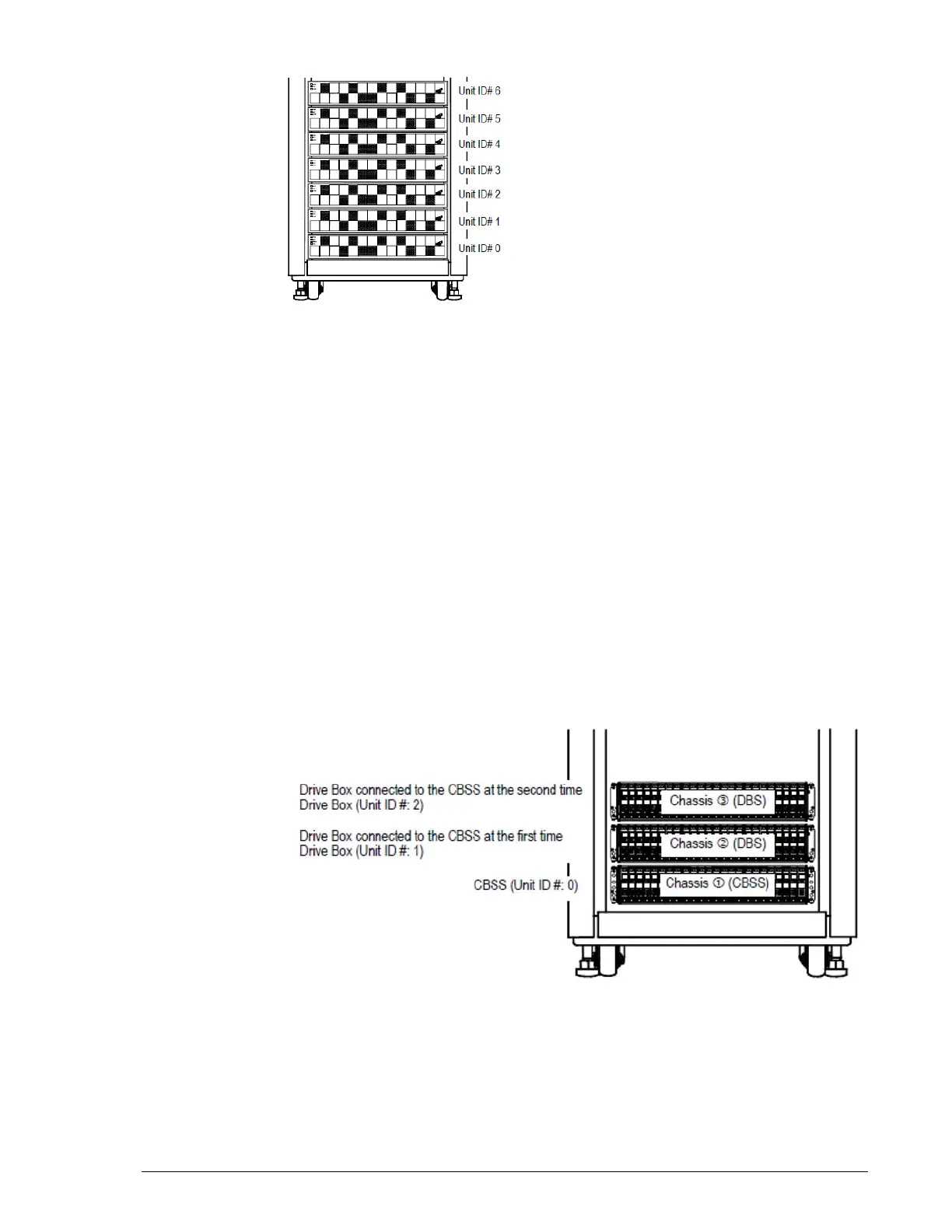
• Mounted Drive Boxes should have a free area of 3 U for the CBSL/
CBSS. In the following example, which shows a configuration consisting
of a CBSS and a DBS:
- Chassis
?
= the CBSL/CBSS Controller Box.
- Chassis
?
= the drive box connected to the CBSL/CBSS.
- Chassis
?
= the Drive Box connected to the CBSL/CBSS after the
upgrade.
• If your upgrade includes a DBX Drive Box, note that this Drive Box is
4U high compared to the DBS and DBL Drive Boxes, which are 2U high.
Take this height difference into consideration when mounting the DBX
Drive Box in the rack.



 To Next Page