Troubleshooting 17–3
Hitachi Unified Storage Hardware Service Guide
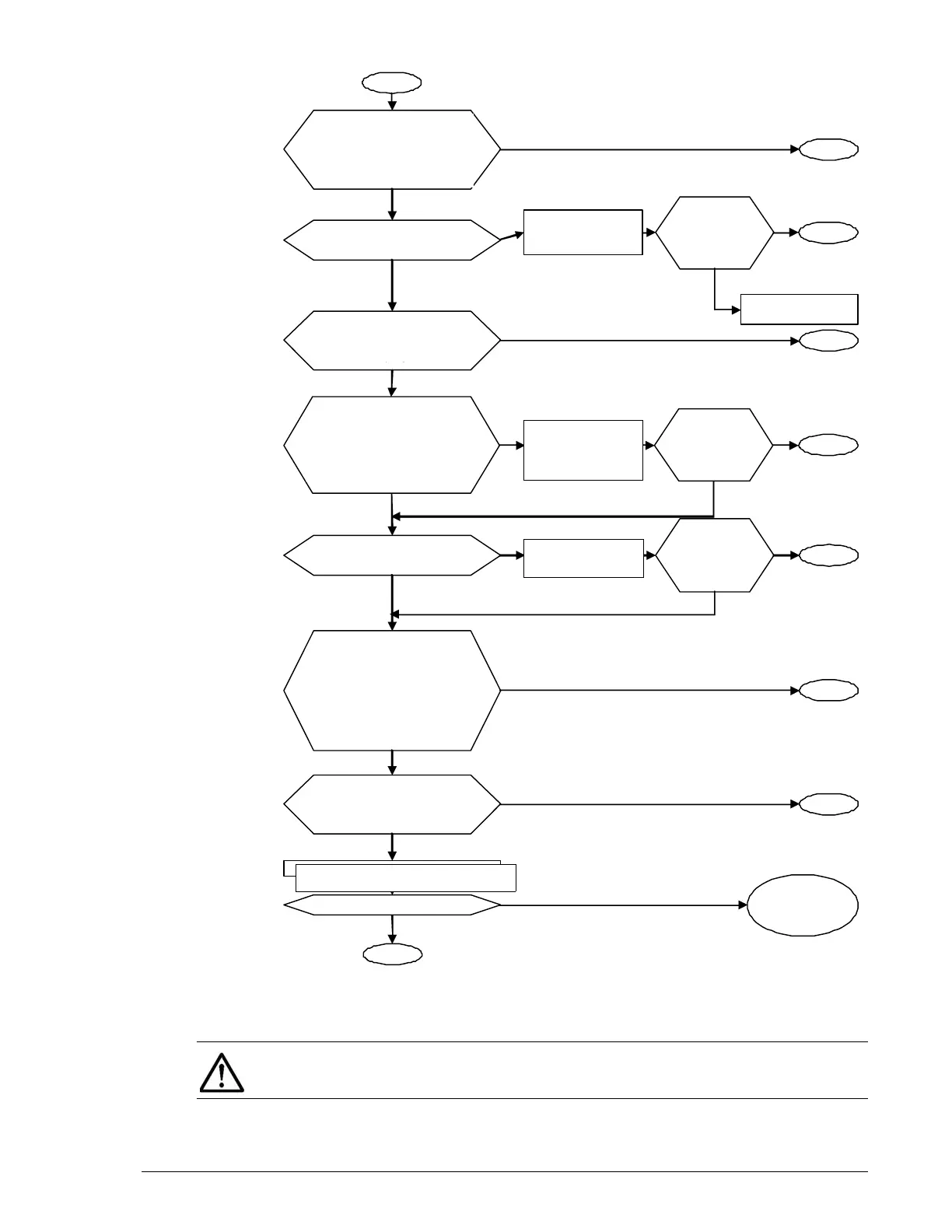
Figure 17-1: Troubleshooting workflow
if Storage Navigator Modular 2 will not start
Start
Does the Web browser
Check if it is the
environment Note 2
supported by the HSNM2
Note 1.
No problem in the environment.
Failure recover
b
measures for a
roblem.
maintenance
en
ineer.
Is the HSNM2 Note 1
login window HSNM2
Not
1 dis
la
ed?
End
End
Only when the host and
client computer are
different, verify that the
HSNM 2 Note 1 host is
runnin
.
address is entered.
Reinstall the HSNM2
Note 1
Is a failure recovered?
Failure
recovery b
roblem.
Prepare another
computer.
Check the settin
s
of the system you
use.
Consult with your host
administrator, and check
the firewall setting.
Consult with your network
the network settin
of the
client. (When
the host and client
computers are different).
Yes
No
Yes
Yes
No problem in the network settin
.
No
roblem in the firewall settin
.
Yes
End
End
End
Get the HSNM2
Note 1 server to
work.
recovery by
roblem.
No
Yes
No
Yes
End
address correctl
.
recovery b
roblem.
End
End
Failure recover
b
measures for a
roblem.
No
No
Yes
Yes
No
No
No
Failure recover
b
measures for a
roblem.
Is the Hitachi Storage Navi-
gator Modular 2 Note 1 login
window displayed?
Confirm the environment
Note 2 is supported by
Hitachi Storage Navigator
Modular 2.login window
displayed?
If the host and client computer
are different, verify that the Hi-
tachi Storage Navigator Modu-
lar 2 Note 1 host is running.
Get the Hitachi
Storage Navigator
Modular 2 Note 1
server to work.
Reinstall Hitachi Storage Navigator
Re-enter the IP ad-
dress correctly.
Check that the correct IP
address is entered.
NOTE: Refer to the Hitachi Unified Storage Hardware Installation and
Configuration Guide.



 To Next Page