EasyManua.ls Logo

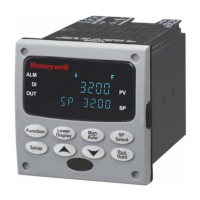
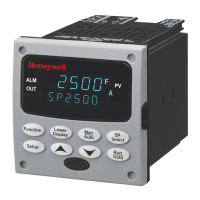
Honeywell UDC3200 - User Manual

Honeywell UDC3200
243 pages
Print Icon
To Next Page IconTo Next Page
Loading...
UDC3200
Universal Digital Controller
Product Manual
51-52-25-119
December 2004
Industrial Measurement and Control

Table of Contents

Questions and Answers

  • J
    Jordan TerryAug 1, 2025
    What to do if Honeywell Controller shows diagnostic error messages?
    • S
      susangeorgeAug 1, 2025
      If your Honeywell Controller is showing diagnostic error messages, it could be due to system noise affecting the controller. To resolve this, try isolating the controller from all field wiring. You can also use calibration sources to simulate PV and check all controller functions like Gain, Rate, Reset, Output, and Alarms to identify any issues.
  • Z
    zchapmanAug 14, 2025
    How to fix recurring diagnostic error messages on Honeywell Controller?
    • J
      Jonathan ZamoraAug 14, 2025
      To fix recurring diagnostic error messages on your Honeywell Controller, consider these steps: * If you suspect system noise, isolate the controller completely from all field wiring. * Use calibration sources to simulate PV and check all controller functions, such as Gain, Rate, Reset, Output, and Alarms.

Honeywell UDC3200 Specifications

General IconGeneral
DisplayDual 4-digit LED
MountingPanel Mount
Digital Inputs2
Cutout92 x 92 mm (3.62 x 3.62 in)
Input TypesThermocouple, RTD, mA, mV, V
Output TypesRelay, Analog
Control ModesOn/Off, PID
Communication ProtocolsRS-485, Modbus
Power Supply100-240 VAC, 24 VDC
Alarm Relays2
Dimensions96 x 96 mm

Related product manuals