09/01/137.8 | Quilt Menu www.HandiQuilter.com
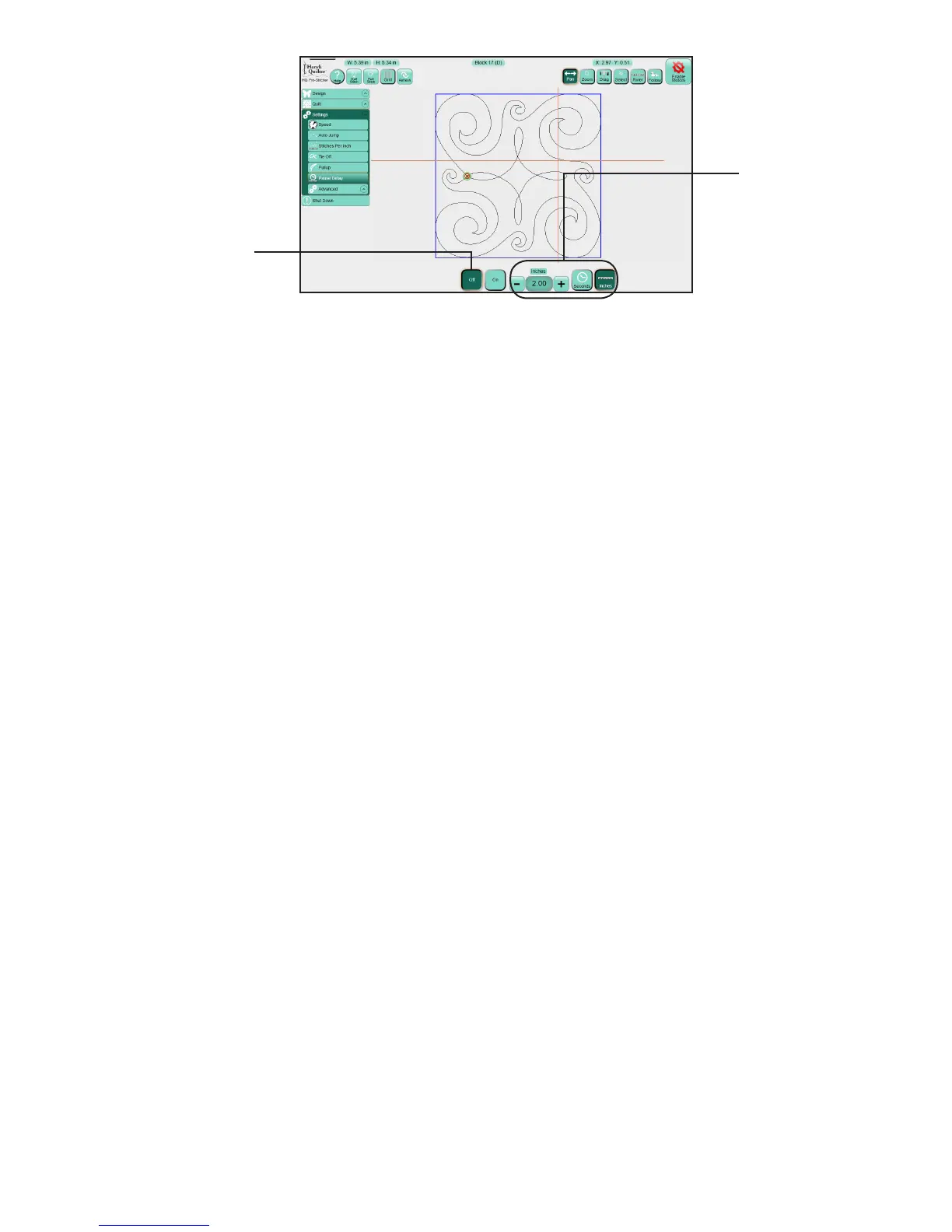
• Specify how far or how long Pro-Stcher will stch before pausing for you to trim the threads.
Choose either Seconds or Inches. Then touch the number box, enter a number into the number pad
that appears, and then press Enter.
Adjust sengs while quilng is paused
On occasion you may need to pause stching to make further adjustments to sengs, to replace a bobbin,
or rethread the machine. You can change any of the sengs described in the previous secon while the
machine is paused. However, aer pausing the machine, other opons are also available: stch, reposion,
status, and new start/end.
To pause quilng
• Press the Pause buon for the machine to come to a gentle stop. Pro-Stcher places gold marker at
the point in the design where you paused. To make changes to sengs, select Quilt and then select
Reposion, Status, or New Start/End.
Reposion designs while quilng is paused
At any point aer pausing the quilng, you can reposion the design based on the start point or end point.
• Aer pausing the quilng, select Quilt, then select Reposion.
To reposion the design while quilng is paused
The Current Point funcon is available only during a Pause. The Current Point is the point in the design
where the Pro-Stcher paused the stching. It is marked with a gold marker.
Turns o the pause
delay seng.
Choose Seconds or
Inches and then enter
a value in the number
box to specify how
much Pro-Stcher will
stch before pausing
for you to trim the
threads.



 To Next Page