SYSTEM CONFIGURATION
940043-002 INTEGRATED ENTERPRISE NETWORK 6-5
Step-By-Step
To initialize the IEN 1000 chassis WAN port:
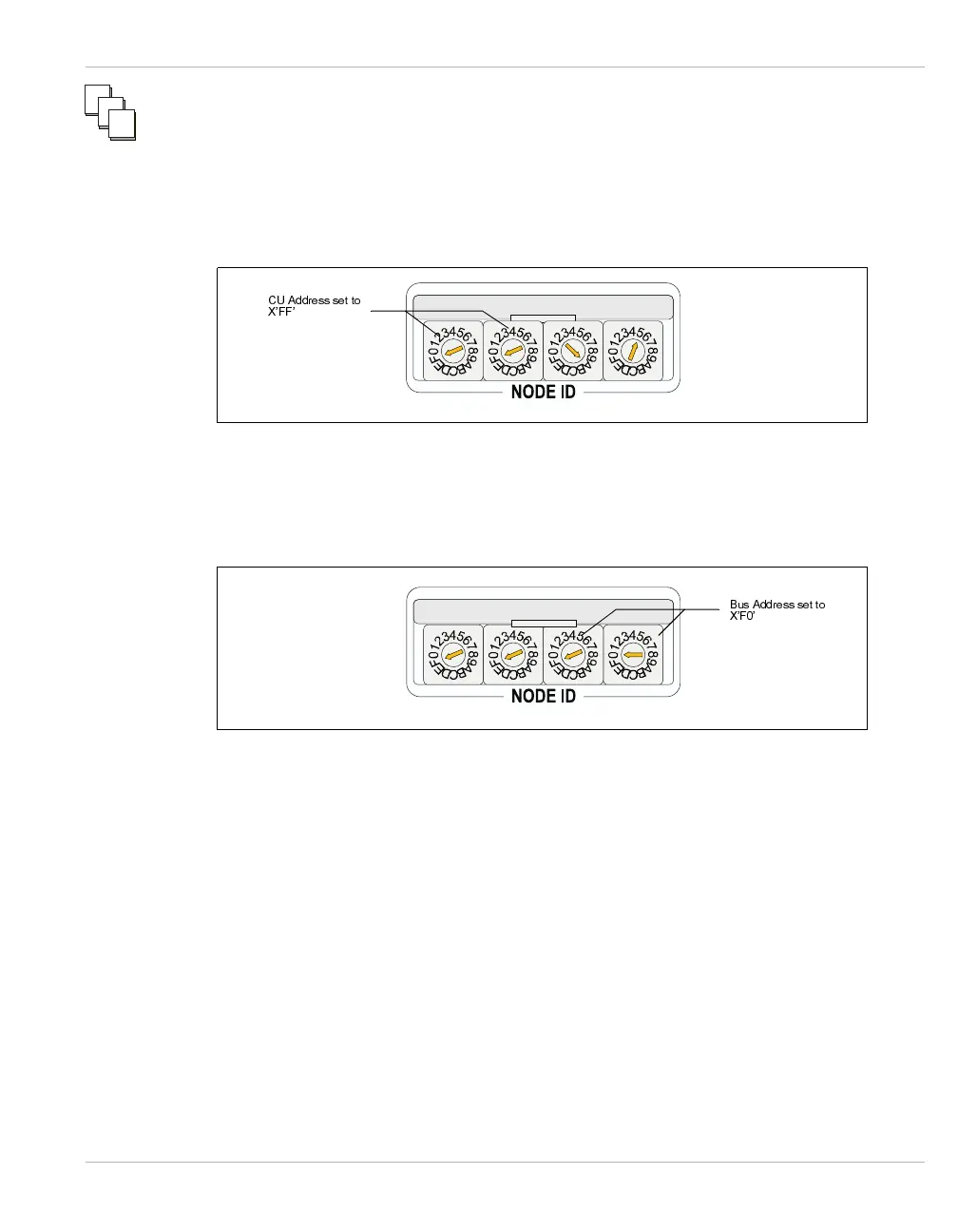
1. Set rotary switches 1 and 2 to FF. Figure 6-2 illustrates the CU Address switch set-
tings.
Figure 6-2 CU Address Settings
2. Set rotary switches 3 and 4 to F0. Figure 6-3 illustrates the bus address switch
settings.
Figure 6-3 Bus Address Settings
3. Press the bus address switch on the motherboard located left of rotary switch 1.
Note: You may also reset the IEN 1000 chassis by pressing and holding the Menu button
for five seconds.
1
1
2
2
3
3
&8$GGUHVVVHWWR
;¶))
%XV$GGUHVVVHWWR
;¶)



 To Next Page