CHAPTER 6
6-8 IEN HARDWARE REFERENCE 940043-002
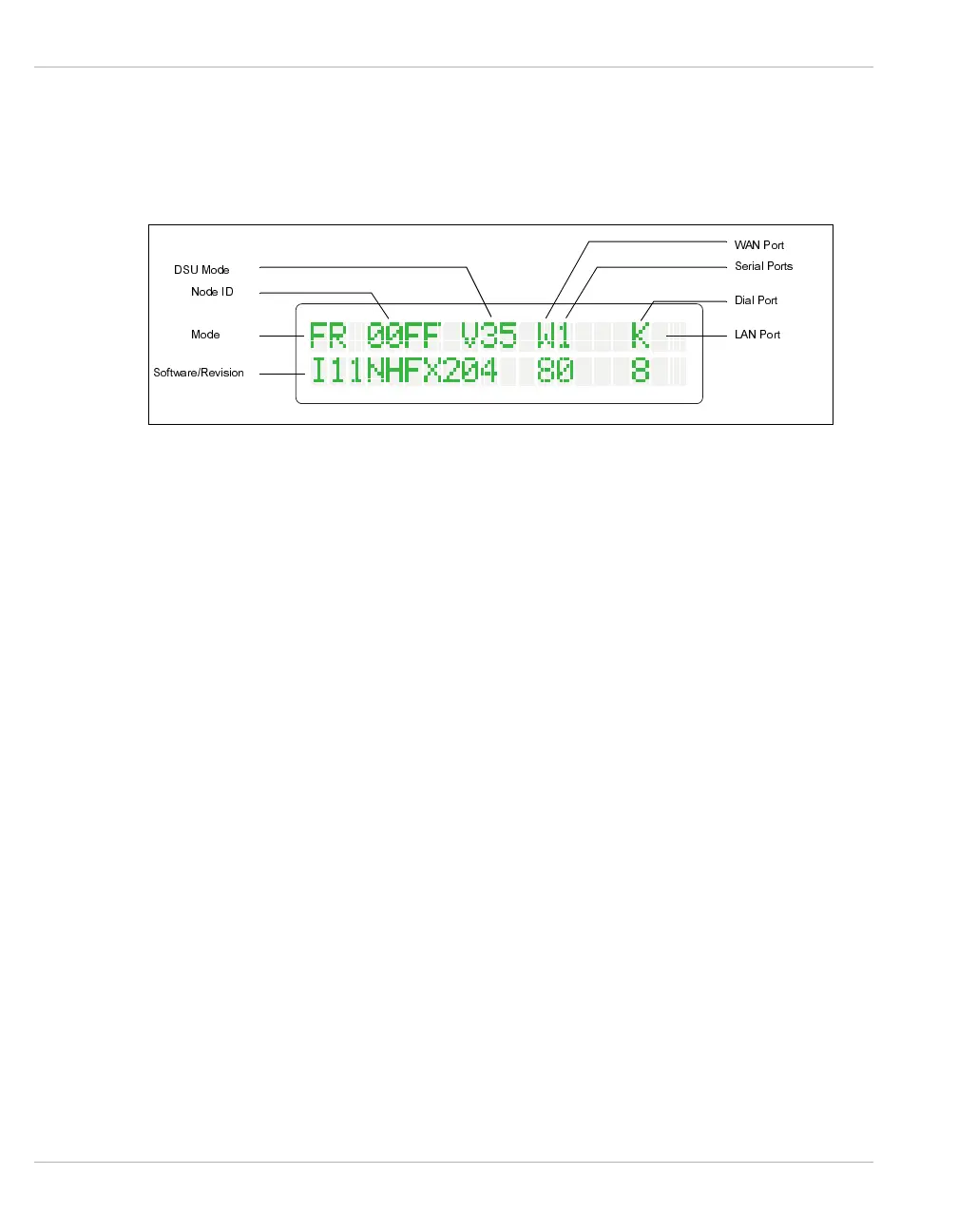
The IEN 1000 menu display is subdivided to represent the status of the standard and
optional upgrade modules installed, and the current software and version. Areas that do
not contain values do not have the associated module installed. Figure 6-8 illustrates the
different areas of the IEN 1000 menu display.
Figure 6-8 IEN 1000 Menu Display Areas
DSU
Mode
The DSU Mode area contains the following valid values (Refer to CHAPTER 3, DSU56 for
more information about the DSU upgrade module.):
DSU
The IEN 1000 is configured with an internal DSU.
V35
The IEN 1000 is configured with an external DSU and V.35 interface.
R32
The IEN 1000 is configured with an external DSU and RS232 interface.
Node ID
The Node ID display indicates the current IEN 1000 Node ID switch settings.
Mode
The Mode area contains the following valid values:
ND
The IEN 1000 chassis is not configured.
FR
The IEN 1000 chassis is configured as a Frame Relay interface.
Software
Revision
The Software/Revision area displays the currently operating software name and version
level.
WAN Port
The base IEN 1000 WAN Port status contains the following valid values:
C
The WAN Port is connected.
0
The WAN Port is not connected.
A
The WAN Port is not connected.
0RGH
1RGH,'
'680RGH
'LDO3RUW
:$13RUW
6HULDO3RUWV
/$13RUW
6RIWZDUH5HYLVLRQ



 To Next Page