54
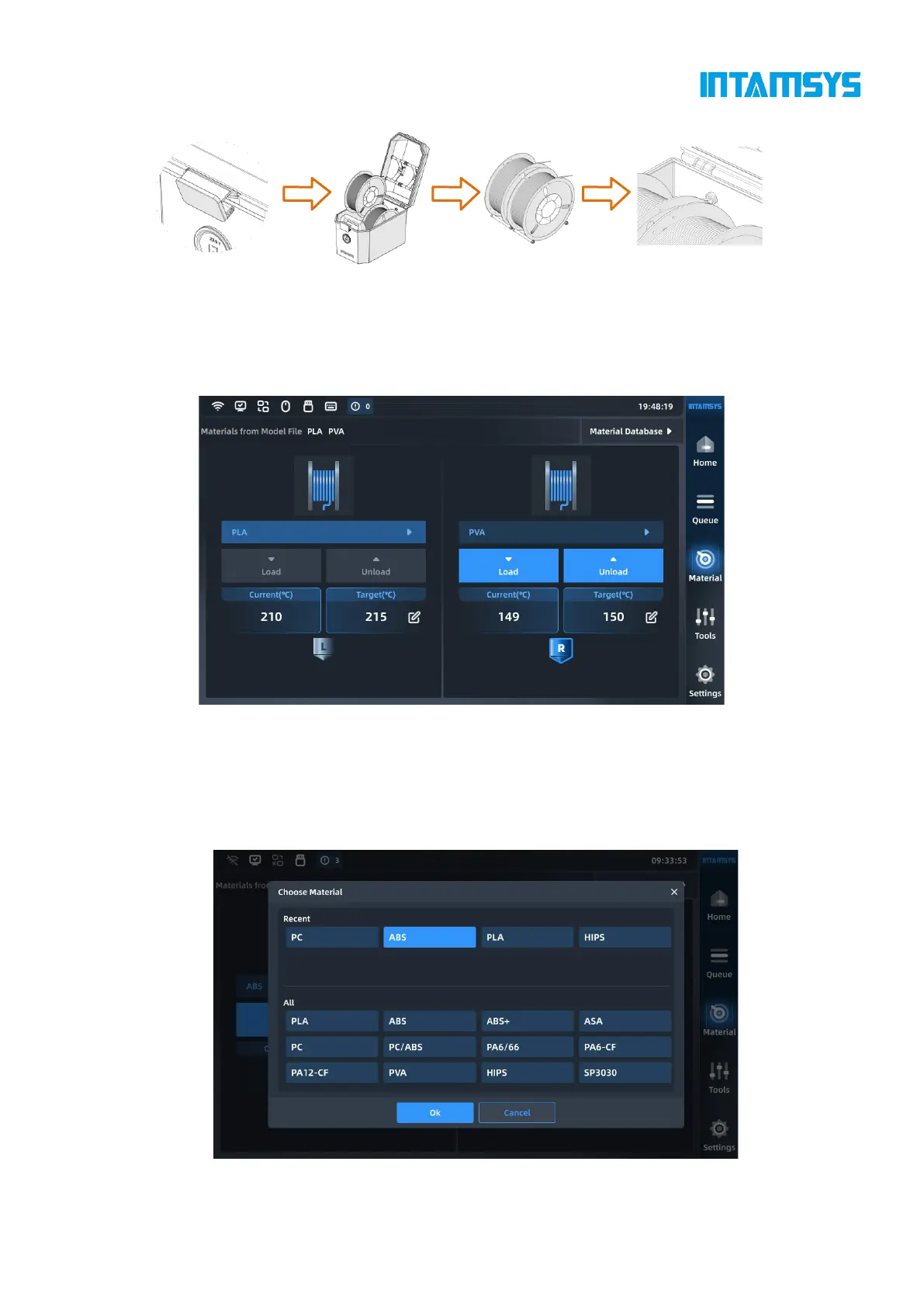
Fig. 5.4 Schematic Diagram of Wire Rod Loading
3. Click the "Material" button on the screen operation interface, click the left or right wire coil
icon to select the extruder to be loaded with materials. The highlighted icon indicates the
extruder is activated;
Fig. 5.5 Material Interface
4. Pressing the "Material Name List" button will display INTAMSYS materials and user-defined
materials. Materials that we used recently and frequently will be at the top, where we can scroll
down to select available materials. User-defined materials can be configured in the material
database.
Fig. 5.6 Material Database Interface



 To Next Page