55
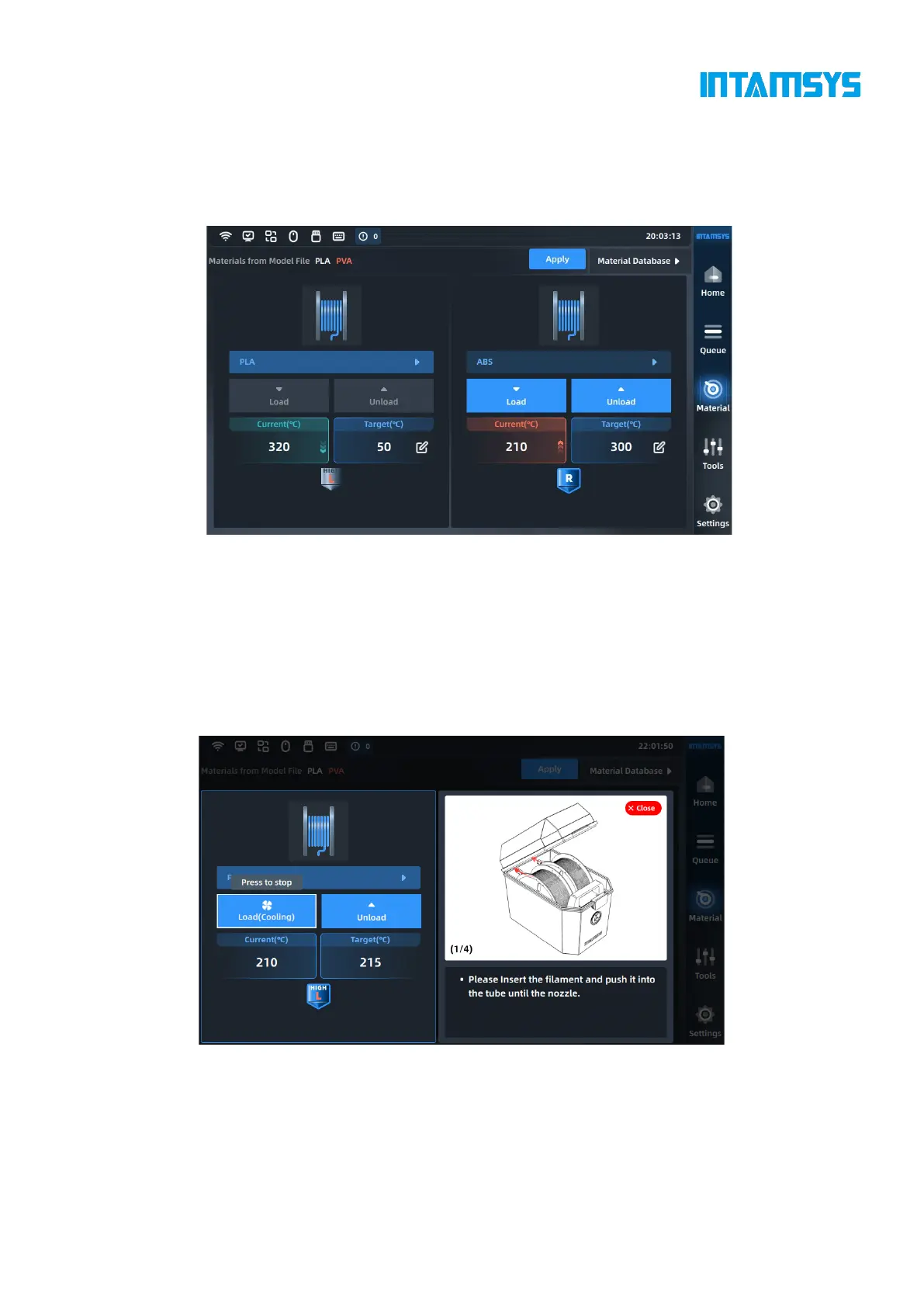
Specifically, if the material on the printer is inconsistent with the material settings in the G-code
print file, the system will alert the user to check the material. Click "Apply". Then the material will
be automatically applied to the L&R Nozzle.
Note: We need to unload/load the corresponding materials manually.
Fig. 5.7 Extruder T Settings Interface
5. After selecting the material, press the Load button to load the material step by step according
to the pop-up wizard.
After heating the nozzle to the target temperature, we can prepare materials according to the
prompts on the right;
The user can click the "Stop Load" button or other blank areas to exit the loading process;
The user can close the prompt window, which will be collapsed for later viewing.



 To Next Page