3 IQ Analyzer (Basic) Mode
3.1 Complex Spectrum Measurement
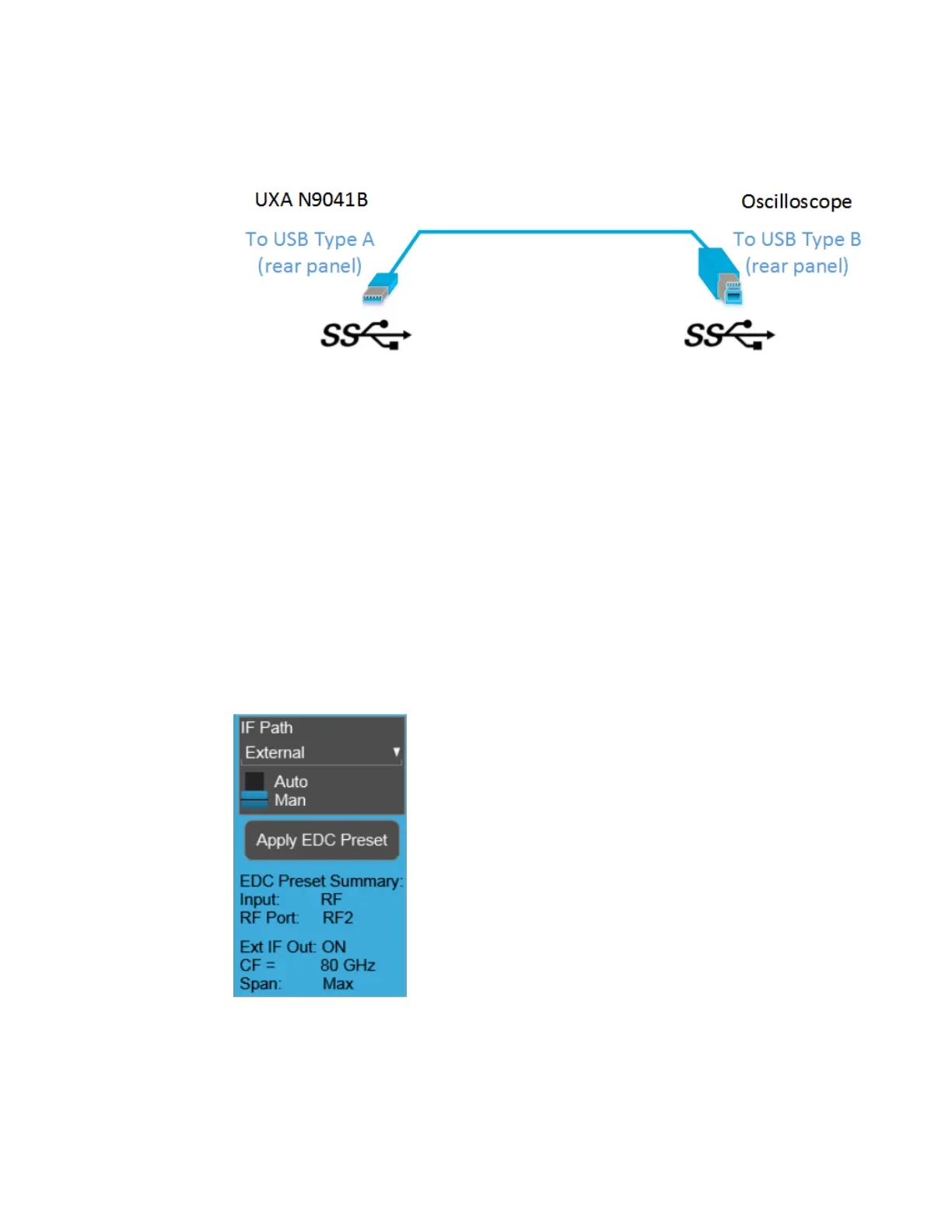
Use only connectors with the SS symbol as shown above.
When a valid USB3 connection is established, the instrument displays the message
“Updating Hardware Configuration”. When this connection is to a supported
oscilloscope, the instrument displays the message “External Oscilloscope
connected.” Once this connection is established, the External selection in the IF Path
menu will be selectable.
If, after the External IF Path selection is shown in the menu, the USB3 cable to the
oscilloscope is disconnected, the External IF Path selection will still appear but will
be disabled (grayed-out). If you press the grayed-out External selection, the error
message “Oscilloscope not connected” is displayed. If you send the SCPI command
to select External while External is grayed-out, error “-224: Illegal parameter value;
Oscilloscope not connected” is generated.
Once a valid scope connection is made, "Apply EDC Preset" on page 384 becomes
available (otherwise, it is grayed-out) and the EDC Preset information appears below
the Apply EDC Preset button, as in the example below:
Note that:
245 IQ Analyzer Mode User's &Programmer's Reference












 To Next Page