Section 1 Basic Printer Functions 1-7
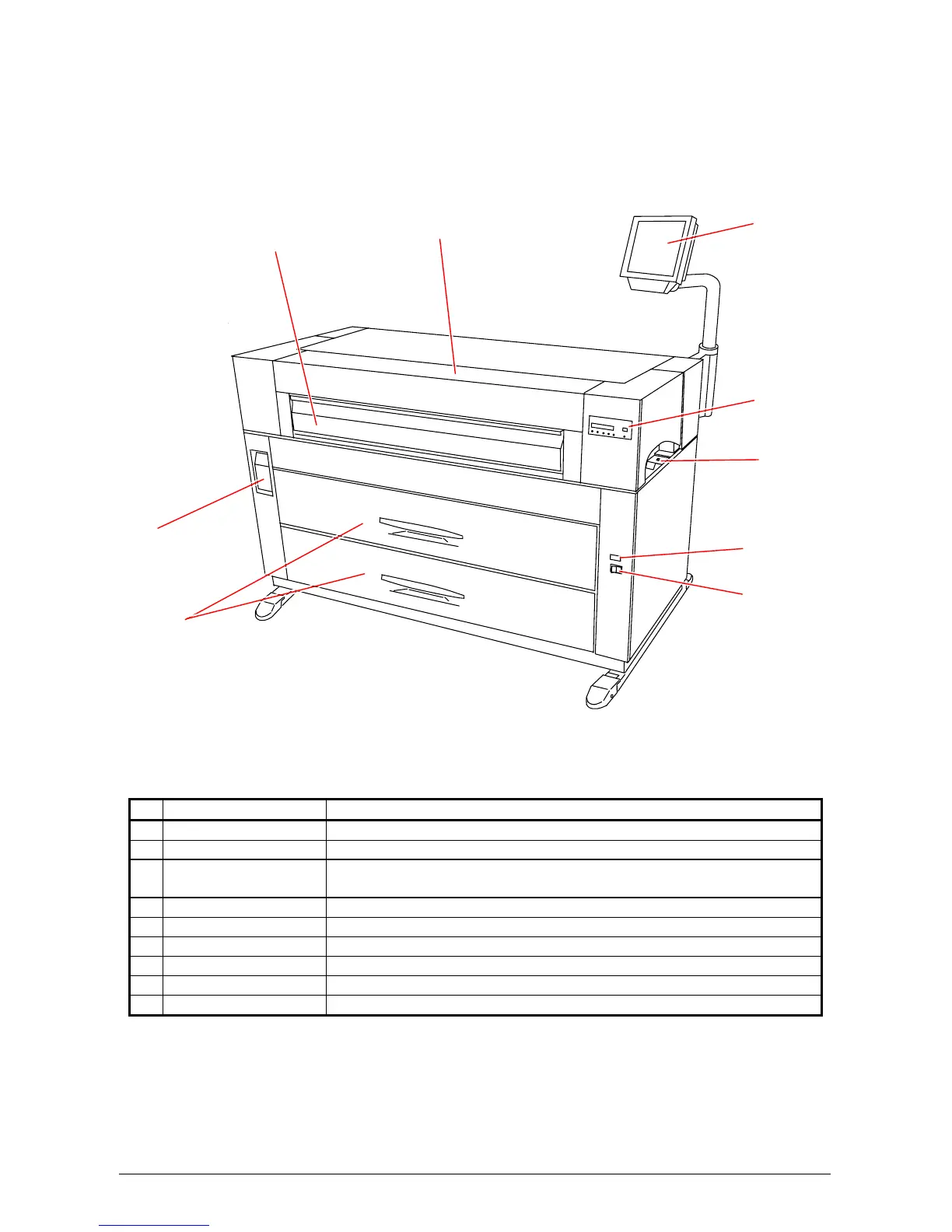
1. 5 Exterior Views
1. 5. 1 Front view
Name of part Function
1 Power Switch Press “ON” to turn on the printer, and press “OFF” to turn it off.
2 Counter It counts the total amount printing. (Unit default = sq ft )
3 Dehumidify Heater
Switch
Press “H” to turn on the Dehumidifier, and press “L” to turn it off.
4 Sub Display Panel Printer information and error codes are indicated on this panel.
5 User Interface This is a Touch Screen, and many user operations are available.
6 Toner Cover Open the Toner Cover when you replace the Toner Cartridge.
7 Manual Table Open to insert a sheet of paper, or to pull the Upper Frame Unit.
8 Lever Pull the Lever forward to release the Internal Feeder Unit.
9 Roll Decks Each Roll Deck holds 2 rolls of print media.
1
2
3
4
5
6
7
8
9



 To Next Page