Section 6 Request 6-32
2.8.6 Transfer
See Section 3.0 for Scan Retrieval / Deletion .
Upload Settings is a network administrator function.
See Admin Service Function )
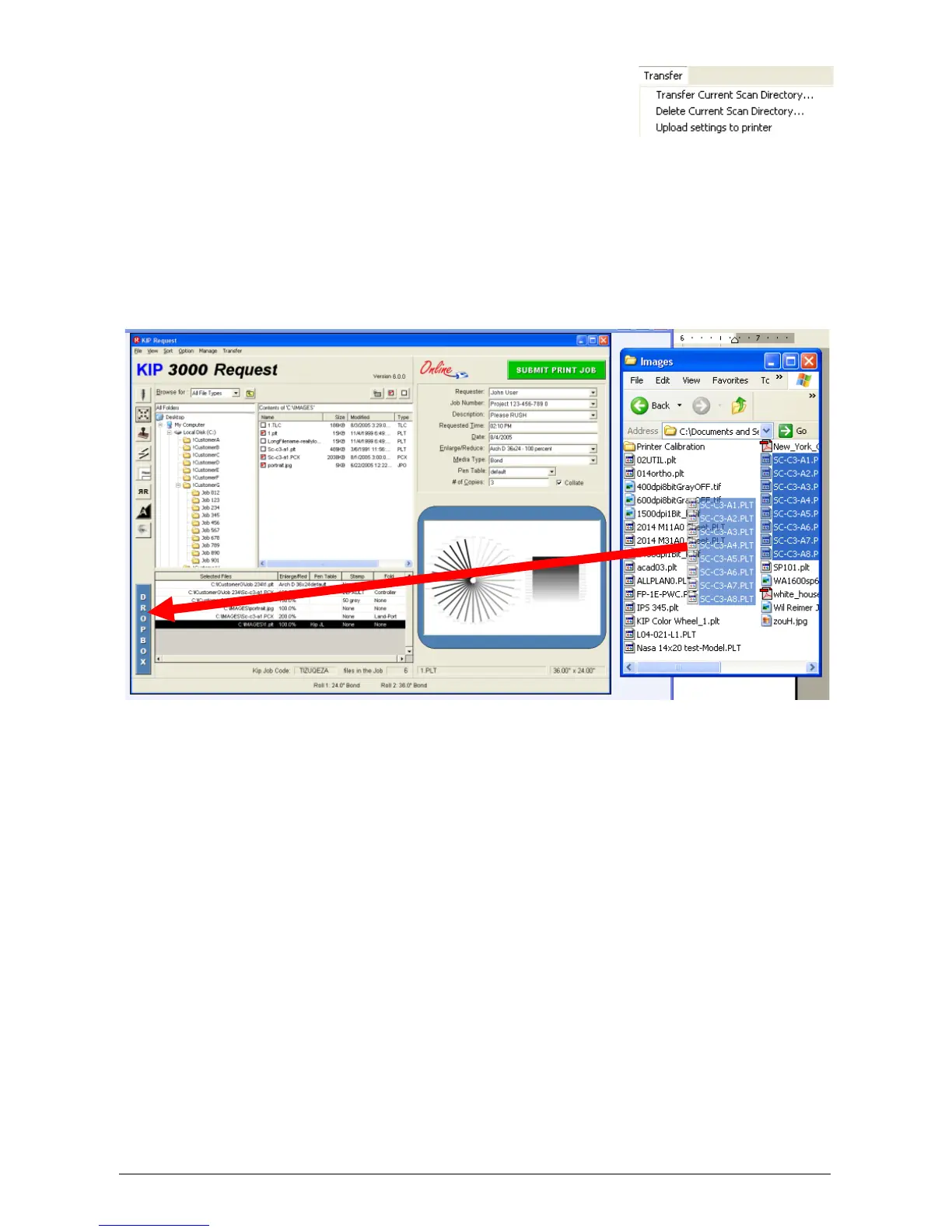
2.9 DropBox
The DropBox can be used to select files rather than use the Folder Select (2.1) and File
Select (2.2). This region allows “Drag and drop” functionality.
1) Use Windows Explorer to locate the printable files (or other file viewing utility).
2) Select the files using Windows conventions and then drag them with the mouse and
drop the files into the DropBox.
3) The files selected will now appear in the Job List region.



 To Next Page