Section 1 Basic Printer Functions
1-34
2. 4 Replacing the Toner Cartridge
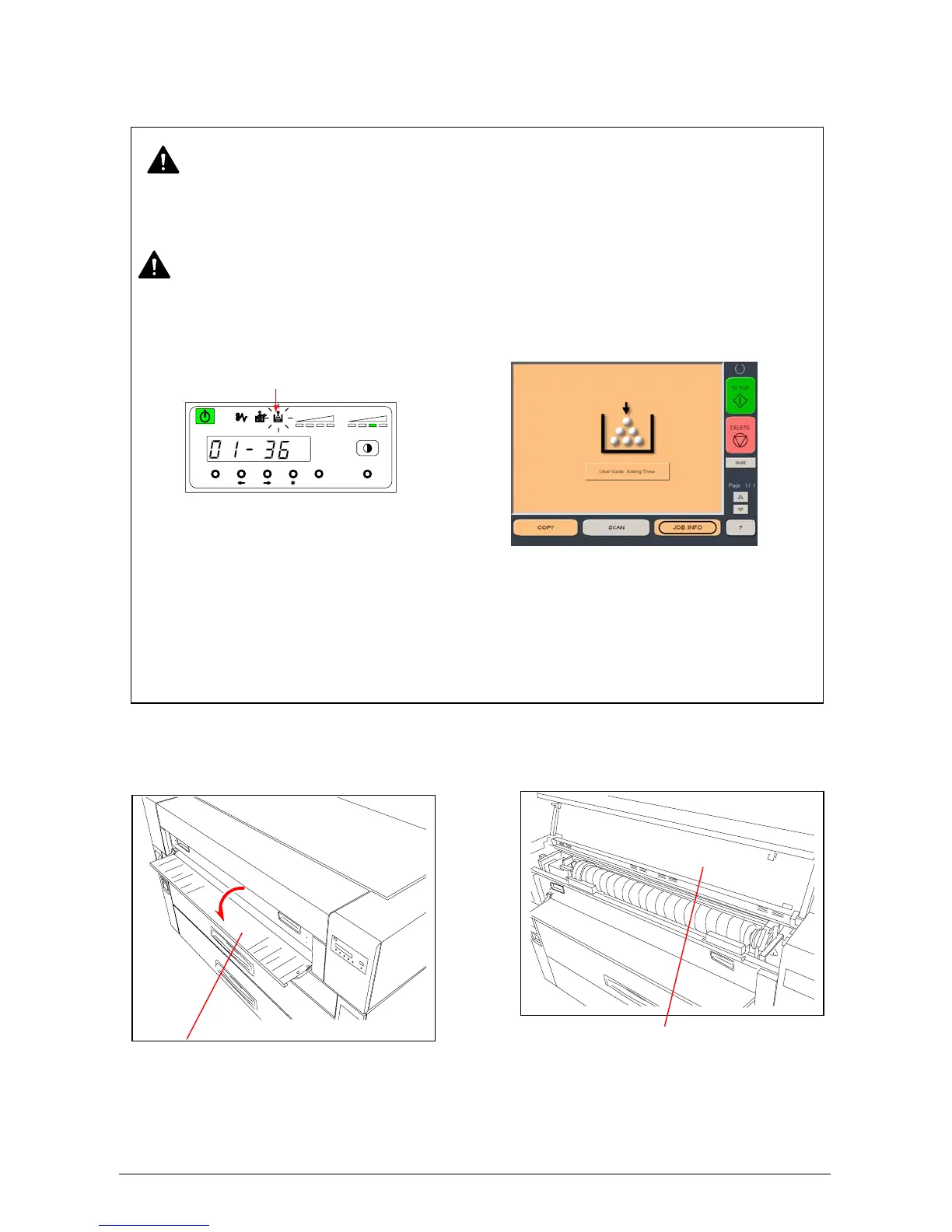
1) Open the Manual Table, then open the Toner Cover.
WARNING
There is combustible powder in the toner cartridge. Do not burn the used toner cartridge.
NOTE
(1) The printer will indicate the Toner Low Error by lighting the Toner Low Indicator on the
Operation Panel or displaying the Toner Low screen the Touch panel as shown
Replace the Toner Cartridge with the new KIP 5000 cartridge using the following procedure:
(2) If your hands or your clothing are soiled by toner, gently dust off the toner. If you are
unable to dust off the toner, wash the clothing with the cold water. (Do not use hot
because it will cause the toner to be absorbed into the fiber.)
MENU ENTER TEST
TONER REMAI N IMAGE DEN SITY
job
Toner Low Indicator
Toner Cover
Manual Table
OR



 To Next Page