Section 1 Basic Printer Functions
1-63
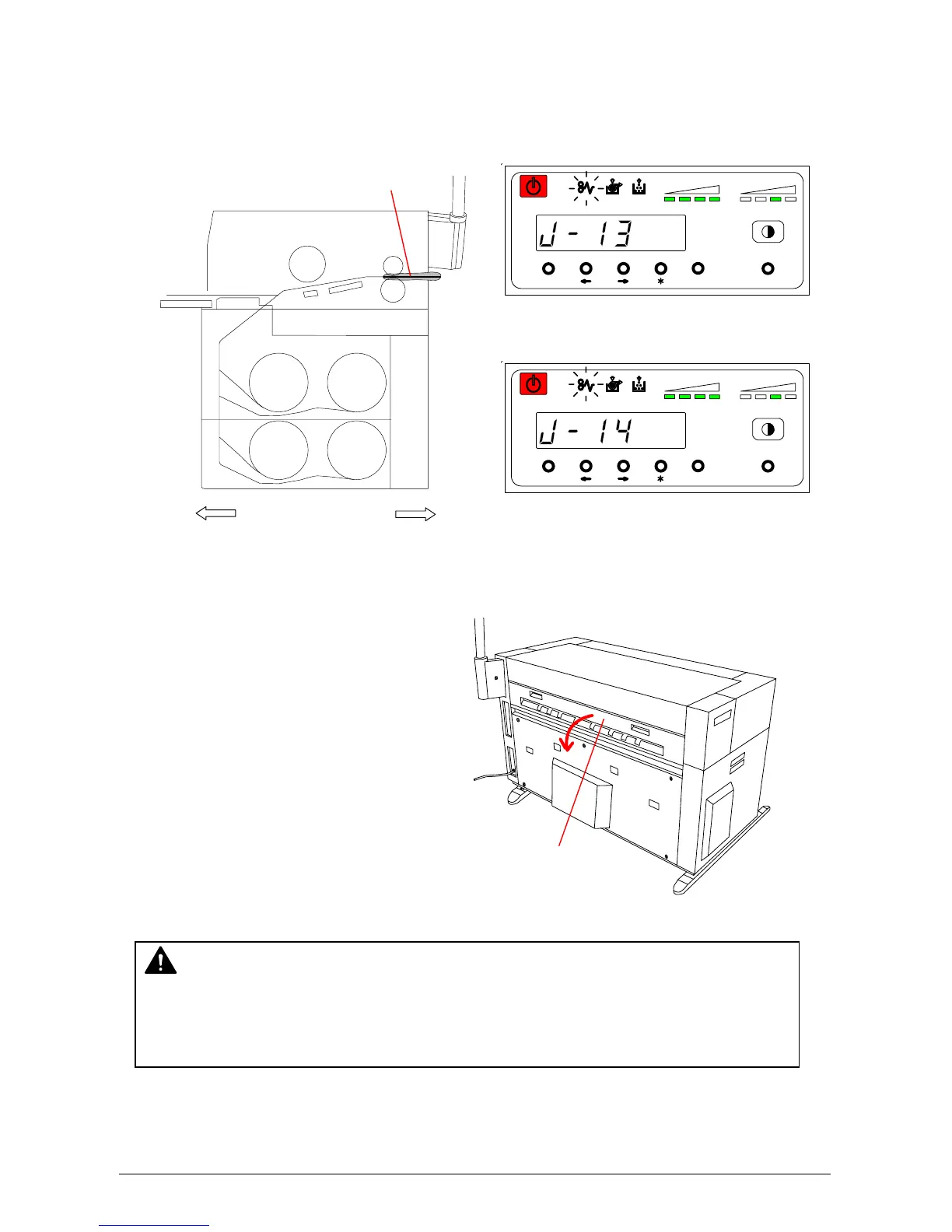
4. 1. 4 Paper Mis-feed in Fuser Section (J-13, J-14)
When the Paper Mis-feed occurs in the Fuser Section, the Operation Panel indicates “J-13” or
“J-14”.
Clear the Paper Mis-feed using the following procedure:
1) Open the Exit Cover.
MENU ENTER TEST
TONER REMAIN IMAGE DENSITY
job
MENU ENTER TEST
TONER REMAIN IMAGE DENSITY
job
WARNING
There are extremely hot parts inside the Heater Unit. Do not touch any parts in the Heater
Unit, or you may be burnt. The mis-feed media can be very hot. Take care not to get
burnt, while you remove it.
Roll 3
Roll 4
Roll 1
Roll 2
Front Rear
J-13, J-14
Exit Cover



 To Next Page