Section 1 Basic Printer Functions 1-67
NOTE
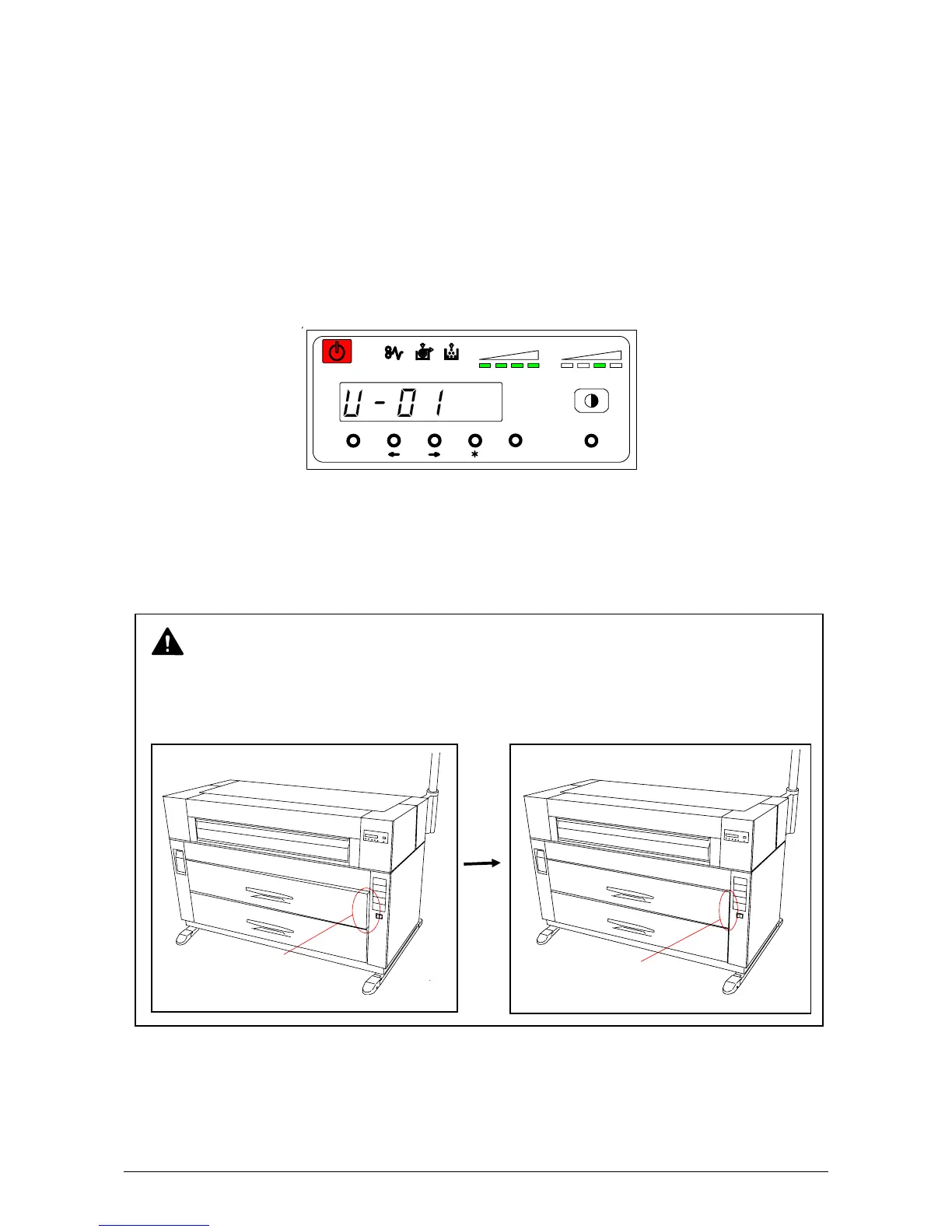
This error code will be displayed if the Roll Deck is not properly locked, although it may look
closed. Open and close the Roll Deck again, pushing until it locks. Ensure both sides of the
roll deck are in their correct position (see figure below).
4. 2 Open Cover Errors
The Sub Display and Touchscreen will indicate an error code if there are any open decks or open
covers. Close each deck (or cover) as it is not possible to print, if any are open.
4. 2. 1 Roll Deck Open (U-01, U-02)
The corresponding Roll Deck is opened when the Sub Display indicates “U-01” or “U-02”.
U-01 : The Upper Roll Deck is opened.
U-02 : The Lower Roll Deck is opened.
(Example: Upper Roll Deck is opened.)
Firmly push the Roll Deck close.
MENU ENTER TEST
TONER REMAIN IMAGE DENSITY
job
No Good
(Not Locked)
Good



 To Next Page