Section 1 Basic Printer Functions
1-38
2. 5 Setting the Cut Sheet Paper
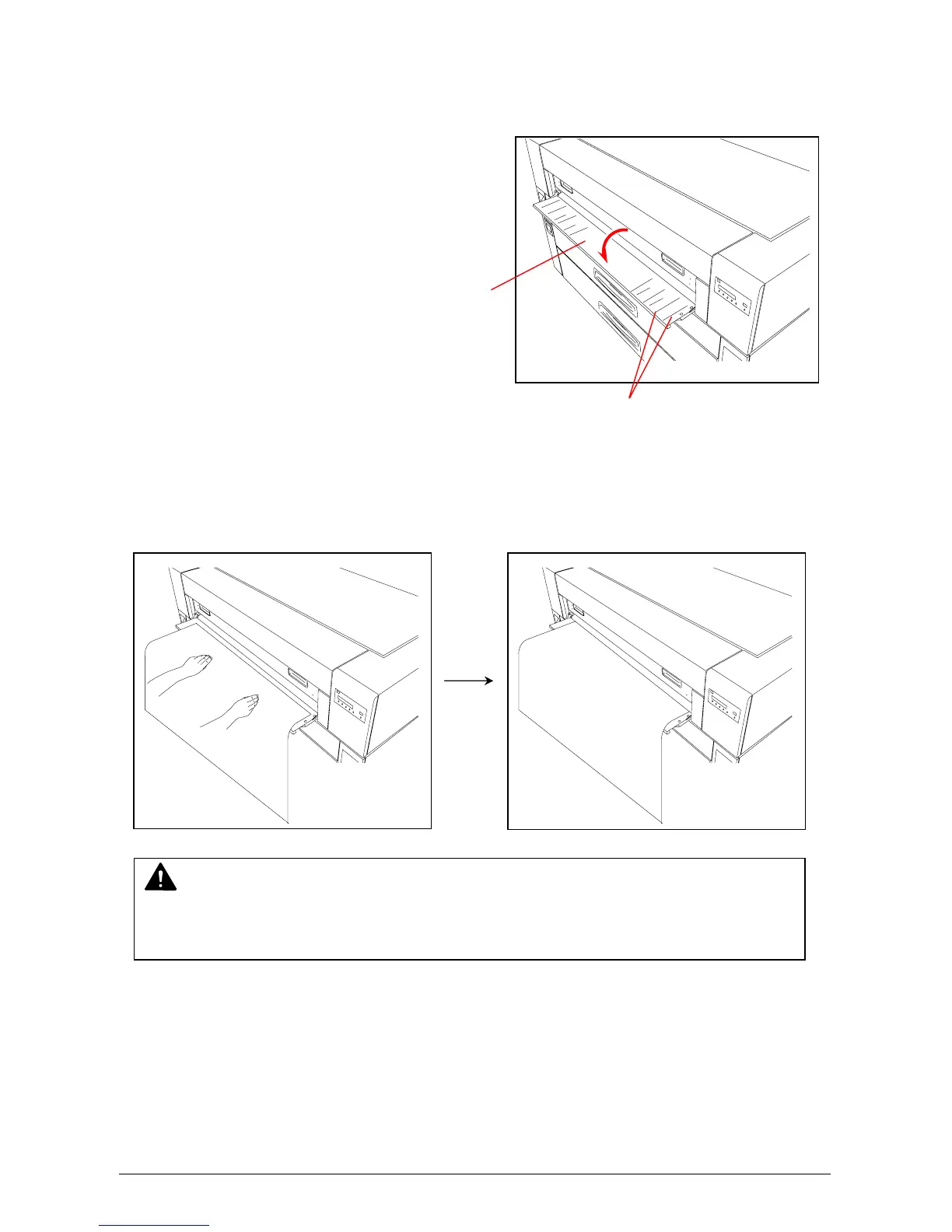
1) Open the Manual Table.
2) There are several size mark on the Manual Table. Place the cut sheet paper at the appropriate
size mark, and then insert it into the Bypass Feeder using the size mark as a guide.
Manual Table
Size Mark
NOTE
When the Cut Sheet Paper is inserted manually, its size and media are not indicated on
the Operation Panel.



 To Next Page