Section 6 Request 6-35
3.2 Mailbox File Deletion
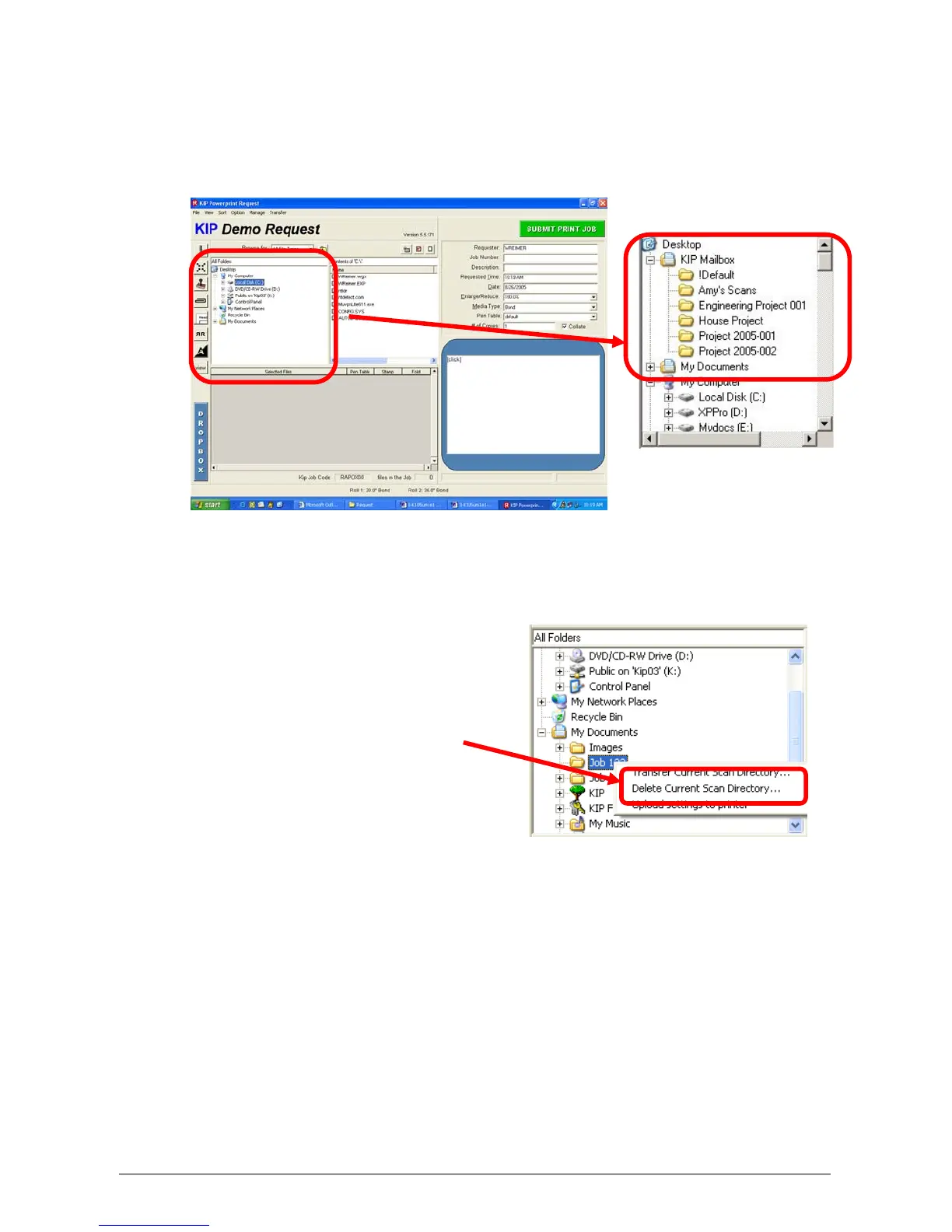
To remove a file from within a Mail box, use KIP Request in the following manner:
1) Use the Folder selection area to browse to KIP Mailbox on the local drive
2) Click on KIP Mailbox and the list of ALL the KIP 5000 Mail boxes on the KIP
5000 IPS will become visible.
3) Click on the mailbox (folder) that contains the scanned images that are no
longer required.
4) Right Click with the mouse to “Delete
Current Scan Directory”
5) A “Delete Folder” confirmation screen will appear to confirm the command.
This will remove all of the files within the folder and leave the folder on the
system.
ONCE DELETED, FILES ARE PERMANENTLY
REMOVED!



 To Next Page