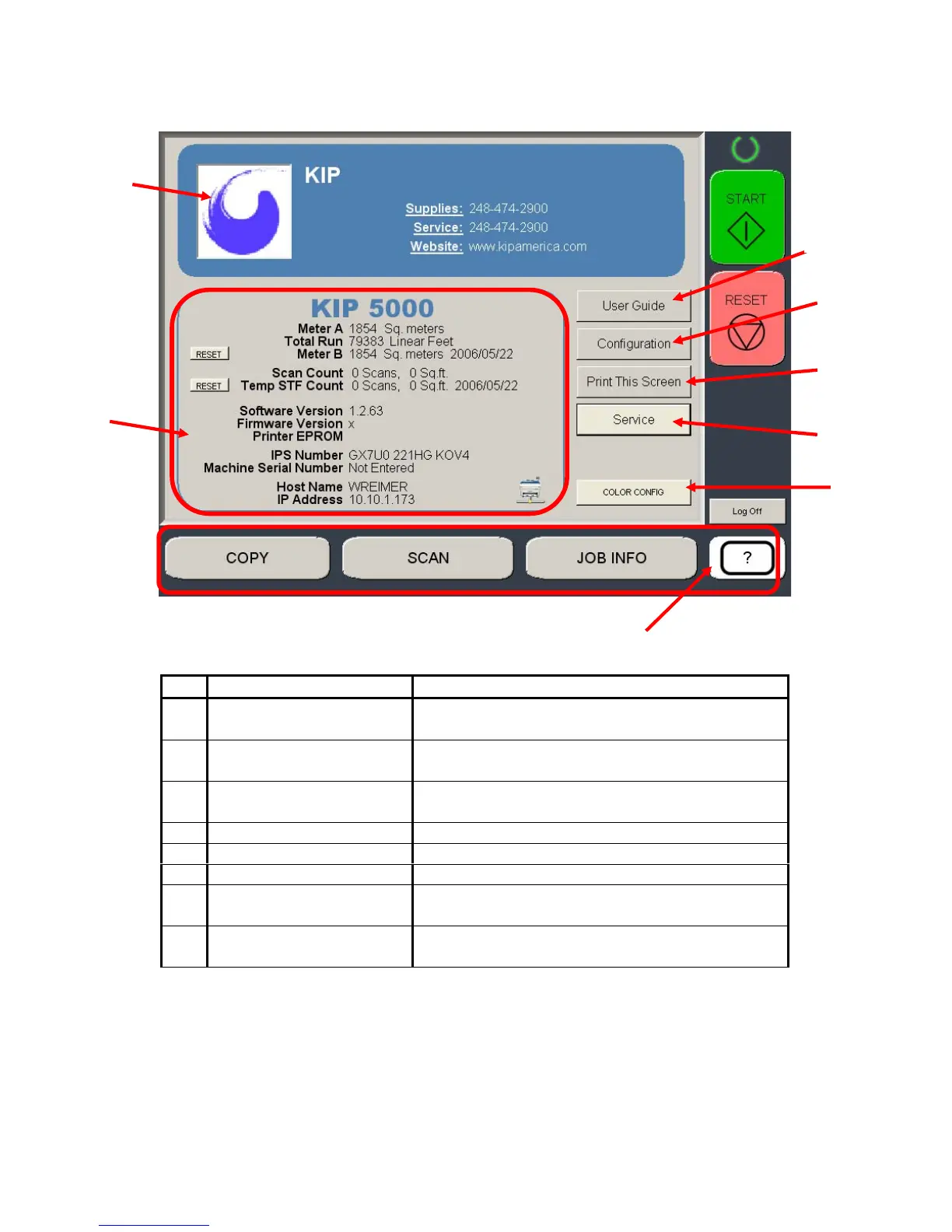
3-3 Section 3 ?” Screen
1.2 “?” Screen – General
No. Name Function
1 Mode Selects the “Mode” of the system. (Help Mode
shown)
2 Information Region Displays meter counts and version number of
the system.
3 Support / Supplies Displays the contact information for technical
support and printer supplies.
4 User Guide Enters the Graphical Users Guides.
5 Configuration Enters the settings and configurations modes.
6 Print This Screen Prints the main “?” screen on the KIP 5000
7 Service Password protected area for KIP authorized
technician use.
8 Color Config Configures the optional color scan and color
copy features.
1
2
3
5
6
4
7
8



 To Next Page