Section 9 Connectivity 9-2
1.0 IP Addressing
1.1 Configuration Mode
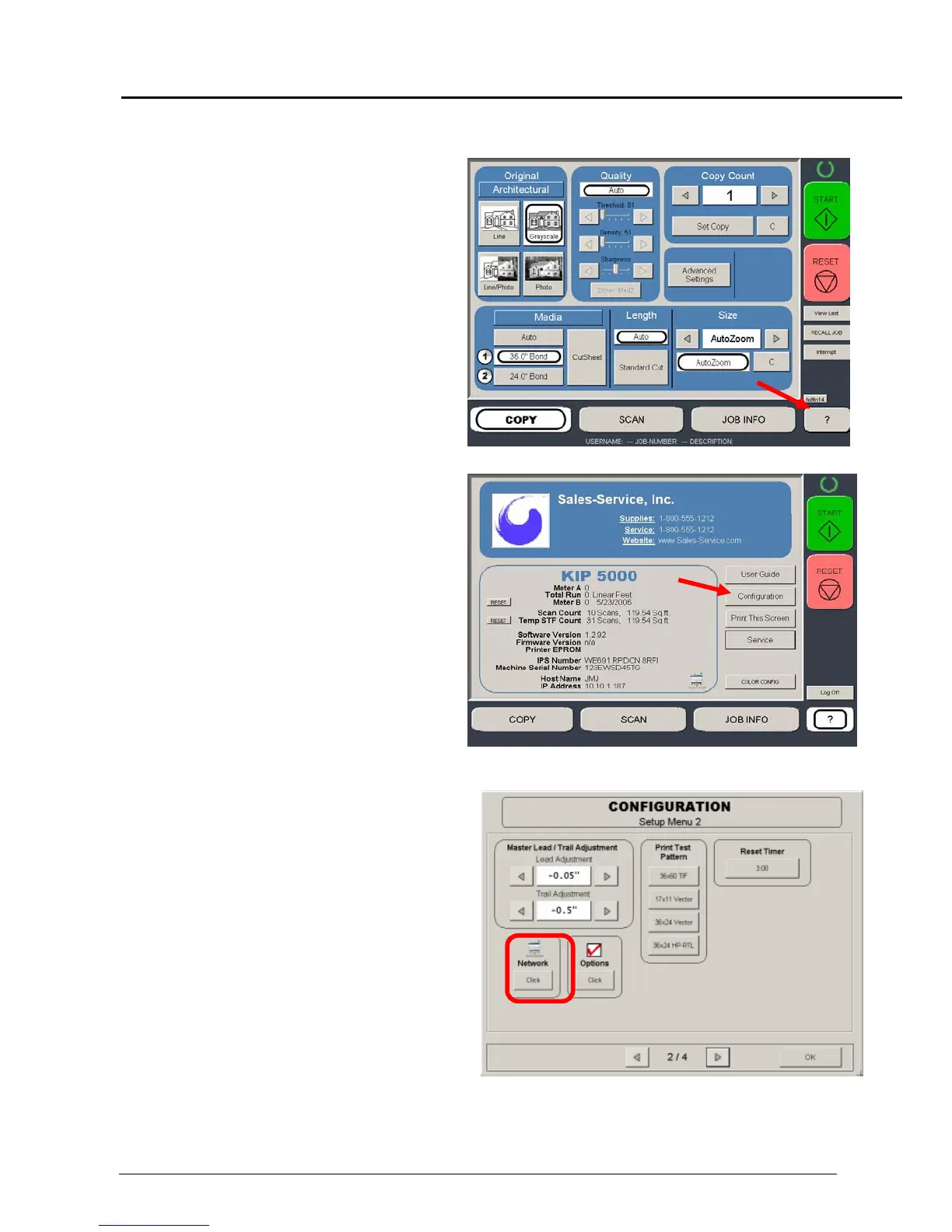
To access and set the IP address:
a) Press the “?” button on the Operator Panel
b) Then press the “Configuration”
button
c) Enter “Setup Menu 2” and locate
“Network”
d) Click “Network” to enter TCP/IP
Properties Page. Please note that if
the settings are locked a Certified
Service Technician must grant access
this feature



 To Next Page