Section 1 Basic Printer Functions
1-26
2. 3 Replacing the Roll Media
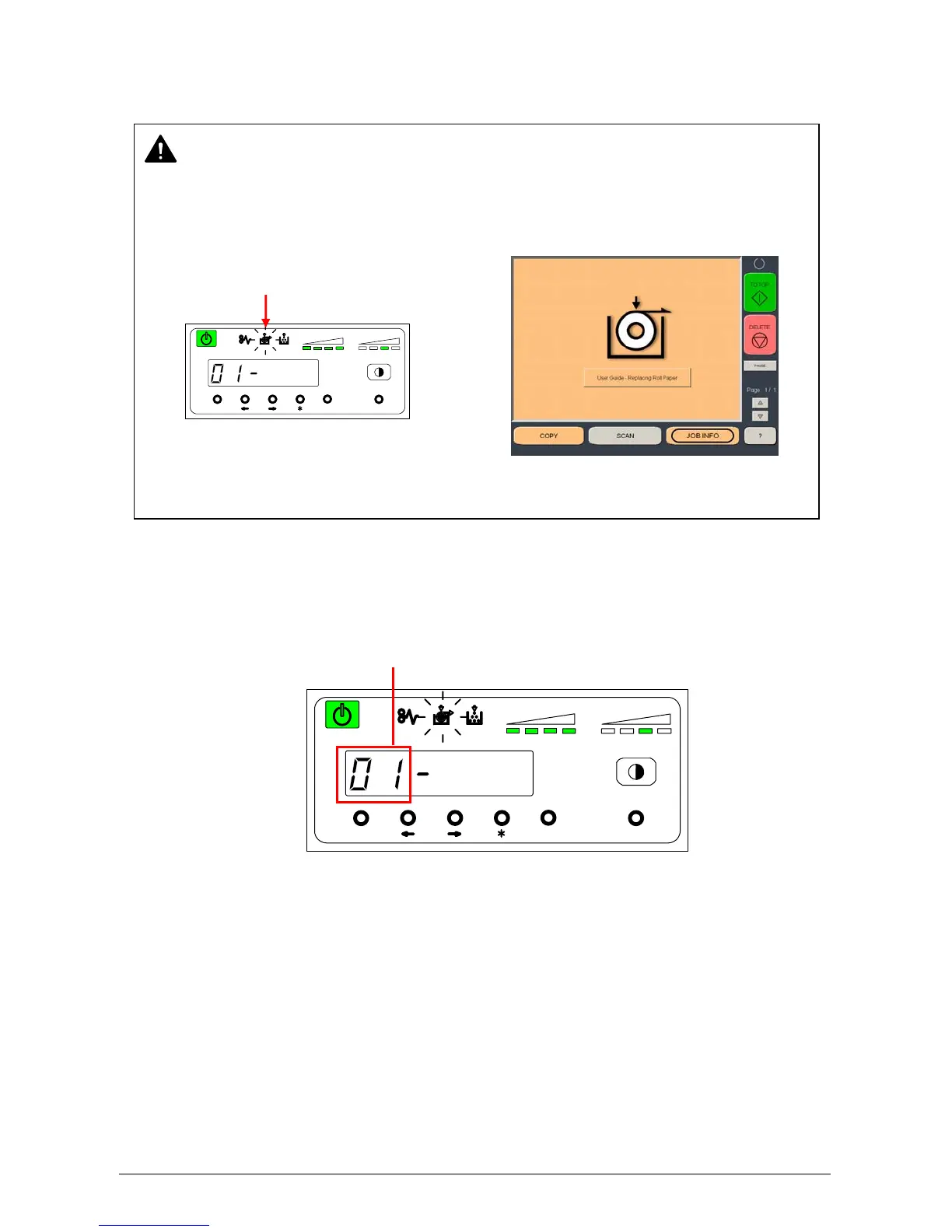
1) When the Roll Empty Indicator lights or is displayed, check the Roll Deck Number on the Seven
Segments Indicator to see which Roll Deck is empty.
Example: Roll Deck Number is “01”. This means the media in the Roll 1 is empty.
NOTE
The printer indicates the Roll Empty Error by lighting up the Roll Empty Indicator on the
Operation Panel or displays the Empty media screen on the touchscreen. Install new roll
media using the following directions
Roll Empty Indicator
MENU ENTER TEST
TONER REMAIN IMAGE DENSITY
job
MENU ENTER TEST
TONER REMAIN IMAGE DENSITY
job
Roll Deck Number
OR



 To Next Page