Section 1 Basic Printer Functions
1-27
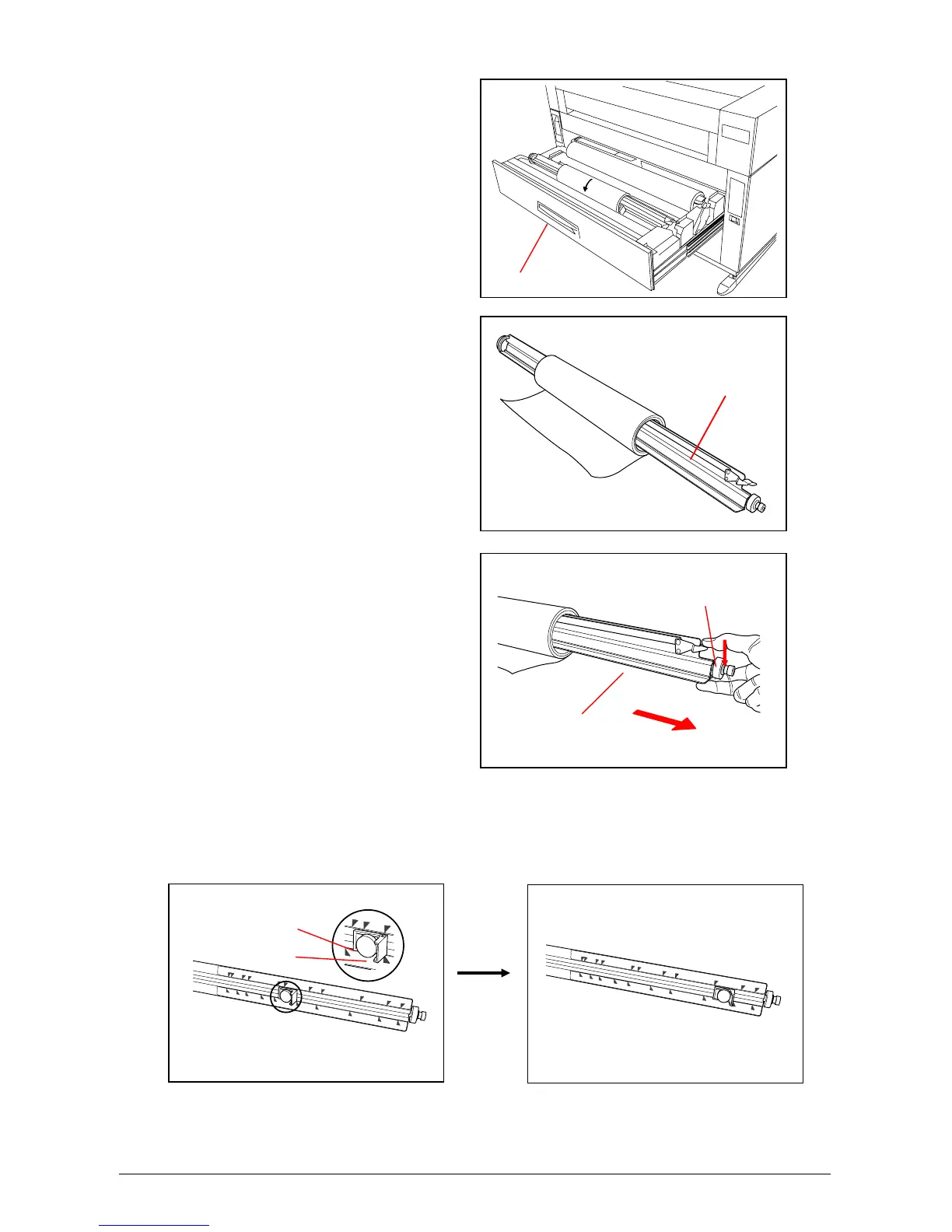
2) Open the Roll Deck (1).
Rewind the remaining paper around its core
as indicated by the arrow.
3) Remove the Roll Spool (2) from
the Roll Deck.
4) Pull out the Roll Spool (2) from
the core of the roll while
pressing down Lever (3).
5) Loosen the Thumb Screw (4), and slide the Stopper (5) according to the width of the new roll of
media. Tighten the Thumb Screw to hold the Stopper at the corresponding size mark.
1
2
3
2
4
5



 To Next Page