Section 1 Basic Printer Functions
1-28
NOTE
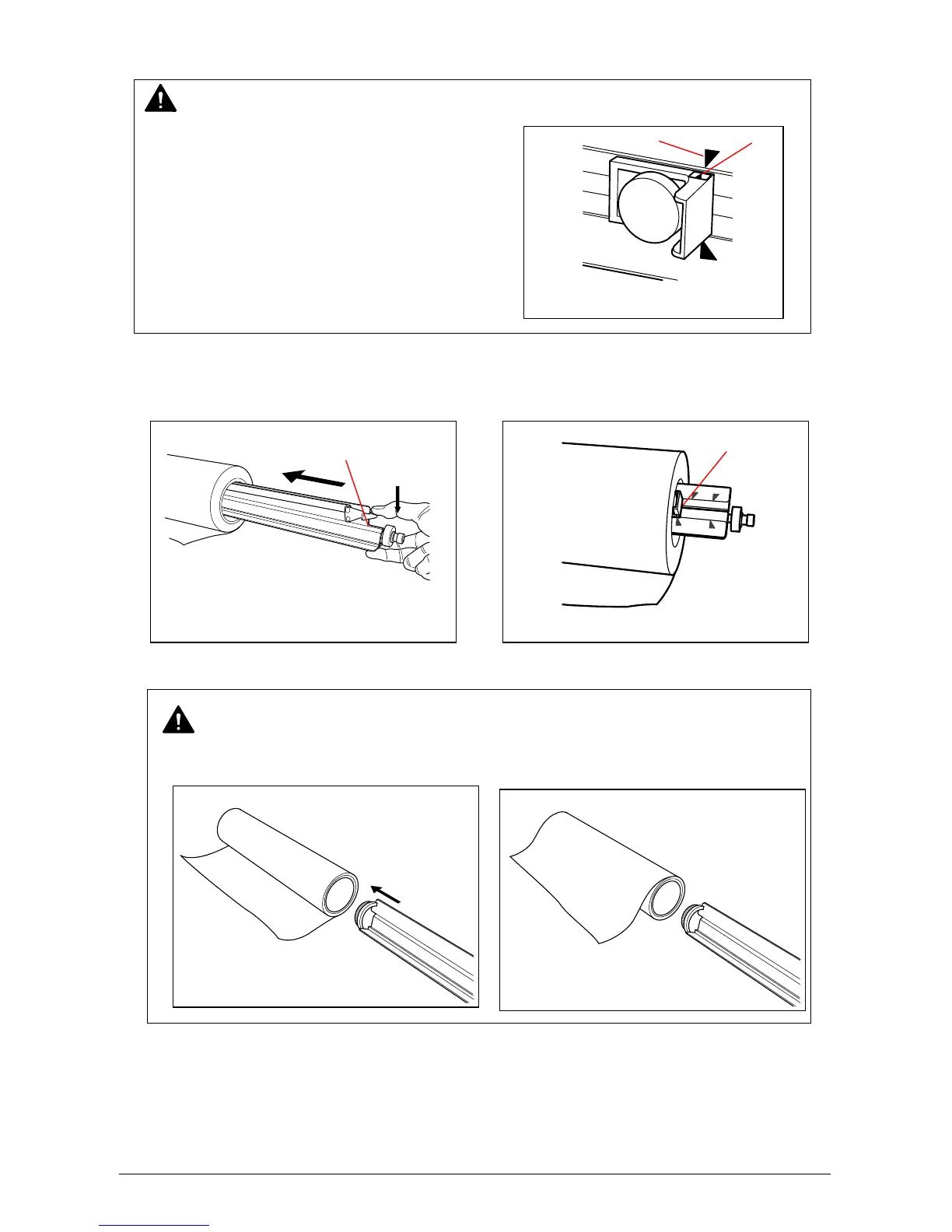
Ensure the roll media is wound in the proper direction.
6) Insert the Roll Spool into the core until the Stopper (5) touches the roll media while pressing
down the Lever (3). Then, release the Lever (3) to “catch” the roll media with the Roll Spool.
No good
Good
NOTE
Align the top of triangle (6) of stopper and the
size mark (7).
3
6
6
7
3
4
"
3
6
"
A
0
3
6
"
3
5



 To Next Page