Section 1 Basic Printer Functions
1-23
2. 0 Basic Functions
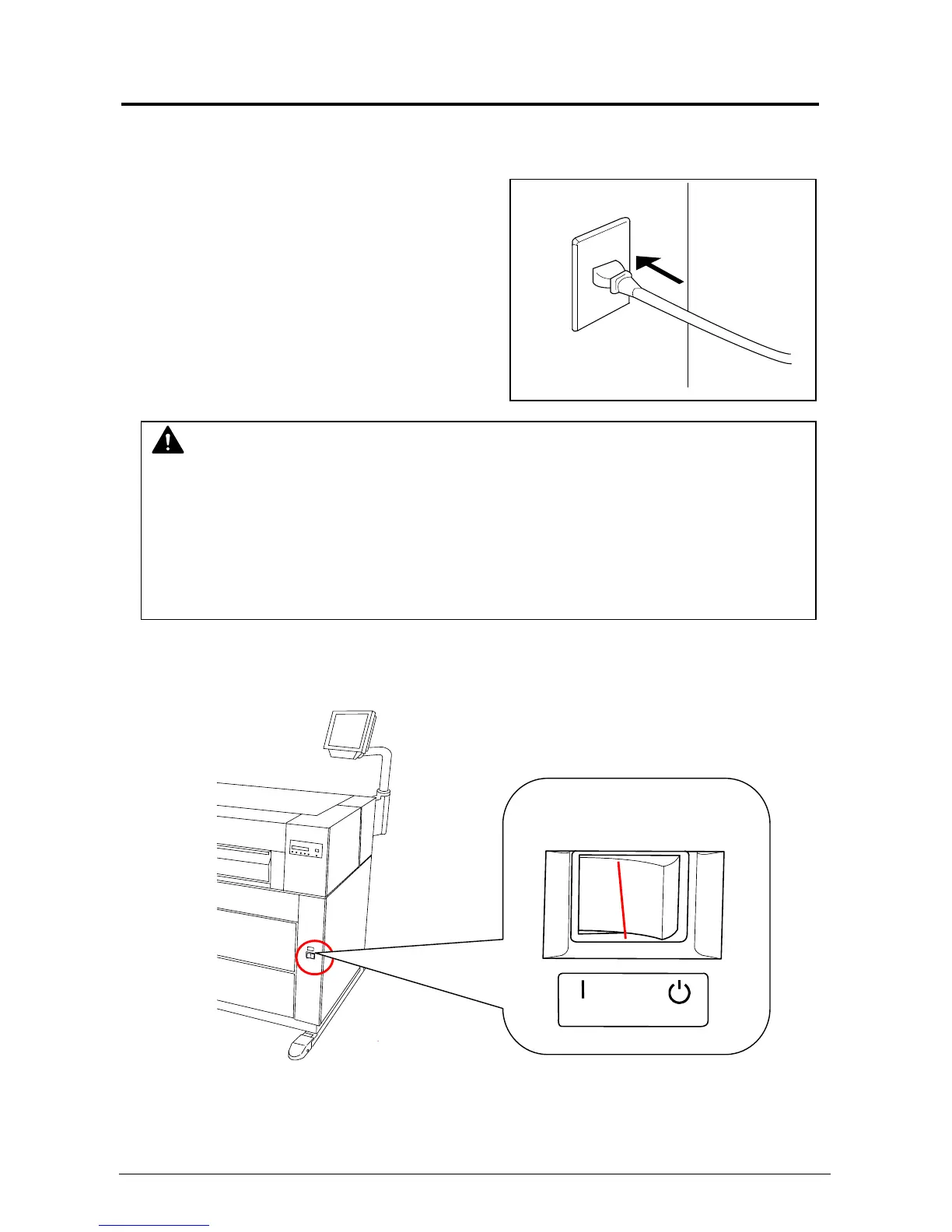
2. 1 Turning on the Printer
1) Plug the printer into an exclusive wall outlet.
2) There is a Power Switch on the right-front of the printer.
Press “ON” to turn the printer on.
WARNING
(1) Ground the printer for safety.
(2) Do not plug the printer into a multi-wiring connector. It may cause the outlet to overheat
resulting in fire, or damage to the machine.
(4) The outlet must satisfy the following power condition.
120V plus or minus 10%, 16A and 50/60Hz
N
Press this side.



 To Next Page