Section 2 Job Info Screen 2-8
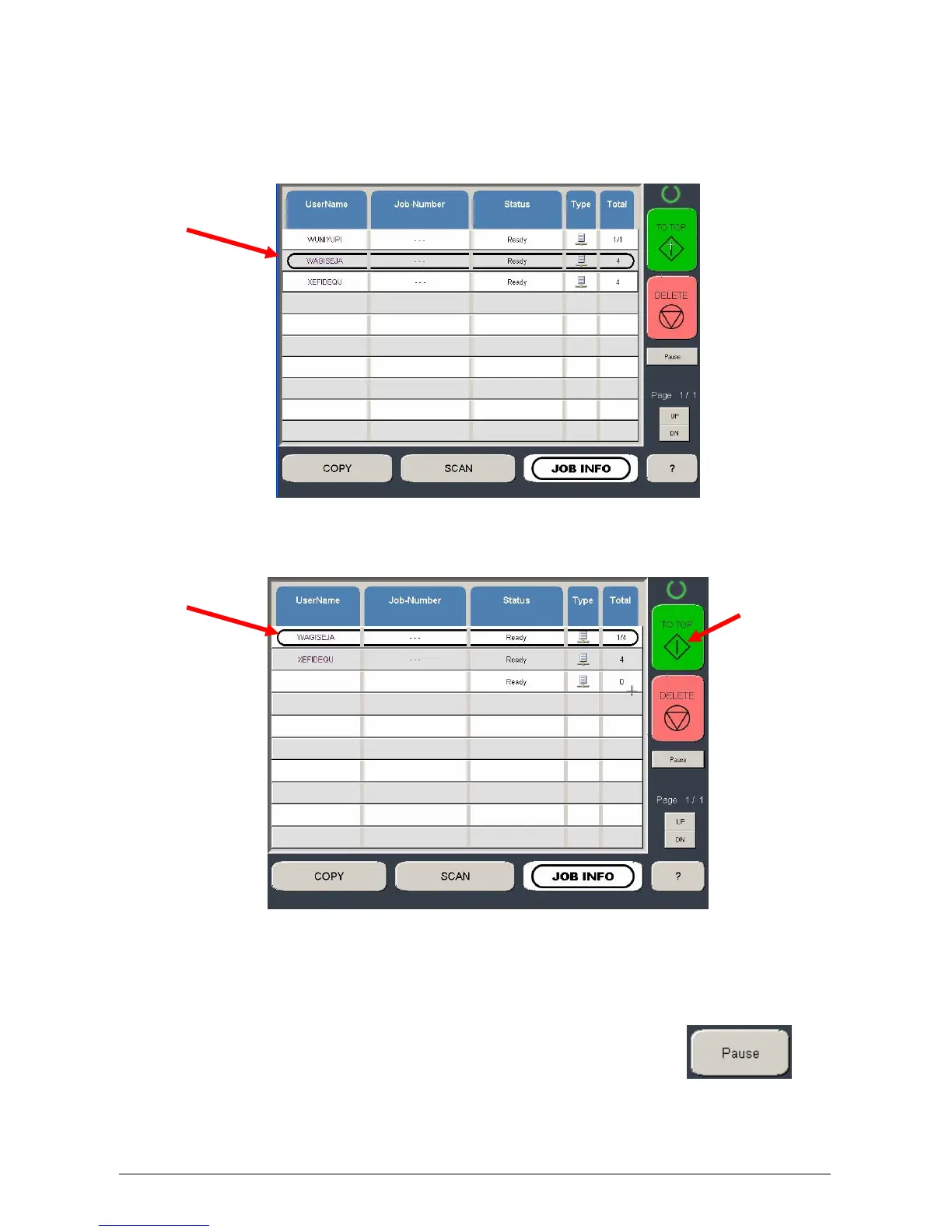
2.9 To Top
If a job in the list is required urgently and there are other jobs in the list prior to it, the job
can be moved to the top of the queue.
a) Select the job from the list
b) Press the “To Top” button
c) The list will be updated with urgent job to be printed next.
2.10 Pause
To pause all print jobs (to replace paper or perform another task that
may require the printer to pause) press the pause button.



 To Next Page