Section 1 Basic Printer Functions 1-46
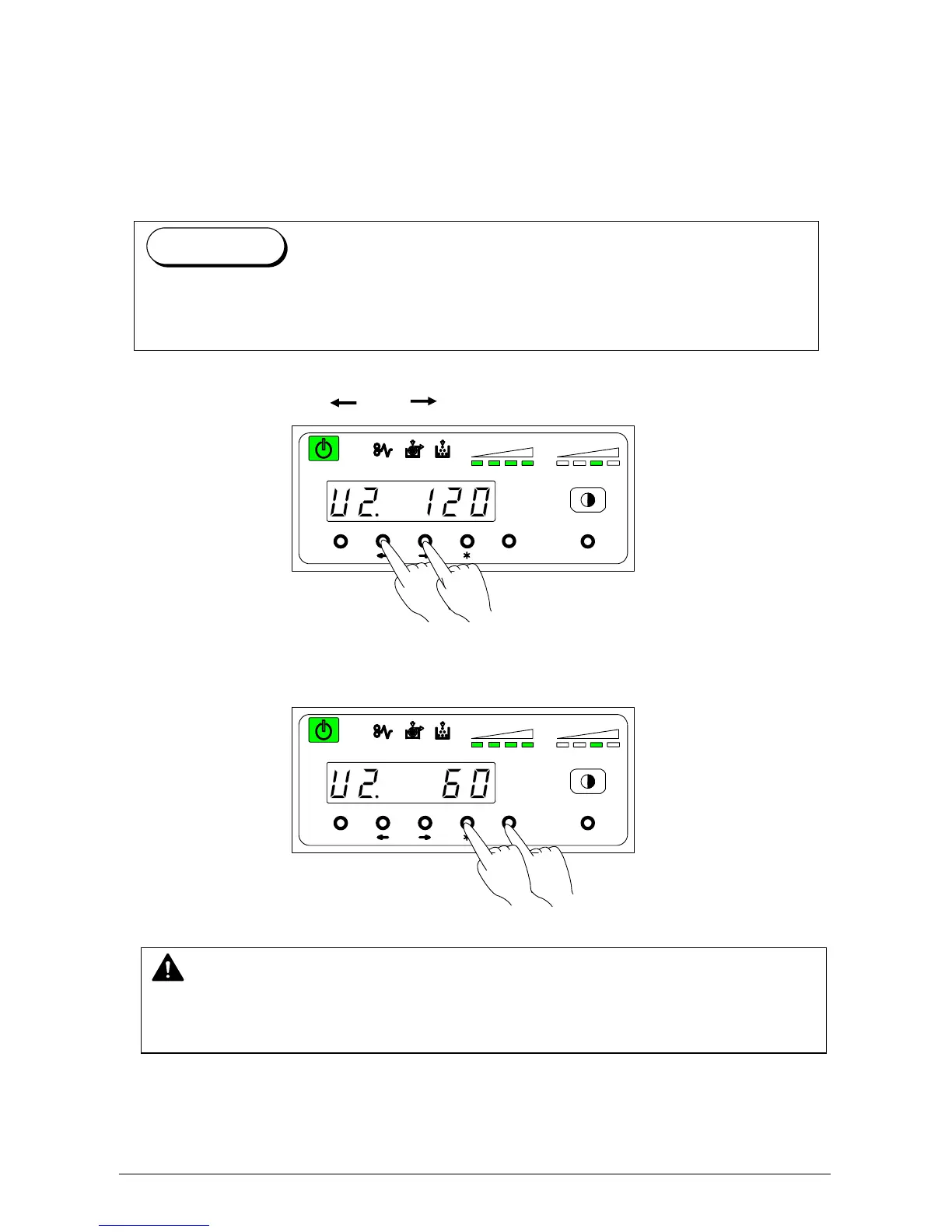
3. 2. 3 User Mode 2: Auto Power-Off Timer Setting
Mode
Please Set the Touchscreen - “?”
This mode allows you to set Auto Power-Off Timer.
1) Select “U2.” by pressing [ ] or [ ] key. The current timer setting is displayed.
2) Press [ * ] (increment) or [Enter] (decrement) key to change the setting value. Timer is
adjustable between 5 and 240 minutes (1 min. step).
MENU ENTER TEST
TONER REMAIN IMAGE DENSITY
job
MENU ENTER TEST
TONER REMAIN IMAGE DENSITY
job
NOTE
To make this mode work, it is necessary to make the Auto Power Off Setting Mode (User
Mode 3) ON. (Refer to page 3-8)
The Auto Power-Off Function cause the Power Switch to turns OFF automatically after a
time set in User Mode 2. (To turn the printer on, press the “ON” side of the Power Switch.)
Reference



 To Next Page