Section 1 Basic Printer Functions 1-45
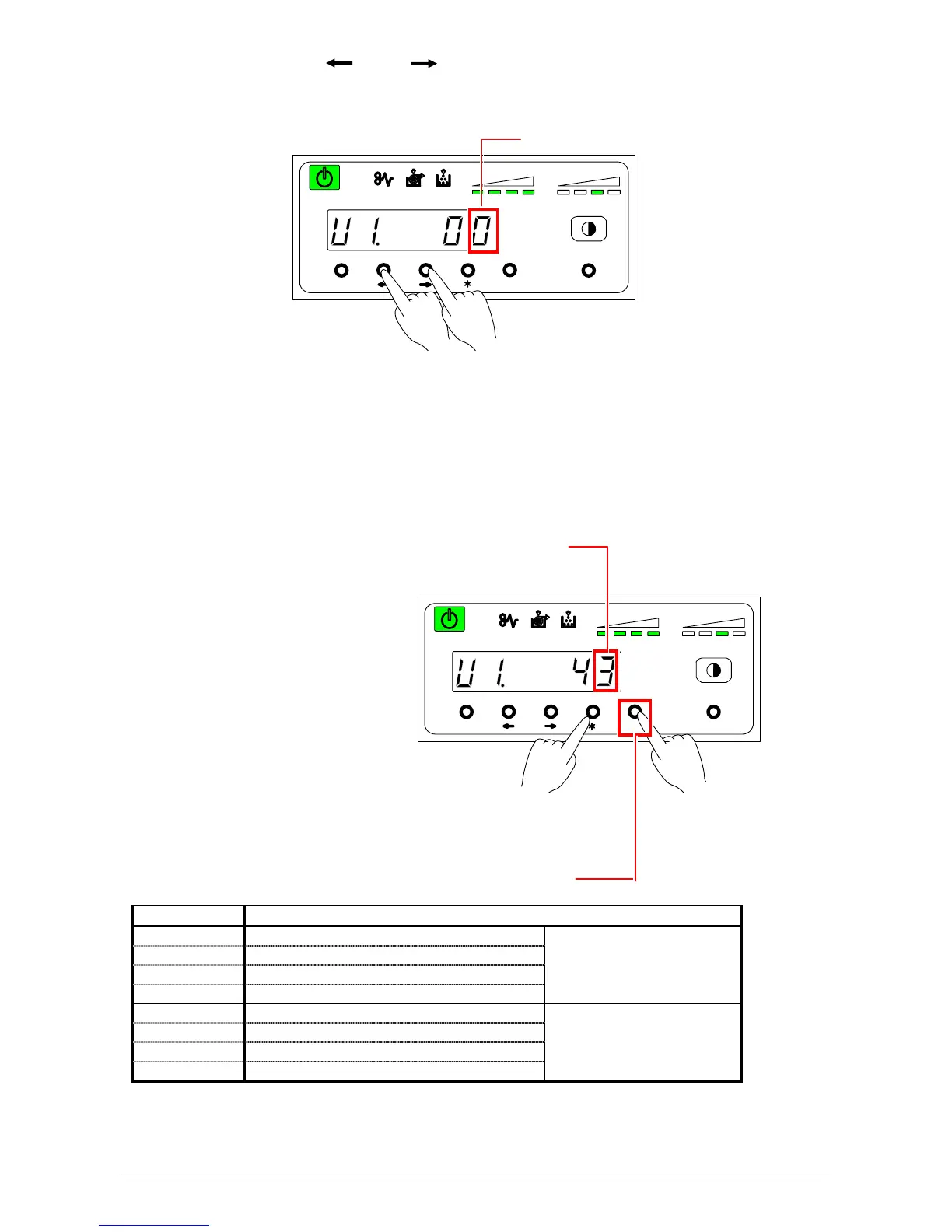
1) Select “U1.” by pressing [ ] or [ ] key.
The setting value consists of 2 digits. The left value is not used. The right one is applied to the print
from the network.
2) Press [Enter] key to change the Image Enhancement Level for the print from controller. Then the
selected data is fixed.
Image Enhancement setting for the print from computer
Press this key to change of setting for the print
Setting Value Contents
0 Dot Enhancement Level 0 : None
1 Dot Enhancement Level 1 : Weak
2 Dot Enhancement Level 2 : Medium
3 Dot Enhancement Level 3 : Strong
With
the Smoothing Function
4 Dot Enhancement Level 0 : None
5 Dot Enhancement Level 1 : Weak
6 Dot Enhancement Level 2 : Medium
7 Dot Enhancement Level 3 : Strong
Without
the Smoothing Function
MENU ENTER TEST
TONER REMAIN IMAGE DENSITY
job
MENU ENTER TEST
job
TONER REMAIN IMAGE DENSITY
Applied to the prints



 To Next Page