Section 1 Basic Printer Functions
1-29
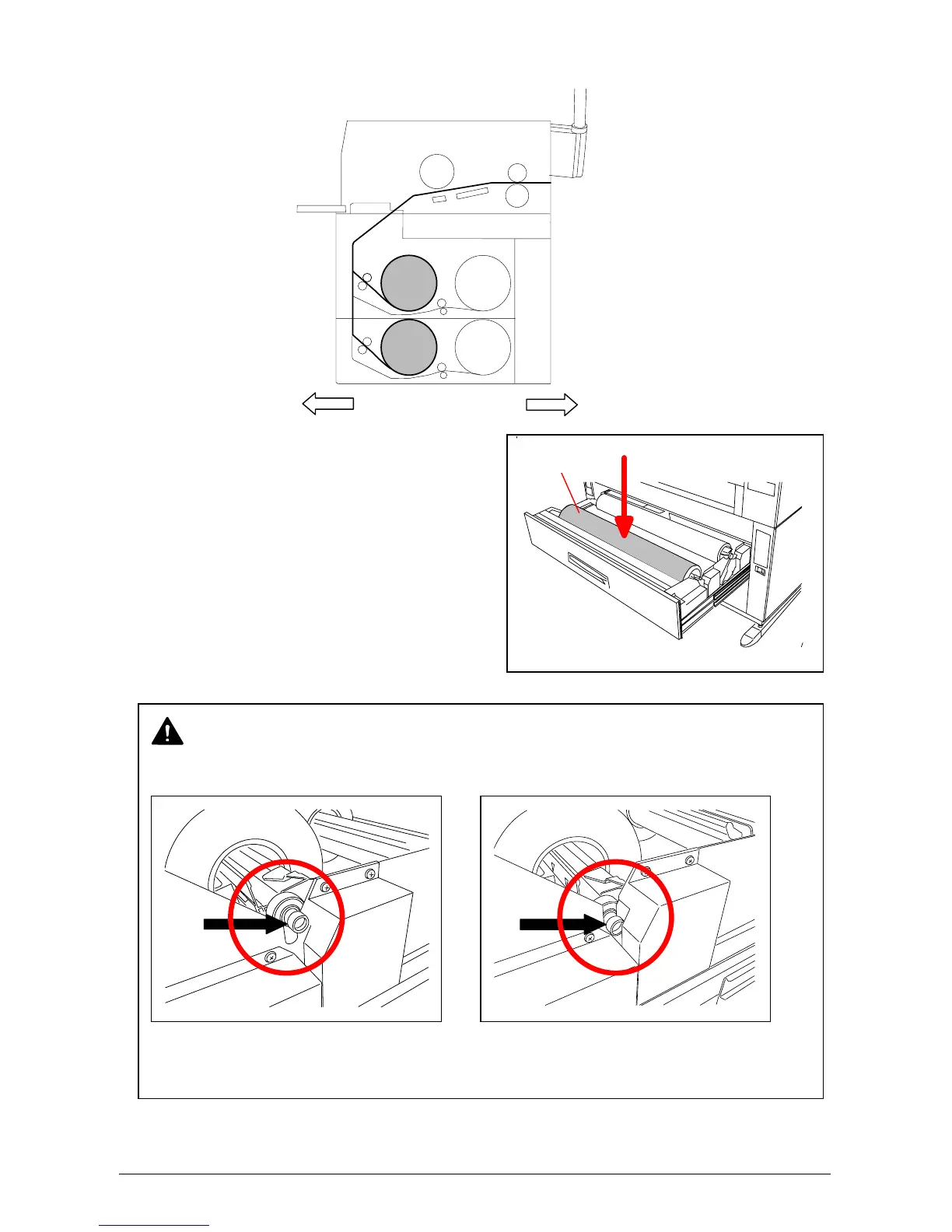
7) Loading Roll 1 or Roll 3
7-1) Put the Roll Spool back into
the Roll Deck. (Gear side is
on the left and Lever side is
on the right.)
Front
Rear
Gear side
Roll 1
Roll 2
Roll 3
Roll 4
NOTE
When you place the Roll Spool back into the Roll Deck, make sure to fit the collar of the right
side of the Roll Spool into the proper position.
No Good Good
(The collar of the Roll Spool is out of (The collar is set in the proper position.)
the proper position.)



 To Next Page