Section 1 Basic Printer Functions
1-62
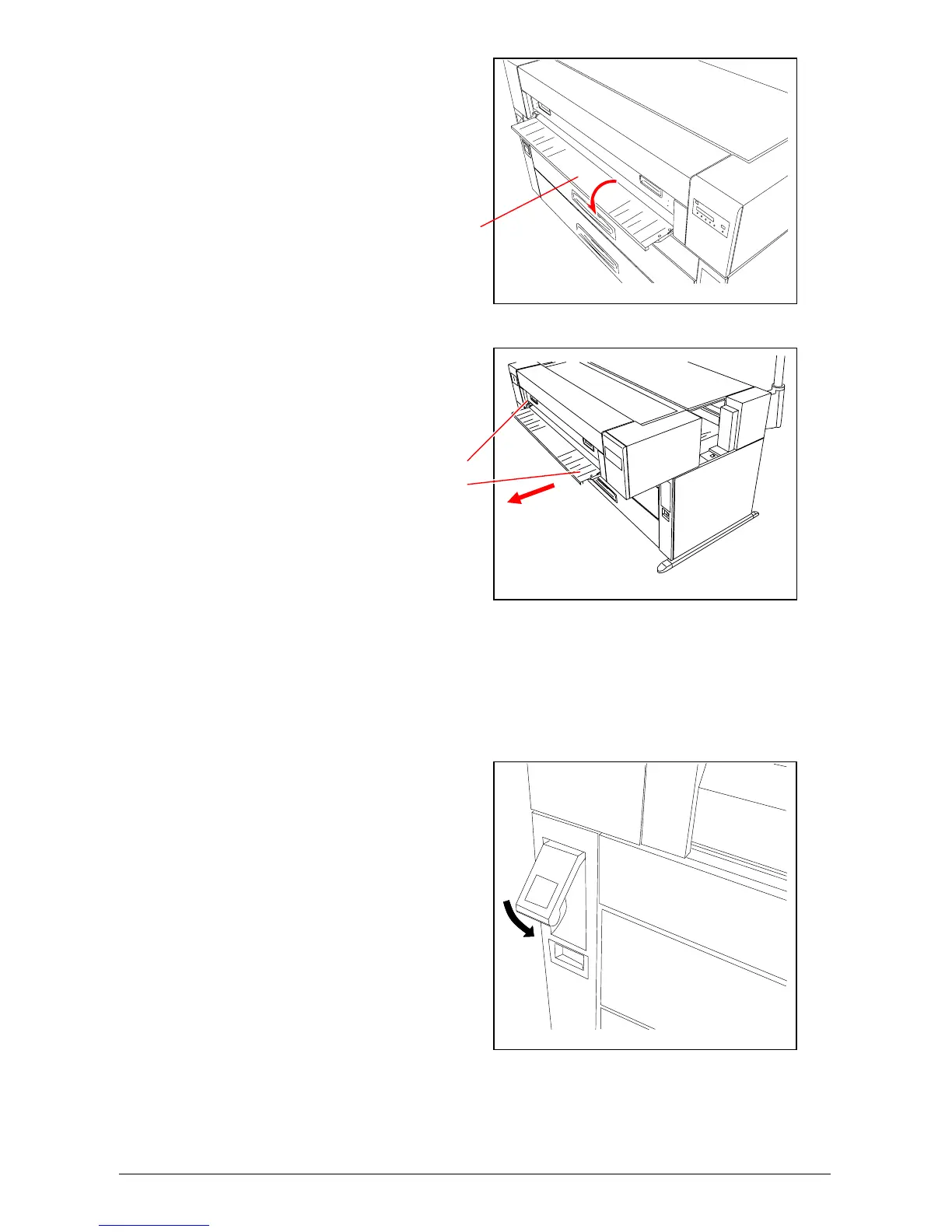
2) Open the Manual Table.
3) Holding both Handles, and
then pull out the Upper Frame
Unit to your side.You can see
the inside of printer.
4) Remove the mis-fed paper from
the at the side of printer.
5) Push the Upper Frame Unit
back into place.
6) Close the Manual Table.
7) Push down the Lever of the
Internal Feeder Unit.
8) Rewind the mis-fed Roll manually.
Handle
Manual Table



 To Next Page