Section 1 Basic Printer Functions
1-35
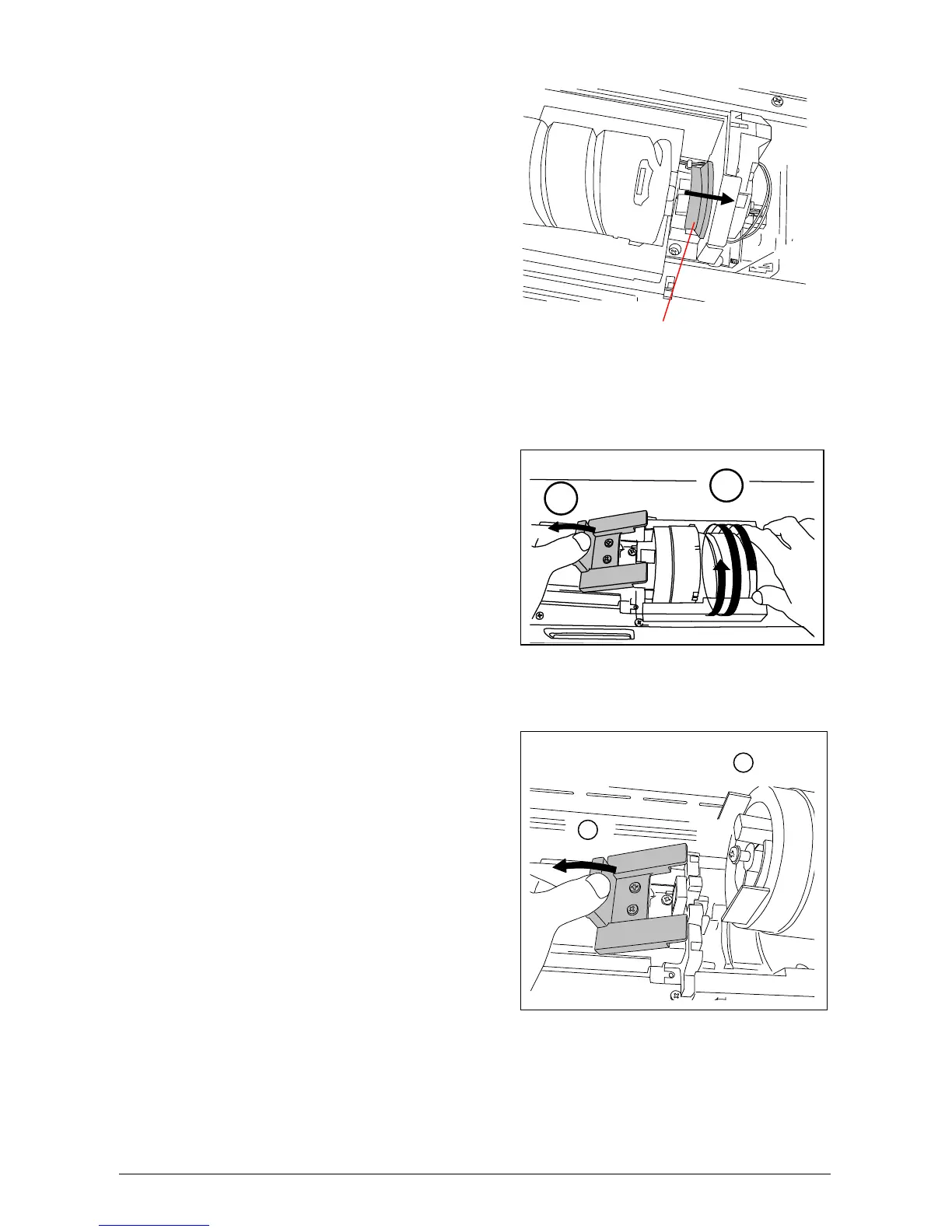
2) Push the Joint (3) rightward to free the Toner Cartridge until the Joint is latched.
Joint
3) Press the Lever to left, and then rotate the Toner Cartridge (not the Cap of Cartridge) in the
direction indicated by the arrow to close the opening. Approximately 2 rotations closes the
opening, but turn the Toner Cartridge until it stops.
4) Continuing to press the Lever to left, lift up the Toner Cartridge.
1
2
1
2



 To Next Page