Section 1 Basic Printer Functions
1-36
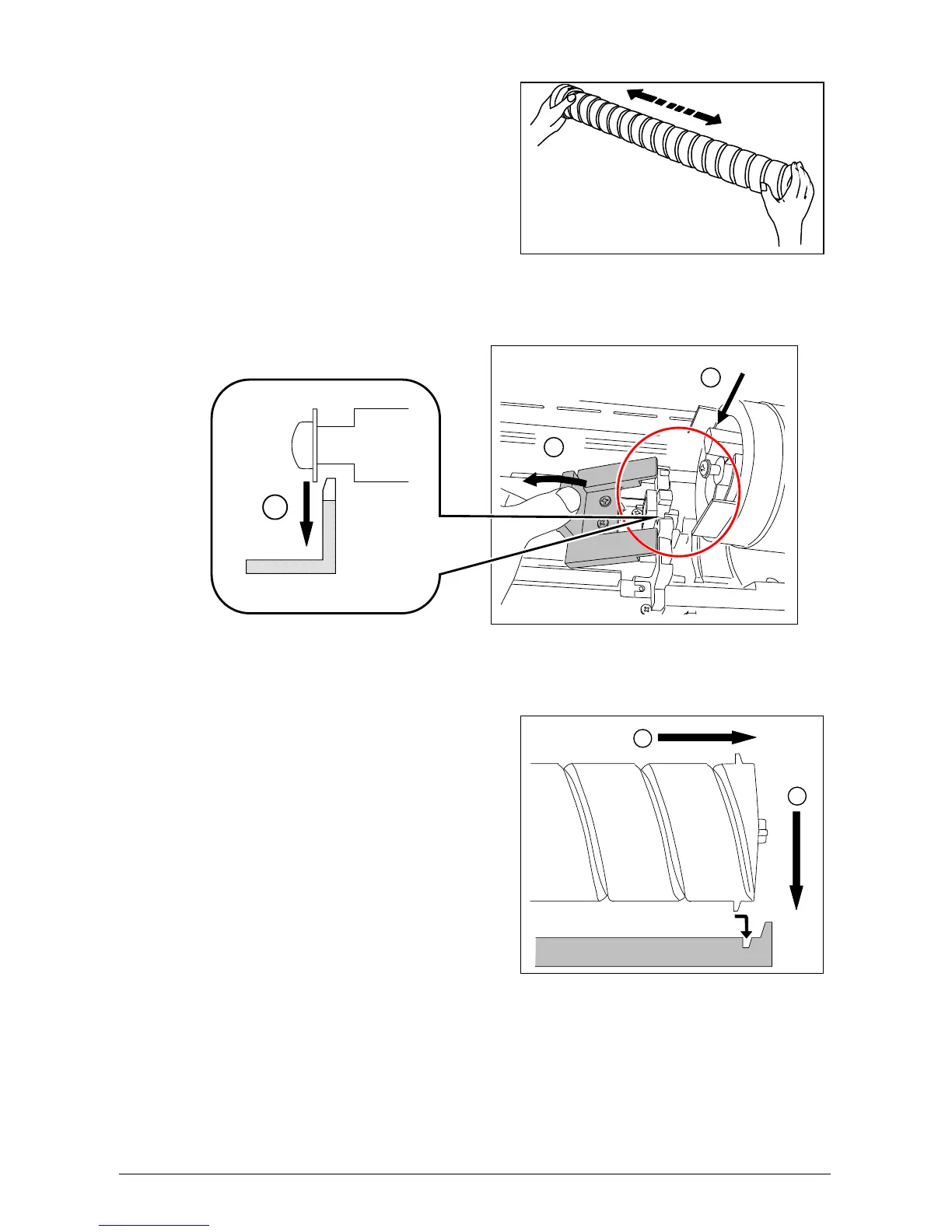
5) Shake a new Toner Cartridge several times left to right to evenly distribute the toner.
6) Press the Lever (1) to left, and place the new Toner Cartridge into the machine, ensuring the
opening is downward. Insert the far left Collar of the Toner Cartridge into the slot securly.
7) Pull the Toner Cartridge to rightward a little, and insert the notch in the slot.
1
2
1
2
3



 To Next Page