Section 1 Basic Printer Functions 1-54
3. 2.11 User Mode A: H / H Environment Setting Mode
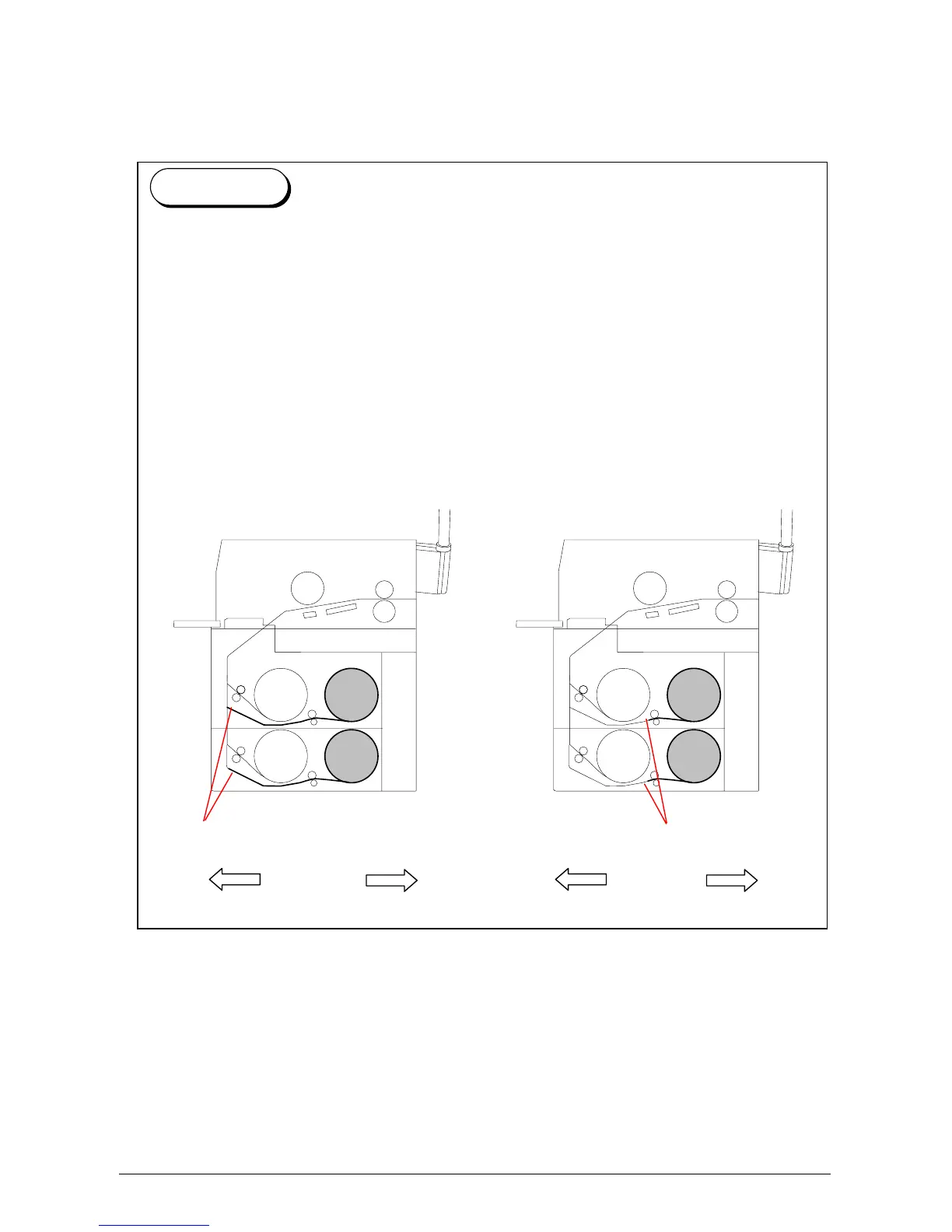
It is possible to select whether or not the H / H Environment Setting Mode is functional.
In a high temperature and high humidity environment (called H / H Environment),“creasing of
paper” may occur on the prints when using the media on Roll 2 or Roll 4.
The reason for these problems is that the leading part of paper gets humidified as a long
section of the media exposed to the humid air in its waiting position. If User Mode A is on, the
leading edge is held closer to the roll so that less media gets humidified. This prevents some
of the above problems.
Please note that it takes a little more time than usual for the printer to completes the first
sheet of prints.
<Normal Operation> <H/H Environment Setting Mode works>
Reference
Roll 1 Roll 2
Roll 3
Roll 4
Roll 1 Roll 2
Roll 3
Roll 4
Front
Rear
Front
Rear
Waiting position
Waiting position



 To Next Page